
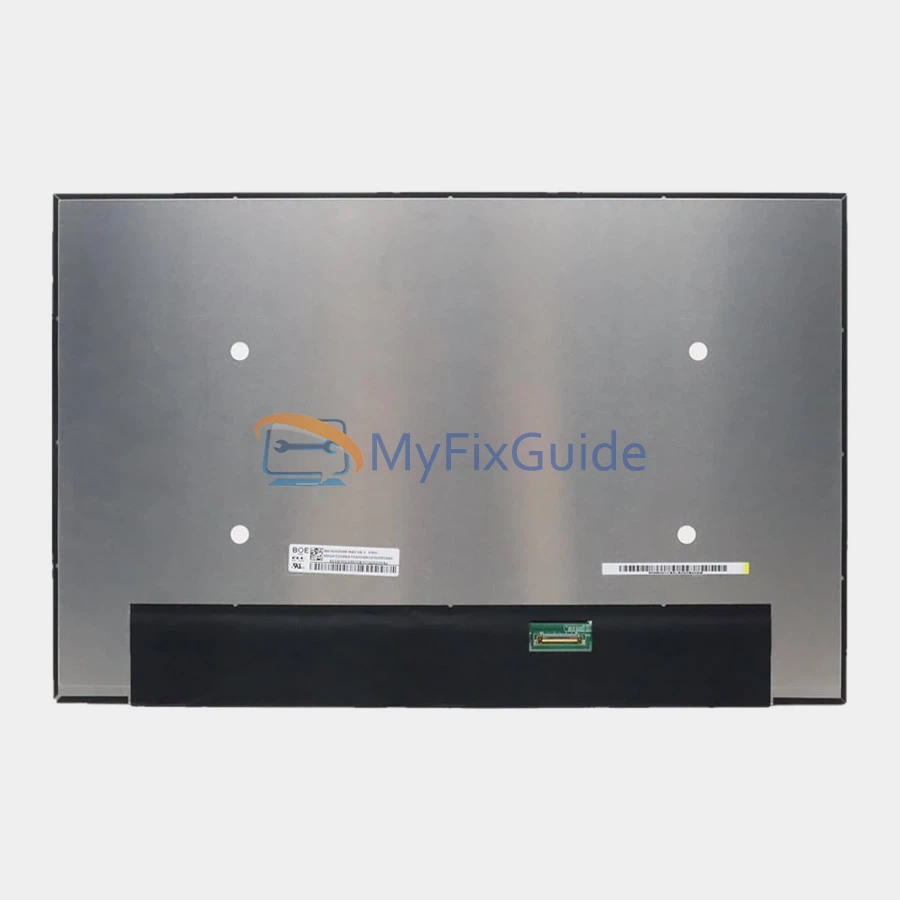
New screen for Lenovo Legion 5 15AHP10 gaming laptop. This laptop has multiple screen specifications. Please check your screen specifications before placing your order.
If you don’t know your screen’s specifications, please contact us and submit your laptop’s serial number and type number, which you can find on the black sticker on the bottom cover.
Features:
1. This screen has the same specifications as your original screen.
2. Each screen is rigorously tested to ensure that it has no dead pixels.
3. Each screen will come with two double-sided tapes for installing the screen.
Specifications:
Size: 15.3-inch IPS Screen
Resolution: WUXGA (1920×1200)
Touch: No
Connector: 40 pins
Brightness: 300 nits
Refresh Rate: 165Hz
Backlight Type: LED
Aspect Ratio: 16:10
Contrast Ratio: 1000:1
Color Gamut: 100% sRGB
Surface Type: Matte, Anti-Glare
Other features: Dolby Vision, TÜV Low Blue Light
Condition: New, Original
Dead Pixel Policy: No Dead Pixels
Warranty: One (1) Year
Compatible laptop:
Legion 5 15AHP10
Fits the following type numbers:
83M00008MX
83M00009MX
83M0000AMX
83M0000BMX
83M0000CMX
83M0000DMX
83M0004BTA
83M0004JUS
83M0004RTA
83M0004SKR
83M0004TKR
83M0004VCC
83M0004XPH
83M00051PH
83M0005EMX
83M0005JAU
83M0005KVN
83M0005LVN
83M0005NAX
83M0005RFR
83M0005SCK
83M0005TCK
83M0005UCK
83M0005VCK
83M00064TR
83M00065TR
83M0006WSP
83M0006XSP
83M0006YSP
83M00070TR
83M00071SP
83M00075PH
83M00076SP
83M0007LSP
83M0007WCK
83M00080SC
83M00083SC
83M00084SC
83M00085SC
83M00086HV
83M00087HV
83M0008AMB
83M0008BMH
83M0008PMB
83M0008PMH
83M0008RNT
83M0008SSP
83M00092GE
83M00097MX
83M00098MX
83M0009KGE
83M0009LSC
83M0009MSC
Replacement Tips:
1. Make sure the specifications, description, and image match the original screen on your laptop.
2. To replace your screen, you need to disable the battery in the BIOS. This protects your laptop from damage by static electricity.
3. The LCD bezel is fixed on the LCD back cover with easy-stretch adhesive. Slowly pull out the adhesive, and the screen will come off easily.
4. Place the LCD screen on the keyboard, disconnect the display cable from the LCD screen to remove the old LCD screen, and then you can install the new screen on your laptop.
Reviews
There are no reviews yet