
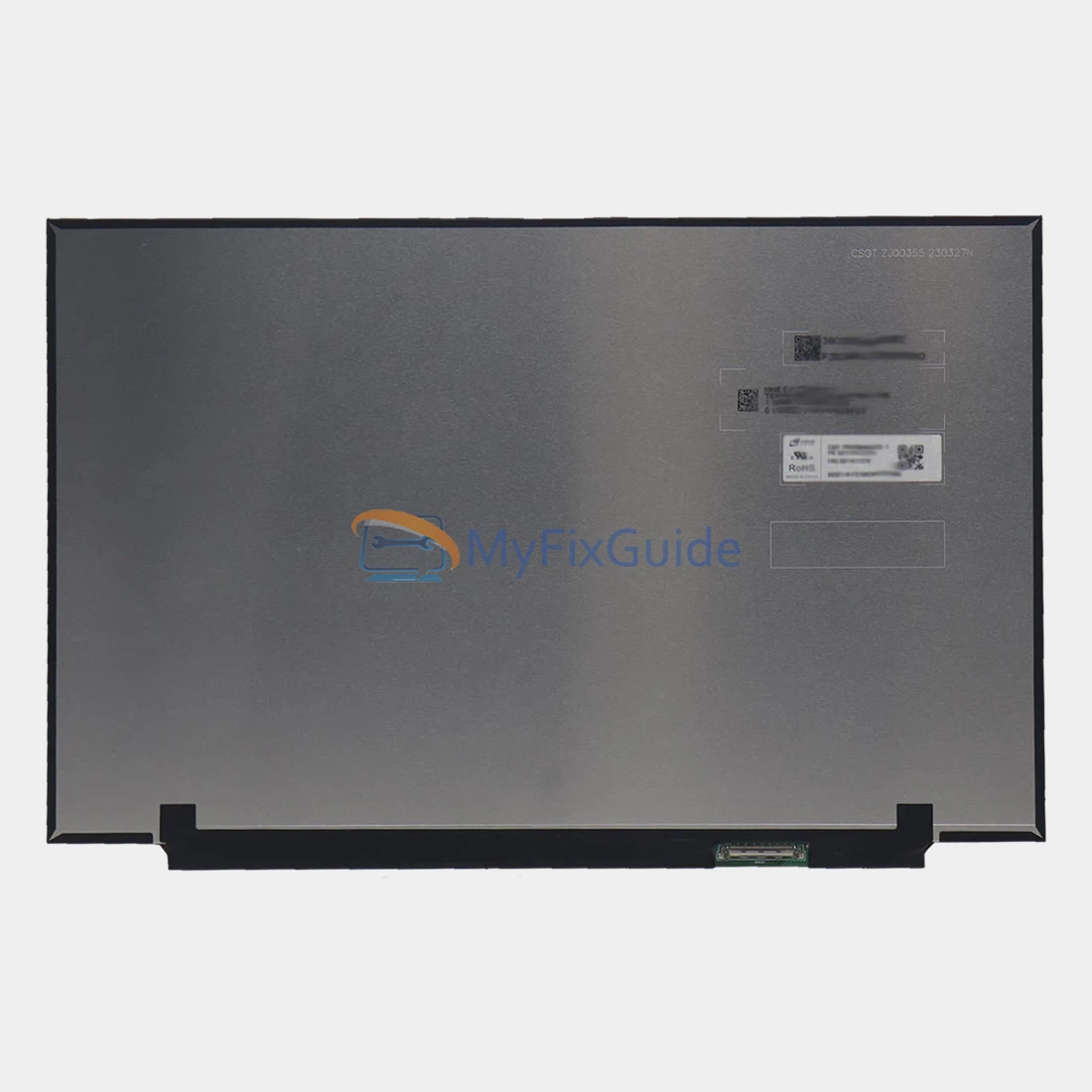
New screen for Lenovo ThinkPad P14s Gen 5 (Type 21G2, 21G3) laptop. This laptop has multiple screen specifications. Please check your screen specifications before placing your order.
If you don’t know your screen’s specifications, please contact us and submit your laptop’s serial number and type number, which you can find on the black sticker on the bottom cover.
Features:
1. This screen has the same specifications as your original screen.
2. Each screen is rigorously tested to ensure that it has no dead pixels.
3. Each screen will come with two double-sided tapes for installing the screen.
Specifications:
3072×1920: 14.5″ 3K (3072×1920), IPS, 430 nits, Anti-glare, 100% DCI-P3, 120Hz
2560×1600: 14.5″ WQXGA (2560×1600), IPS, 350 nits, Anti-glare, 100% sRGB, 90Hz
1920×1200: 14.5″ WUXGA (1920×1200), IPS, 300 nits, Anti-glare, 45% NTSC, 60Hz
Condition: New, Original
Dead Pixel Policy: No Dead Pixels
Warranty: One (1) Year
Compatible laptop:
ThinkPad P14s Gen 5 (Type 21G2, 21G3)
3072×1920 fits the following type numbers:
21G2001FCA
21G2001FUS
21G2001KCA
21G2001KUS
21G2001NCA
21G2001NUS
21G20027US
21G20028CA
21G20028US
2560×1600 fits the following type numbers:
21G2001JCA
21G2001JUS
21G2001PCA
21G2001PUS
21G2001RUS
21G2001XUS
21G20020US
21G20024CA
21G20024US
1920×1200 fits the following type numbers:
21G2001GCA
21G2001GUS
21G2001HCA
21G2001HUS
21G2001MUS
21G2001QCA
21G2001QUS
21G2001SUS
21G2001UUS
21G2001VCA
21G2001VUS
21G2001WUS
21G2001YCA
21G2001YUS
21G20021CA
21G20021US
21G20023CA
21G20023US
21G20026CA
21G20026US
21G2005BCA
21G2005CCA
Replacement Tips:
1. Make sure the specifications, description, and image match the original screen on your laptop.
2. To replace your screen, you must remove the battery or disconnect the battery cable from the motherboard. This protects your laptop from damage by static electricity.
3. The LCD bezel is fixed on the LCD back cover with easy-stretch adhesive. Slowly pull out the adhesive, and the screen will come off easily.
4. Place the LCD screen on the keyboard, disconnect the display cable from the LCD screen to remove the old LCD screen, and then you can install the new screen on your laptop.
Reviews
There are no reviews yet