
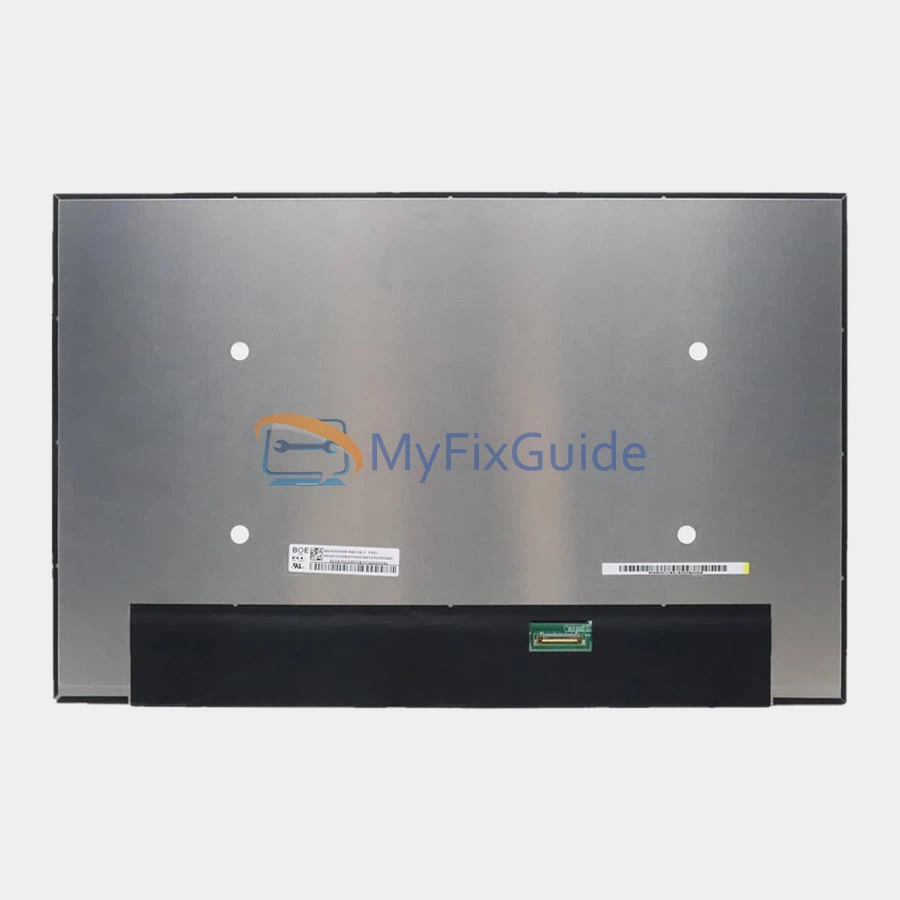
New screen for Lenovo ThinkPad X1 Carbon Gen 12 (Type 21KC, 21KD) laptop. This laptop has multiple screen specifications. Please check your screen specifications before placing your order.
If you don’t know your screen’s specifications, please contact us and submit your laptop’s serial number and type number, which you can find on the black sticker on the bottom cover.
Features:
1. This screen has the same specifications as your original screen.
2. Each screen is rigorously tested to ensure that it has no dead pixels.
3. Each screen will come with two double-sided tapes for installing the screen.
Specifications:
1920×1200 100% sRGB
14″ WUXGA (1920×1200) IPS 400nits Anti-glare 100% sRGB Low Power
1920×1200 100% sRGB Touch
14″ WUXGA (1920×1200) IPS 400nits Anti-glare 100% sRGB Low Power Touch
Condition: New, Original
Dead Pixel Policy: No Dead Pixels
Warranty: One (1) Year
Compatible laptop:
ThinkPad X1 Carbon Gen 12 (Type 21KC, 21KD)
1920×1200 100% sRGB fits the following type numbers:
21KC000QCA
21KC000TCA
21KC0046CA
21KC0047CA
21KC0048CA
21KC004BCA
21KC004DCA
21KC004FCA
21KC009WCA
21KC009WUS
21KC00A0CA
21KC00A0US
21KC00A1CA
21KC00A1US
21KC00A3CA
21KC00A3US
21KC00A8CA
21KC00A8US
21KC00AKCA
21KC00B2CA
21KC00B2US
1920×1200 100% sRGB Touch fits the following type numbers:
21KC000MCA
21KC000RCA
21KC0049CA
21KC004ACA
21KC004CCA
21KC004ECA
21KC004HCA
21KC009XCA
21KC009XUS
21KC009YCA
21KC009YUS
21KC00A2CA
21KC00A2US
21KC00A4CA
21KC00A7CA
21KC00A7US
21KC00B1CA
21KC00B1US
21KC00B3CA
21KC00B3US
21KC00CFCA
21KC00CFUS
Replacement Tips:
1. Make sure the specifications, description, and image match the original screen on your laptop.
2. To replace your screen, you must remove the battery or disconnect the battery cable from the motherboard. This protects your laptop from damage by static electricity.
3. The LCD bezel is fixed on the LCD back cover with easy-stretch adhesive. Slowly pull out the adhesive, and the screen will come off easily.
4. Place the LCD screen on the keyboard, disconnect the display cable from the LCD screen to remove the old LCD screen, and then you can install the new screen on your laptop.
Reviews
There are no reviews yet