
Currently, none of the world’s top PC manufacturers can fully support AMD’s next-generation Ryzen 4000U/H series APU mobile platform, such as Lenovo. In addition to thin and light laptops and the Legion series, even the ThinkPad brand, which focuses on business, has begun to use AMD mobile platforms.
In the ThinkPad brand, the X series has always focused on extreme lightness and portability. The ThinkPad X13 is designed for business travelers, with a thickness of just 16.9 mm and a weight of 1.3 kg.
Before the ThinkPad X13 Ryzen edition, there was the 2020 model equipped with Intel’s 10th-generation low-power Core processor. These two laptops are almost identical in appearance and weight, but the differences are not to be underestimated.
Difference between Intel Edition and AMD Edition :
1. Processor: The Intel edition supports up to an i7-10510U processor with a 4-core 8-thread design, while the Ryzen version uses the highest Ryzen 7 PRO 4750U processor with 8-core and 16-thread, and the overall performance is about 1.6 times that of i7-10510U, while the performance of Vega 7 GPU on Ryzen 7 PRO 4750U is also three times that of UHD 630 on i7-10510U.
2. LTE: The Intel version supports 4G LTE; the Ryzen version does not.
3. Screen: The Intel version has a privacy IPS panel with a 100% sRGB color gamut. The Ryzen version has a brightness of 300 nits and a 100% sRGB color gamut.
Aside from the differences in the above three points, the ThinkPad X13 Ryzen and the Intel versions are almost the same in other respects. For example, they have passed 12 U.S. MIL-STD-810G military standard tests.
In addition, it is exactly the same in terms of thickness and weight, with a net weight of 1.3 kg and a thickness of 16.9 mm. This is also because the Intel version does not include a separate video card.
But the most surprising thing is the price. The Intel version with 16GB RAM and 512GB SSD is priced at CNY 8,989, while the Ryzen version with 16GB RAM and 512GB SSD is now only priced at CNY 5,999. The difference between the two is nearly CNY 3,000.
Specifications
| Screen | 13.3″ FHD (1920 x 1080) IPS 100% sRGB |
| Processor | AMD Ryzen 7 PRO 4750U |
| Video | Radeon Vega7 |
| Memory | 16GB DDR4 3200MHz |
| Storage | Samsung PM981a 512GB NVMe SSD |
| Connectivity | Intel Wi-Fi 6 AX200 |
| Ports | 3x USB Type-C, 1 x USB 3.1, HMDI, RJ45, 3.5mm |
| Battery | 48 Wh |
| OS | Windows 10 |
| Weight | 1.3 kg (net weight) |
| Extras | keyboard, Web webcam |
Appearance
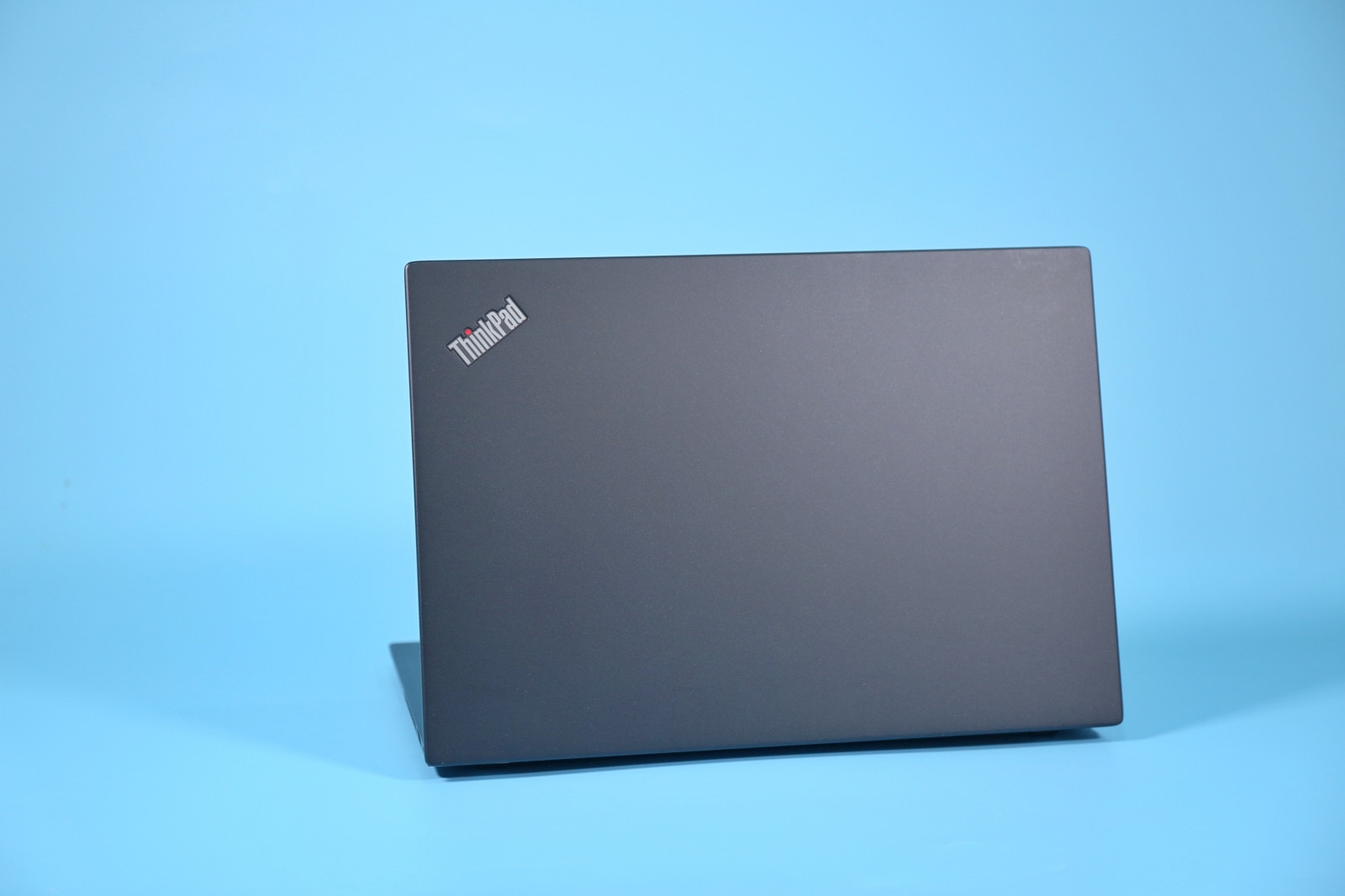
The ThinkPad X13 is a thin and light business laptop that incorporates the traditional DNA of the ThinkPad family. Its body is made of aluminum alloy.
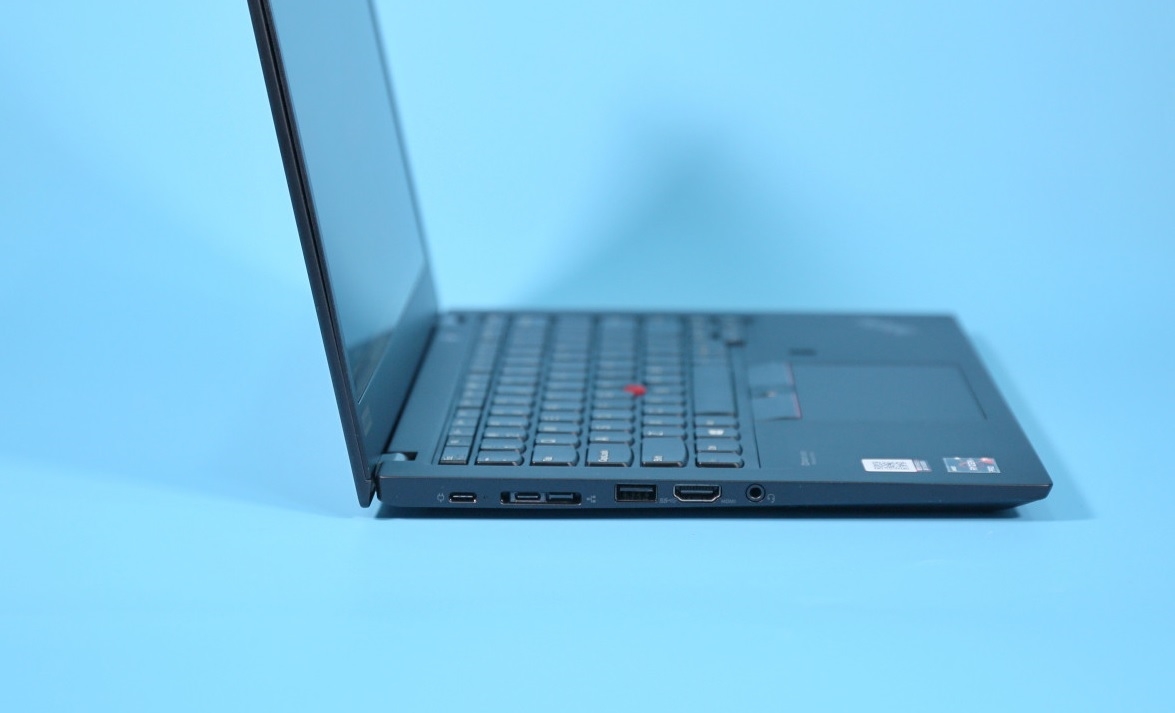
There are two Type-C ports on the left side of the body: the left one is fully functional for charging, video output, and file transfers, and on the right side is a Type-C Thunderbolt 3 port that supports professional docking stations.
There is also an HDMI port, a USB 3.1 Gen 1 port, and a 3.5mm headset port.
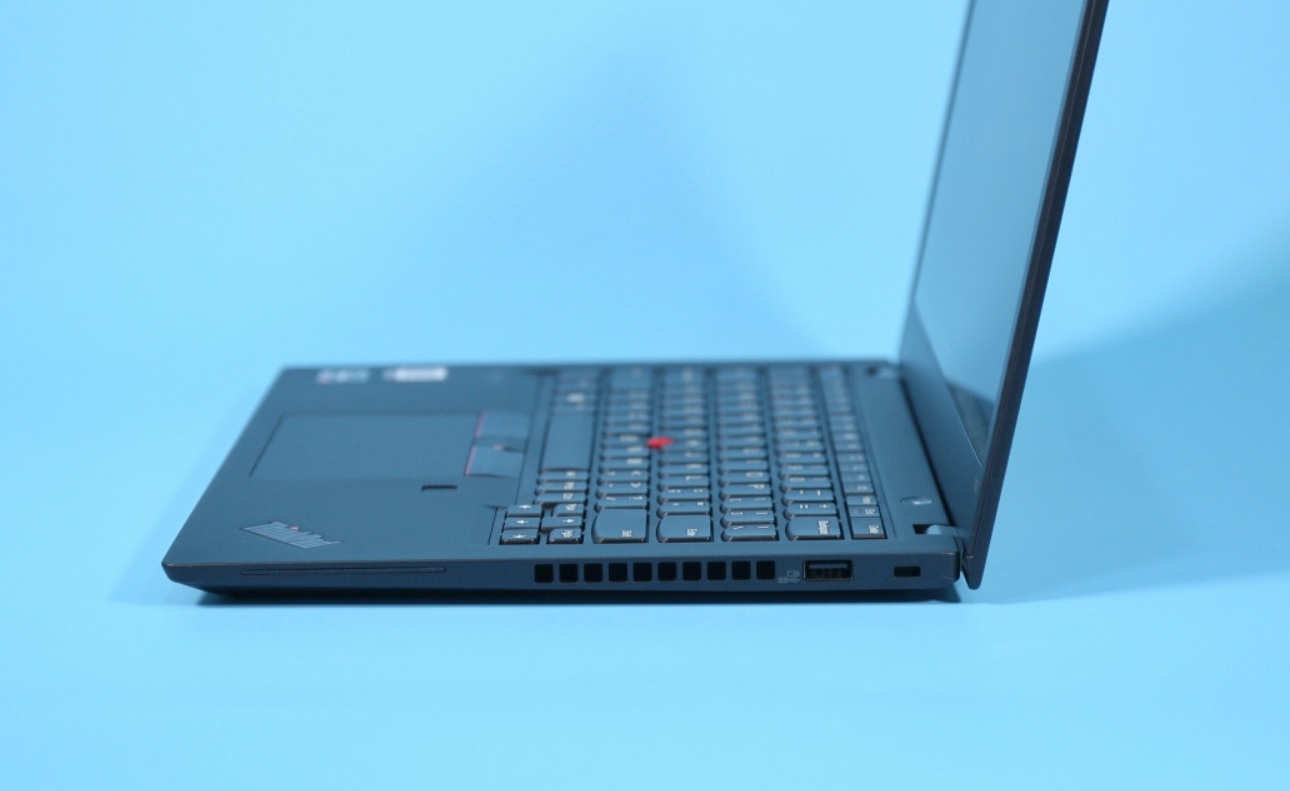
There is a USB 3.1 Gen 1 port on the right side of the fuselage, and there is a row of cooling air outlets in the middle.
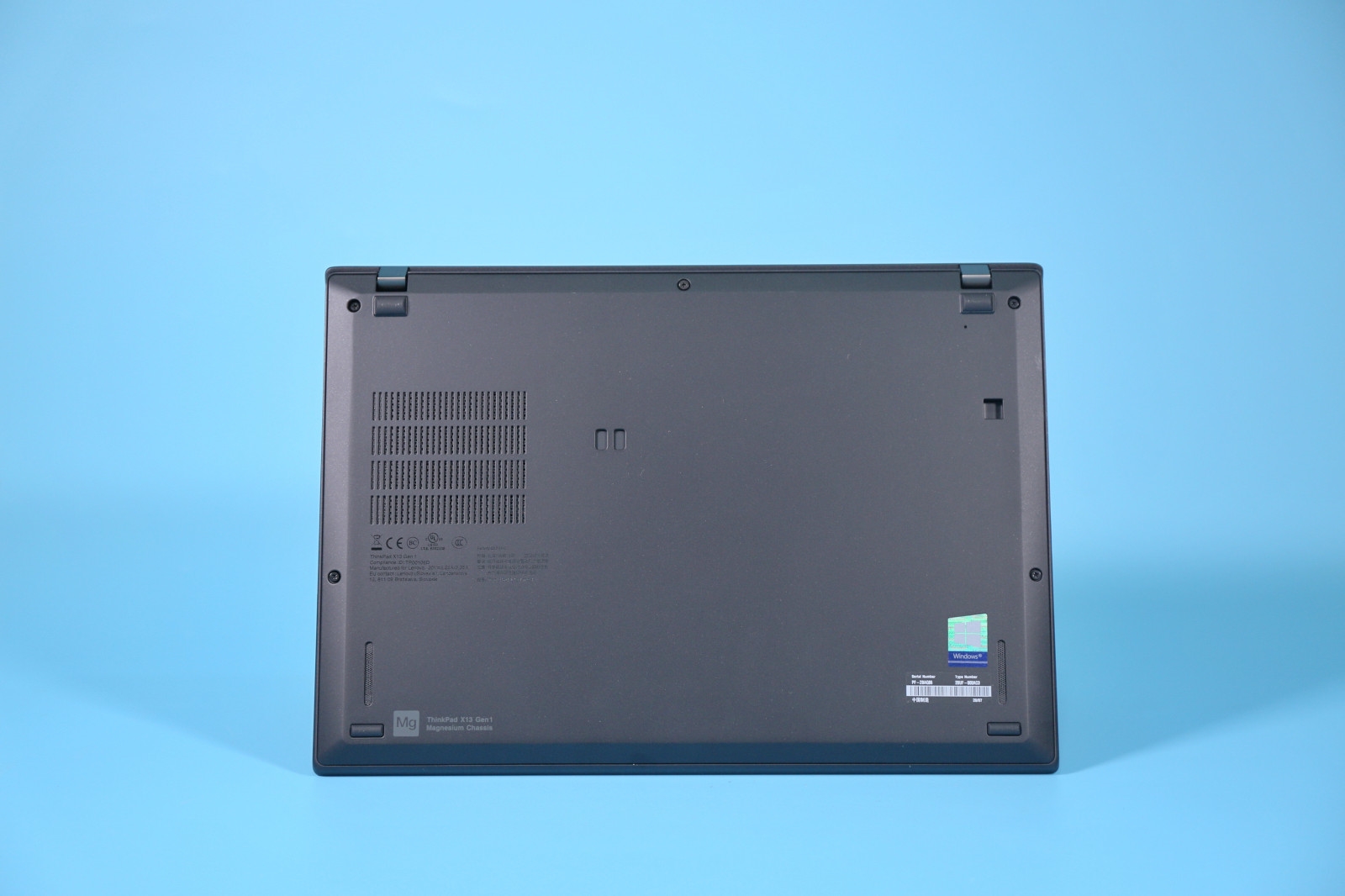
The bottom is also very flat, except that some cooling grilles are left in the corresponding fan positions.
The laptop features a 13.3-inch wide viewing angle display with a resolution of 1920 x 1080, a 100% sRGB color gamut, a brightness of 300 nits, and a static contrast ratio of 1000:1.
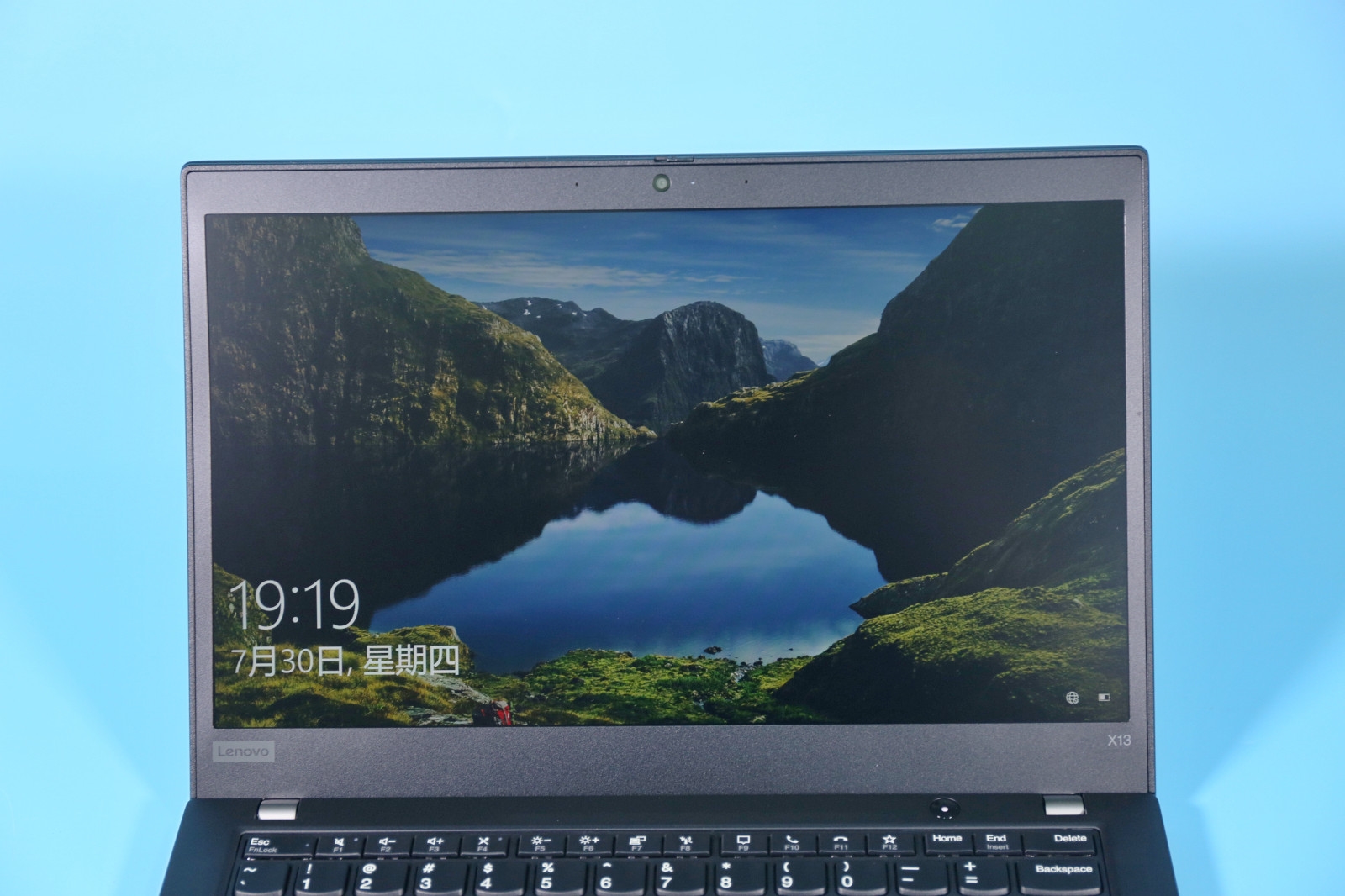
The ThinkPad X13 features a classic keyboard with the best typing feel among thin and light laptops. The key travel is 1.8 mm.

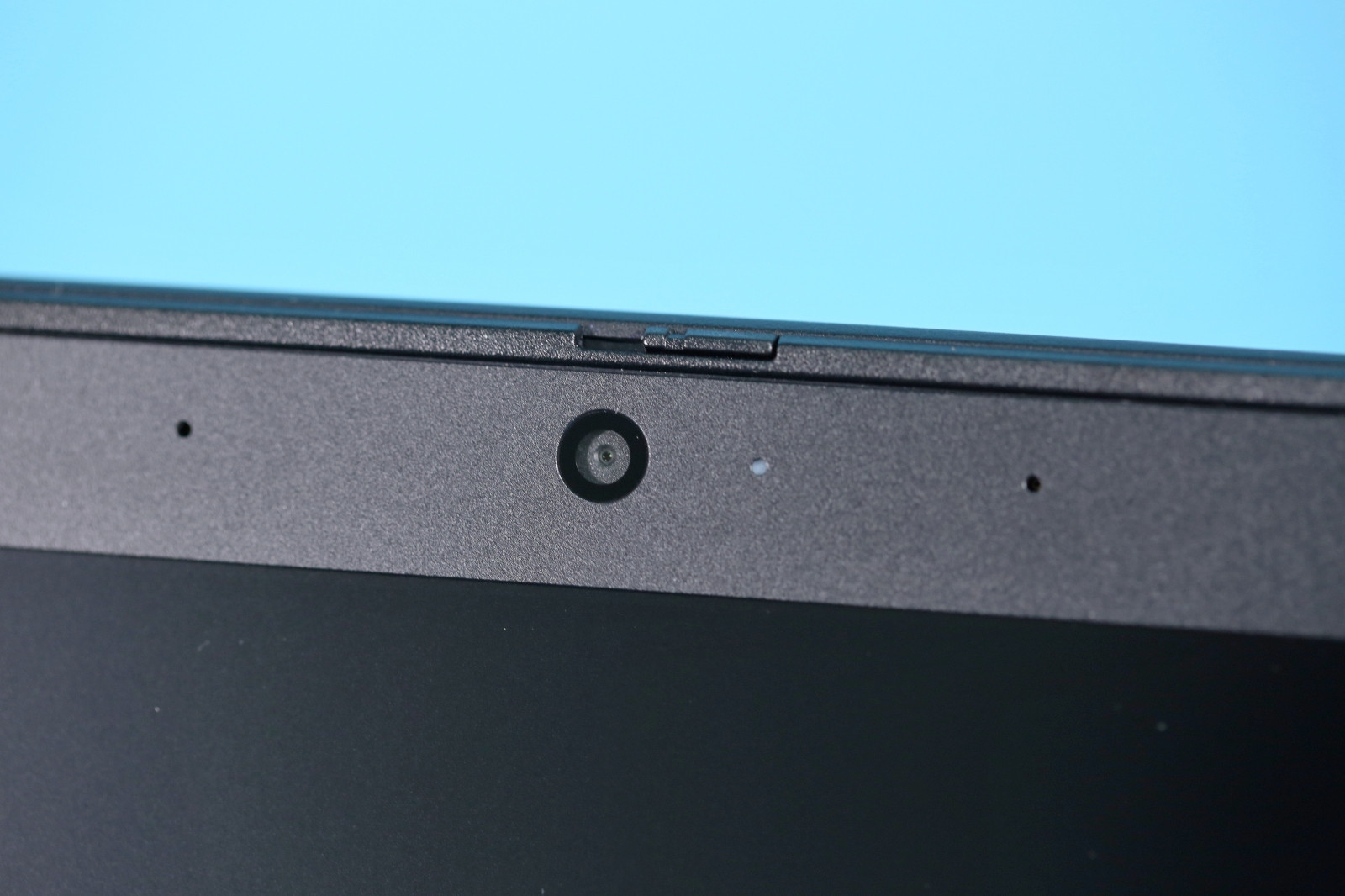
The privacy camera design allows the camera to be blocked by sliding the valve when the camera is not needed.
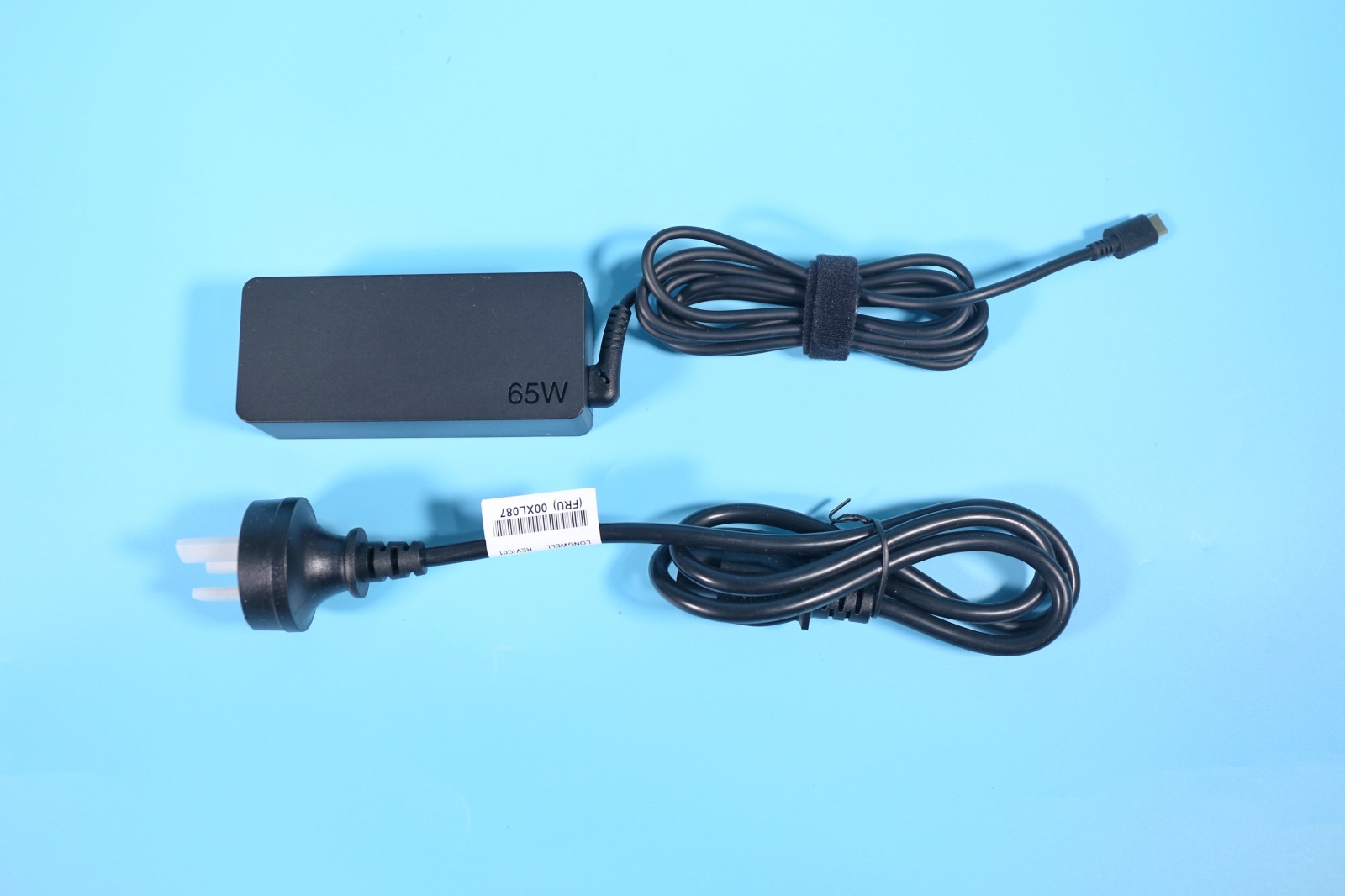
The laptop comes with a 65W Type-C power adapter. It also supports 15V/3A, 9V/2A, and 5V/2A output specifications, which can be used to charge mobile phones. The wire is very long, over 2 meters.
The cooling system has a single fan and dual heat pipes. The battery capacity is 48Wh. It uses a Samsung PM981a 512GB SSD and an Intel Wi-Fi 6 AX200 wireless network card.
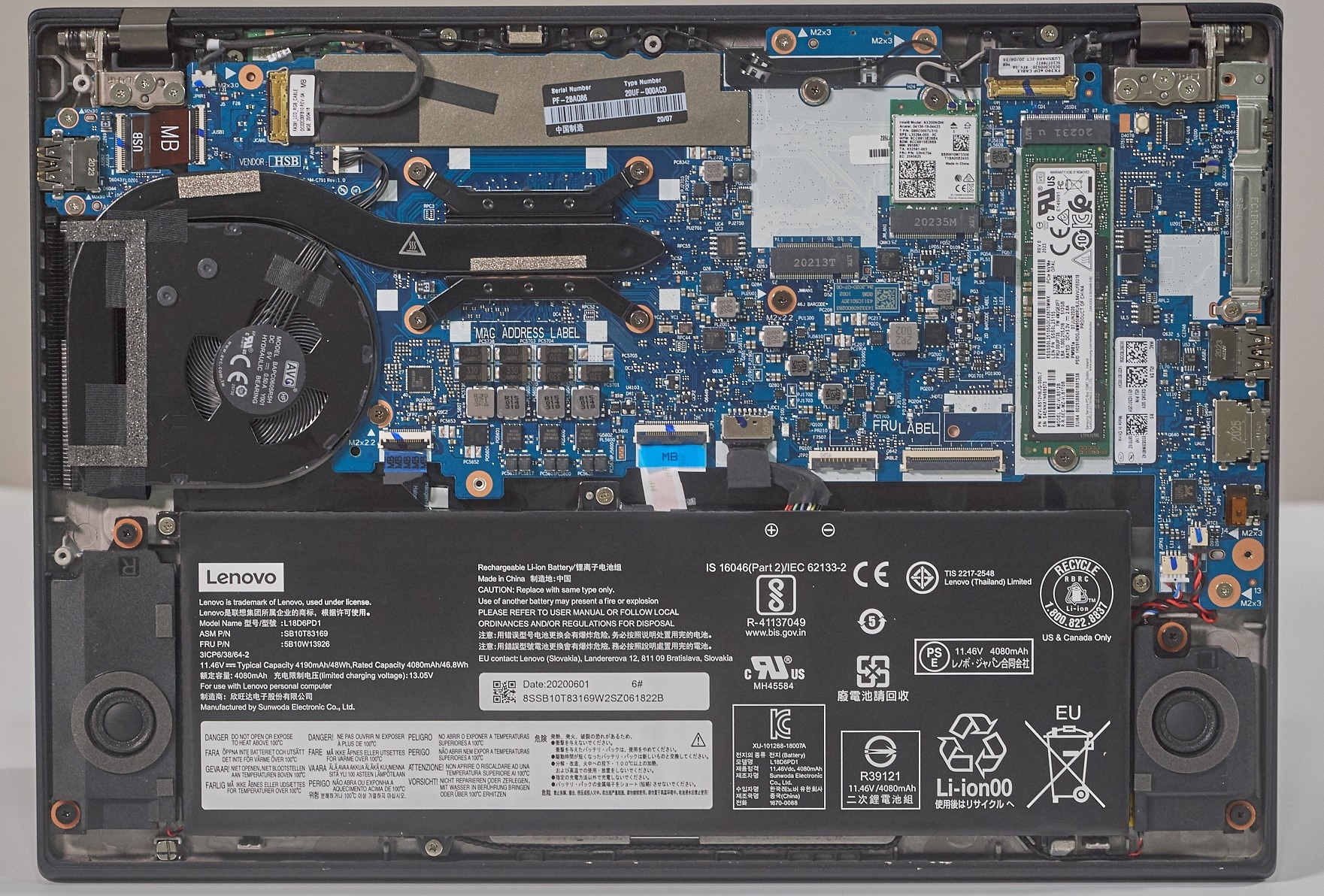
In addition, we can also see that all I/O ports are reinforced with a metal plate.
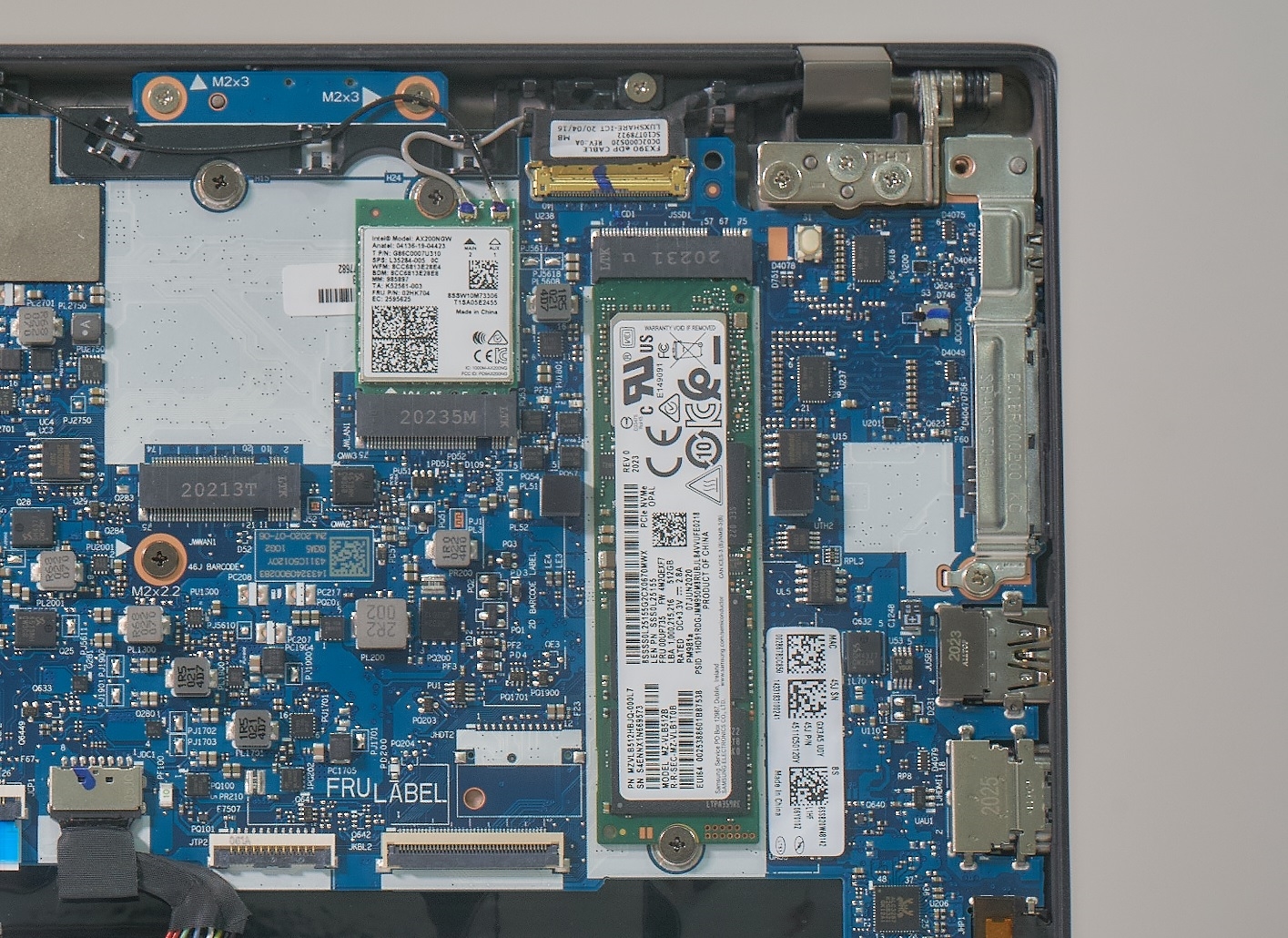
The surface is covered with a layer of aluminum alloy for reinforcement.
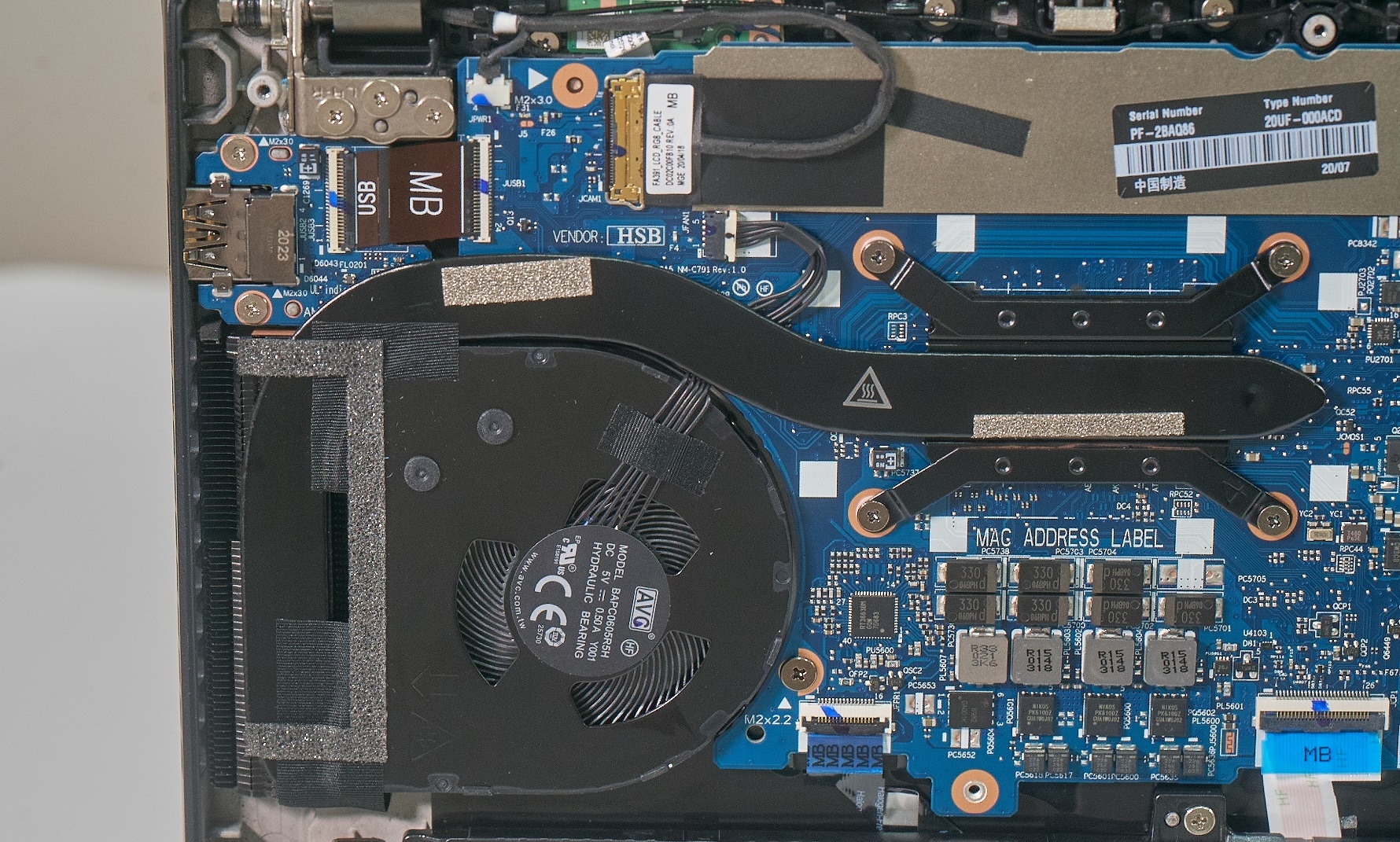
Close-up of the cooling system.
performance test
1. CPU-Z
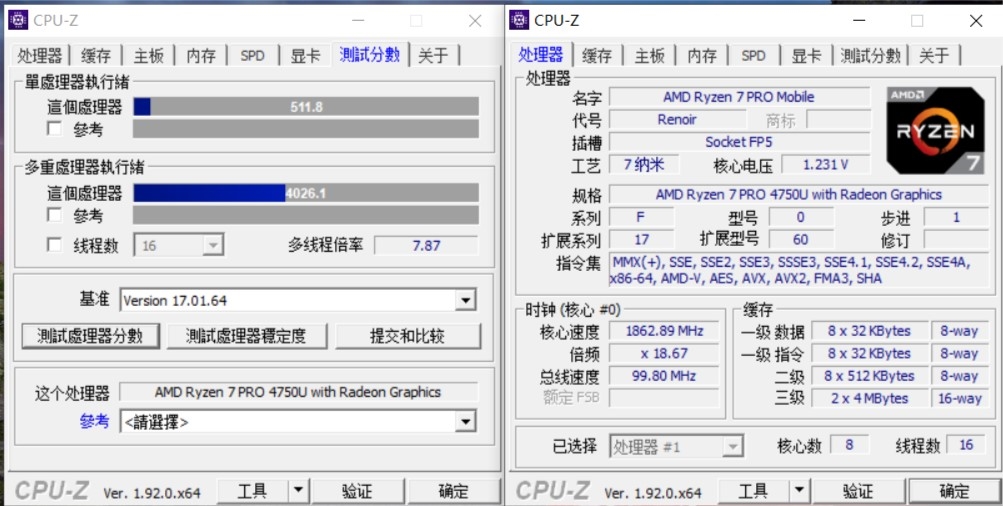
The Ryzen 7 PRO 4750U has a single-threaded score of 512 and a multi-threaded score of 4026.
2. wPrime
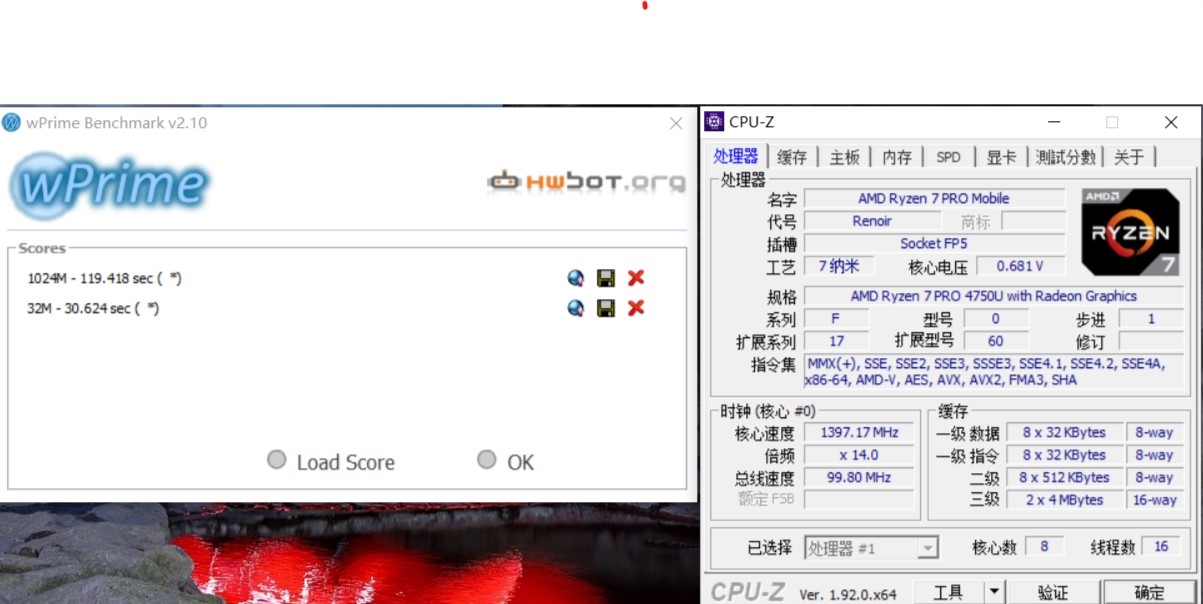
In the wPrime 32M single-threaded performance test, the Ryzen 7 PRO 4750U took 30.6 seconds, and the multi-threaded wPrime 1024M took 119.4 seconds.
3. CineBench R15
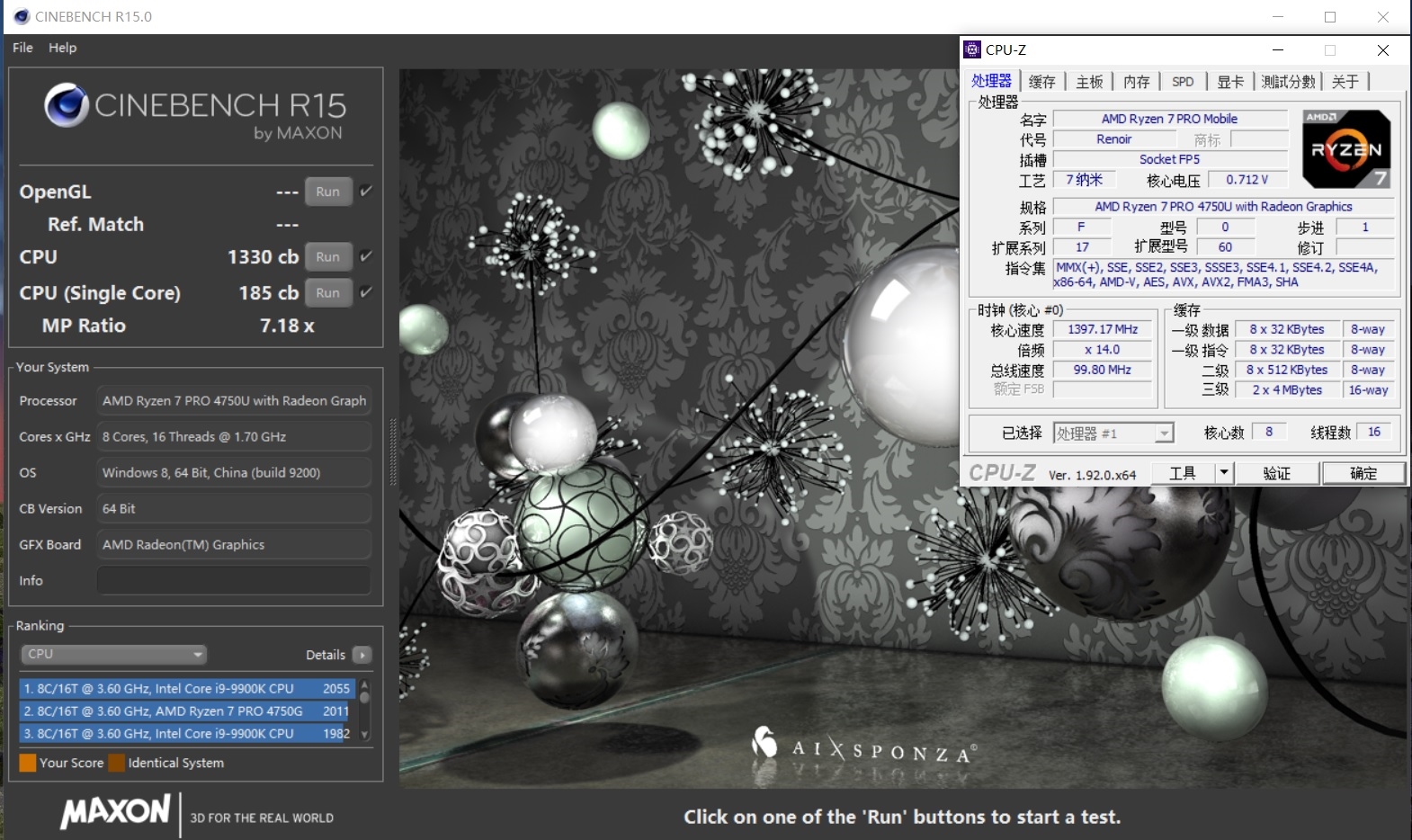
In the CineBench R15 test, the Ryzen 7 PRO 4750U has a single-thread score of 185 CB and a multi-threaded score of 1330 CB.
4. CineBench R20
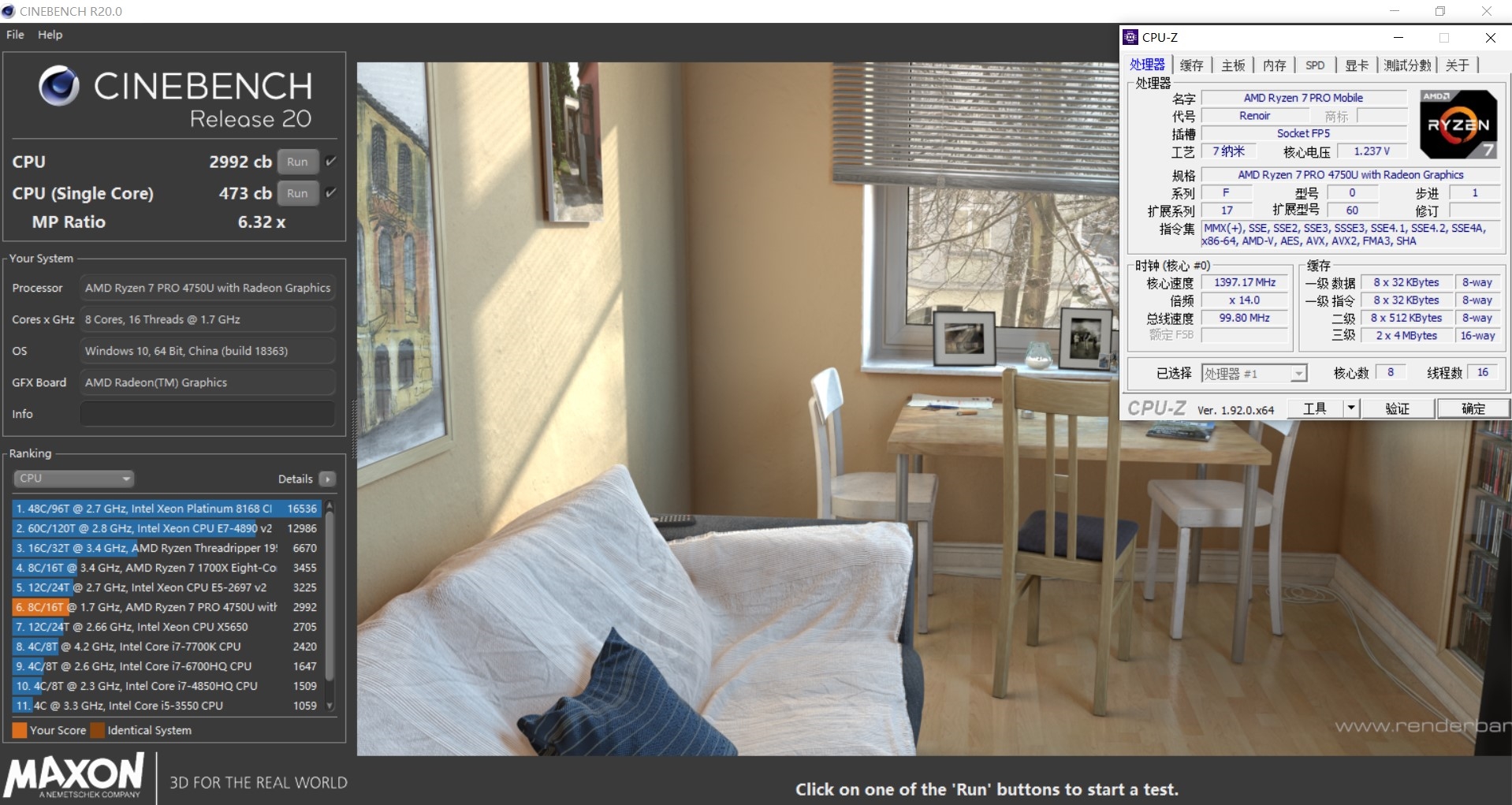
The Ryzen 7 PRO 4750U has a single-thread score of 473 CB and a multi-threaded score of 2,992 CB.
Screen and SSD performance
1. Screen
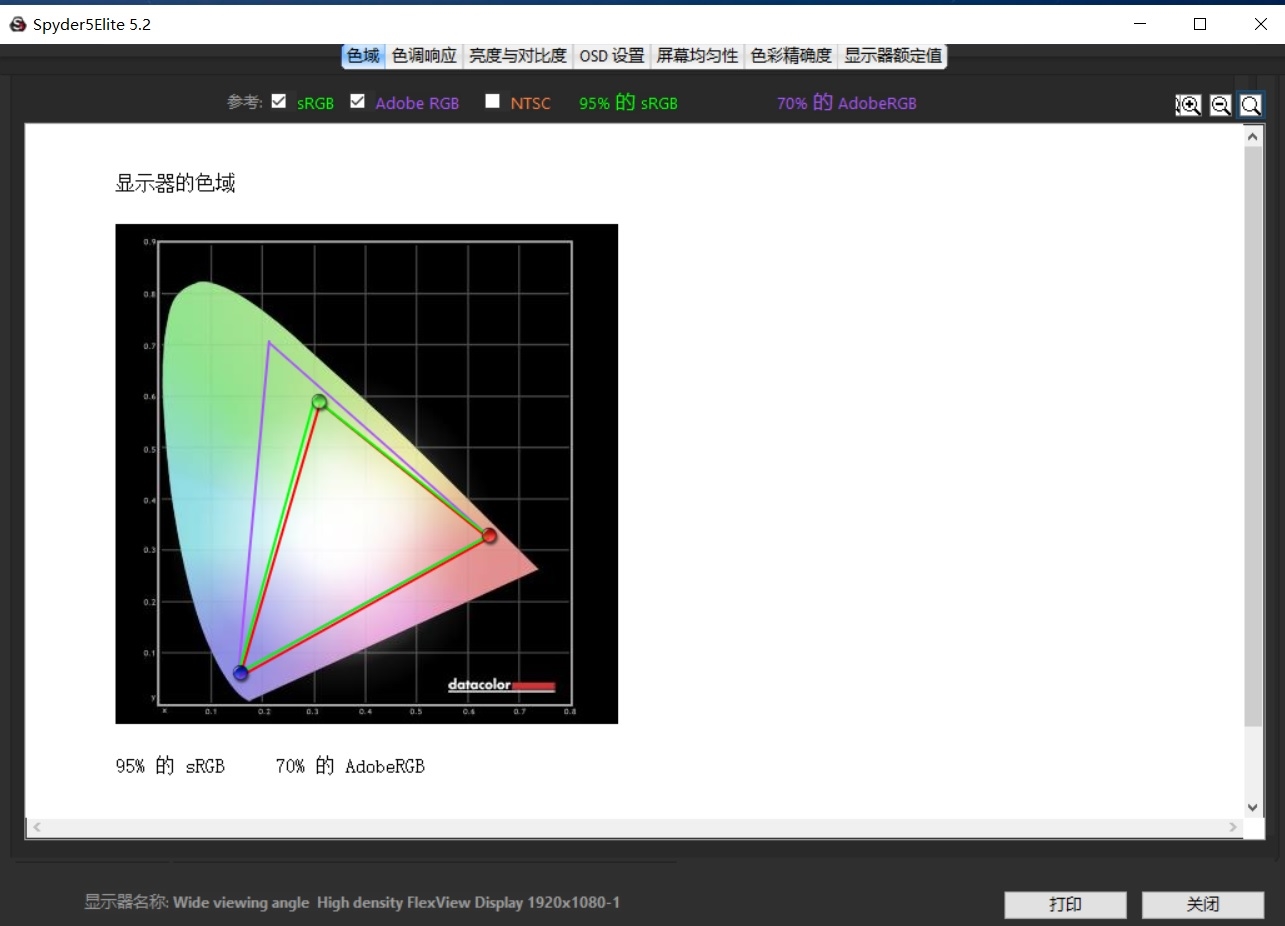
This 13.3-inch screen has a maximum brightness of 294 nits. At 25% brightness, the maximum contrast ratio is 39000:1, while at 75% or higher brightness, it is approximately 1100:1.
2. SSD performance
The ThinkPad X13 Ryzen Edition uses a Samsung PM981a 512GB SSD. This is Samsung’s high-end SSD for the OEM market. It features third-generation 64-layer stacked 3D V-NAND TLC particles with a single chip capacity of up to 256GB. It also integrates 512MB of LPDDR4 as a cache.
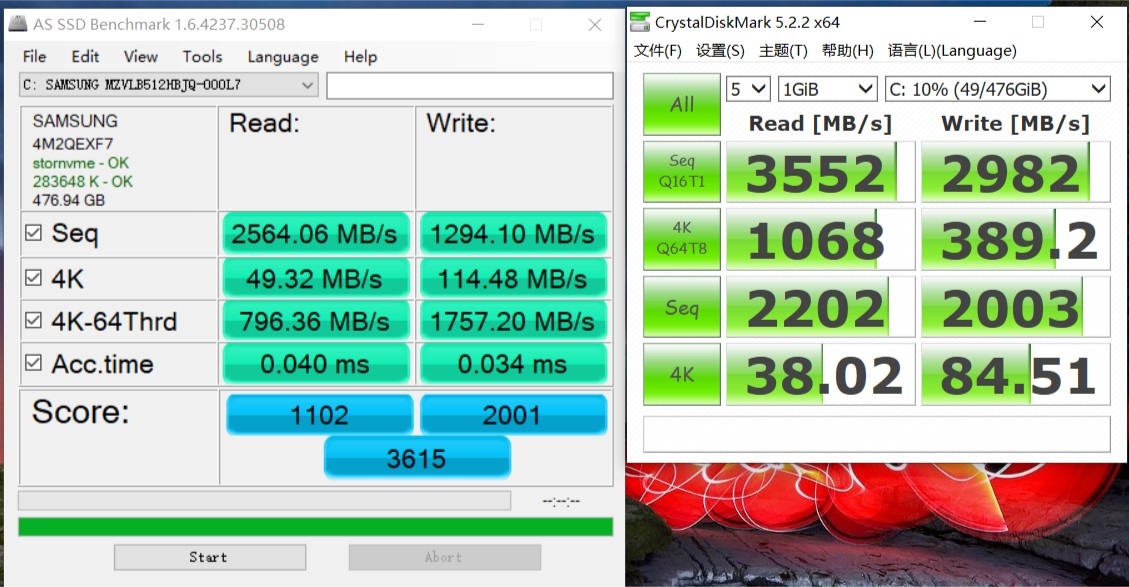
In the AS SSD Benchmark, the total score of this PM981a 512GB is 3615. The sequential read and write exceed 2500 MB/s and 1200 MB/s, respectively. The 4K random read and write speeds are 49 MB/s and 114 MB/s, respectively.
In the CrystalDiskMark test, the sequential read and write speeds achieved 3552 MB/s and 2982 MB/s, respectively.
3. Memory bandwidth test
The ThinkPad X13 Ryzen Edition motherboard features integrated 16GB Samsung DDR4 3200MHz dual-channel memory with a 1.2V voltage and a 24-22-22-52 timing.
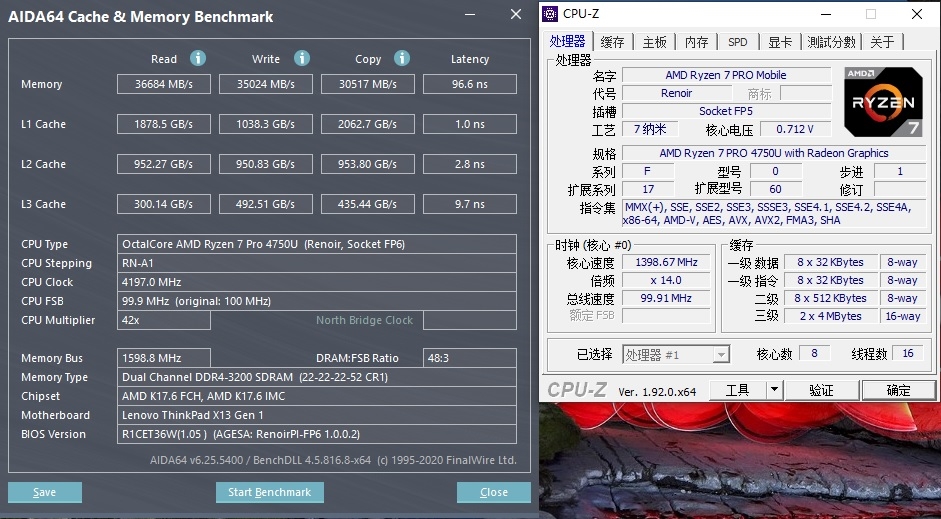
Using AIDA64 for the memory cache test, the read, write, and copy bandwidths were 36,684 MB/s, 35,024 MB/s, and 30,517 MB/s, respectively, and the latency was 96.6 ns.
Graphics performance
1. 3DMark
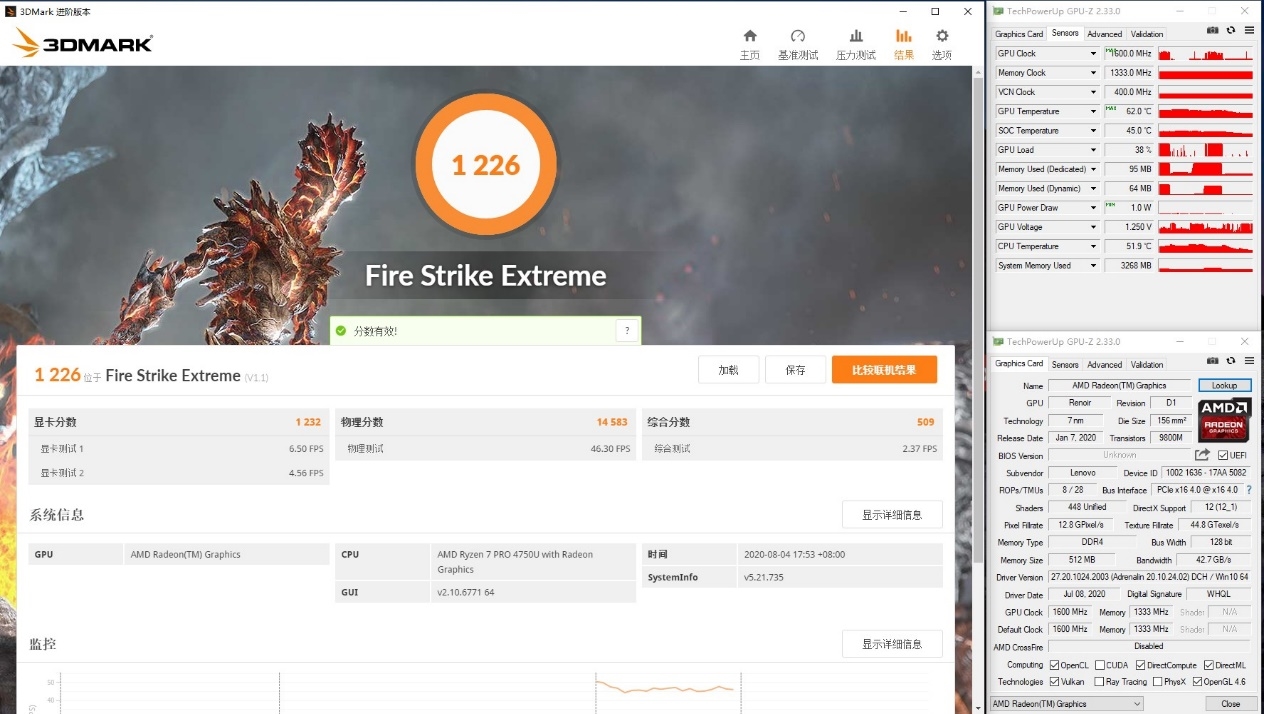
In the 3DMark Fire Strike Extreme test, the Ryzen 7 PRO 4750U achieved a graphics score of 971 and maintained an operating frequency of 1600MHz for most of the test, with a maximum temperature of 69 degrees.
Thanks to the dual-channel memory bonus, the ThinkPad X13 Ryzen Edition delivers about 40% better graphics and gaming performance than the ThinkPad T14 Ryzen Edition, which is about the same as the MX250.
Temperature and battery life
1. battery life
The ThinkPad X13 Ryzen Edition has a 48Wh built-in lithium-ion battery. We used PCMark8 to test battery life. The power mode is “longer battery life”. All other processes are closed during the test, the network connection is turned off, and the screen brightness is adjusted to 50%.
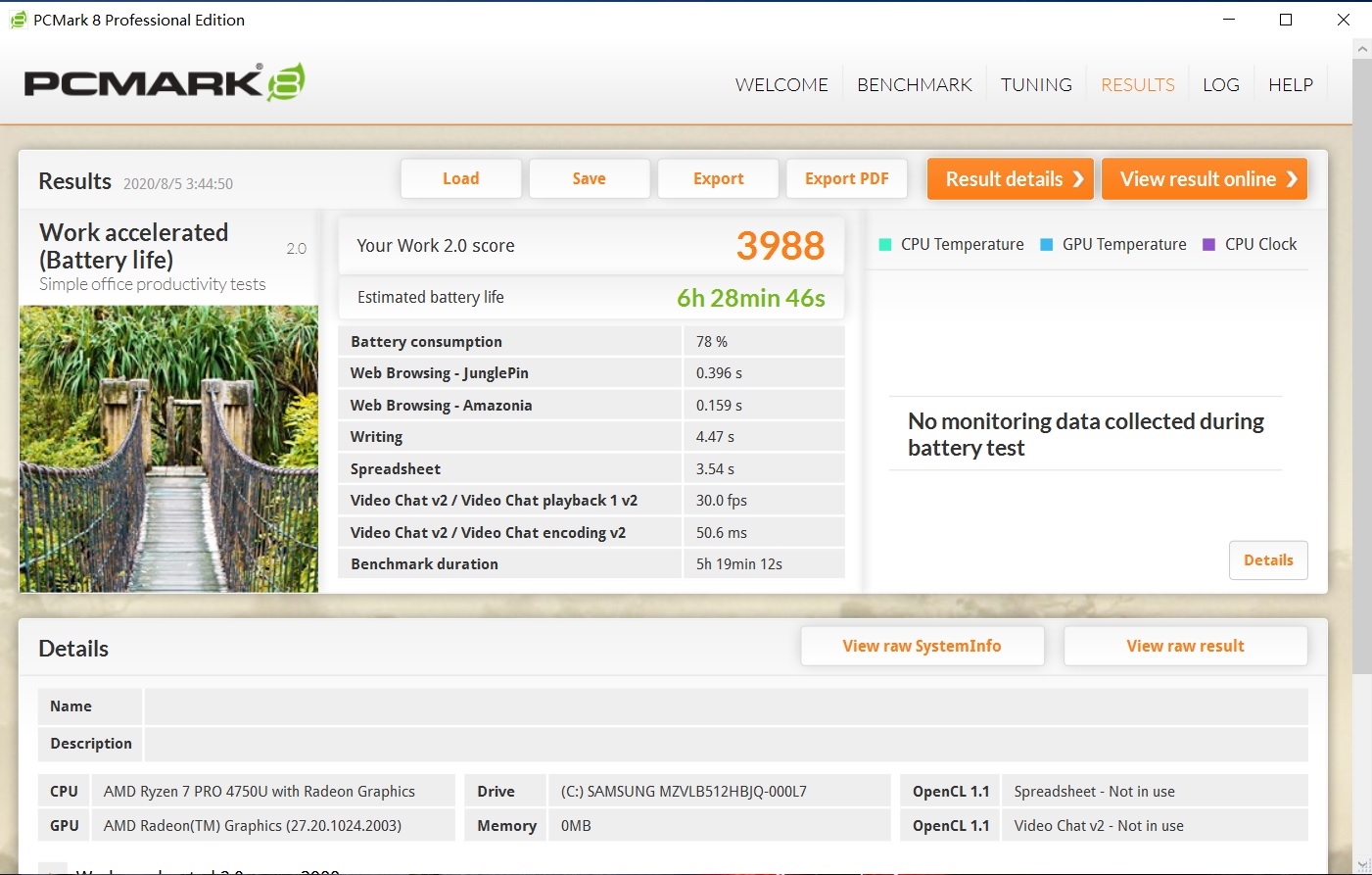
The ThinkPad X13 Ryzen Edition has a battery life of 6 hours and 28 minutes in working acceleration mode. This score is in the mid-range of thin and light laptops.
2. CPU
Use AIDA64 FPU for a temperature test, and the room temperature is 28 ℃.
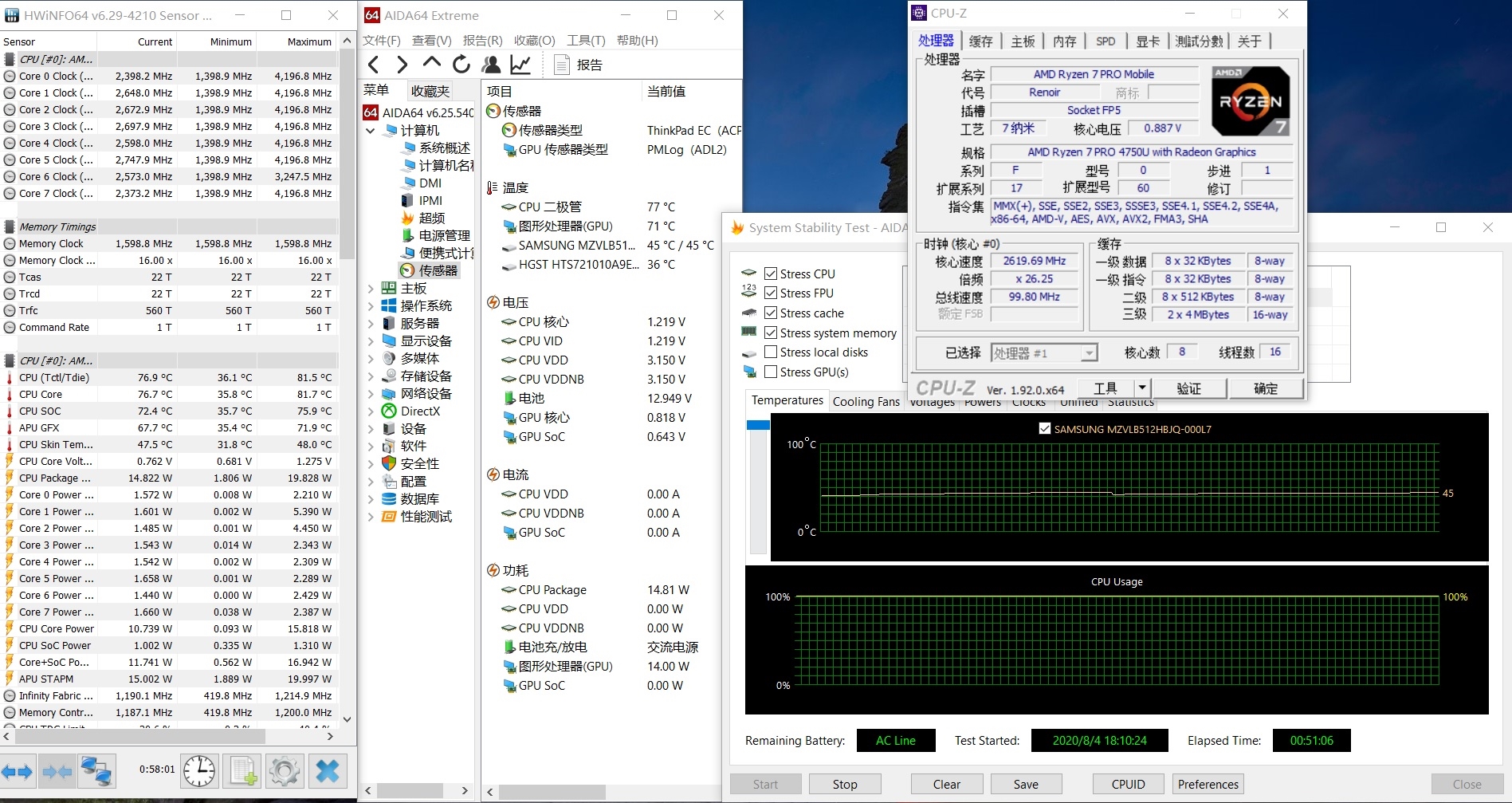
This is the state of the AIDA64 FPU after running for 51 minutes. The Ryzen 7 PRO 4750U has a full-core frequency of 2.6 GHz, a temperature of 76.9 degrees, and a stable power consumption of 15W.
3. GPU
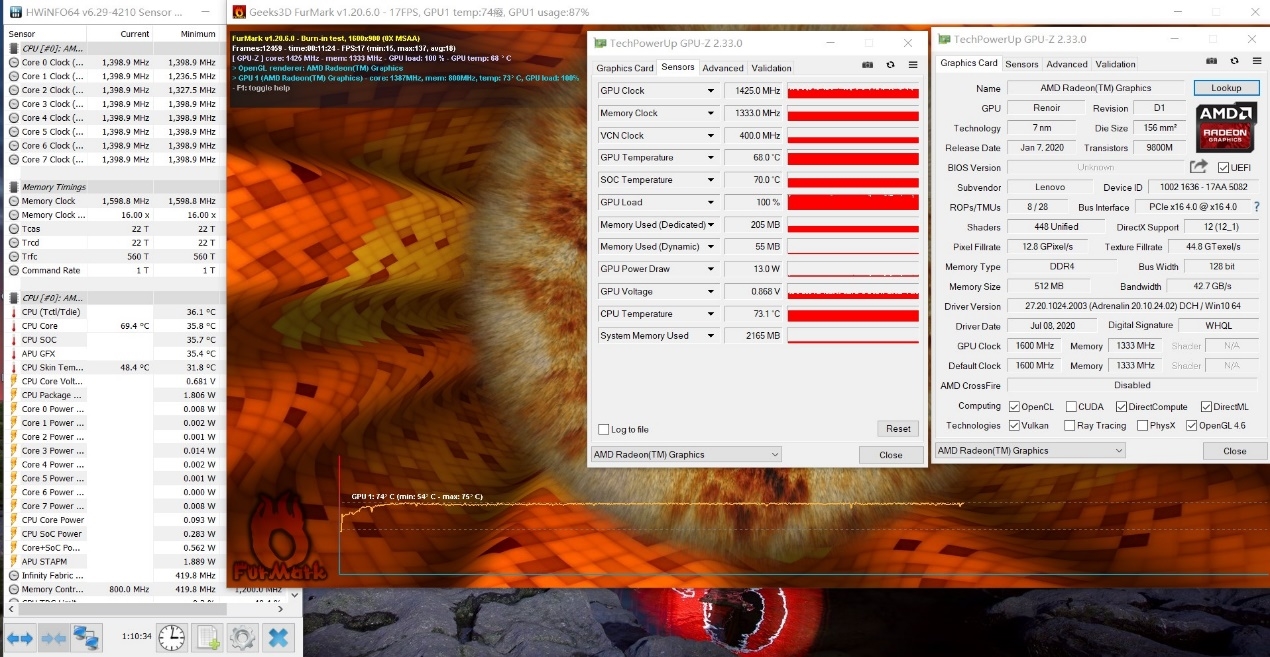
Use FurMark to test the Vega 7 GPU. The test lasted 11 minutes. The GPU power consumption was 13W, the frequency fluctuated around 1400 MHz, and the temperature was 68°C.
Summary
When many people buy laptops, they judge the quality of the hardware based on its performance and selectively ignore the workmanship and experience of the product.
The ThinkPad X13 Ryzen Edition is equipped with the Ryzen 7 PRO 4750U processor, but due to ThinkPad’s conservative design considerations, the temperature is limited to below 80 degrees. At this temperature, the Ryzen 7 PRO 4750U can reach 19W in a short period and maintain 15W during long-term high-load operation. However, there is not much loss in performance. Compared to the ThinkPad T14 Ryzen Edition with the same processor, it is only 8% lower than the multi-core performance. It is still stronger than the 45W TDP Intel Core i7-10750H processor.
Since there is no separate SO-DIMM slot, the ThinkPad X13 Ryzen Edition comes with dual-channel DDR4 memory in 8GB, 16GB, or 32GB configurations. Users should consider their future usage needs when making a purchase. After all, they cannot install additional memory. I recommend that everyone buy the 16GB version.
With dual-channel DDR4 3200MHz memory, the ThinkPad X13 Ryzen Edition’s graphics performance is also very powerful, and its gaming performance is very close to that of the MX250.
Speaking of workmanship, all the I/O boards on the ThinkPad X13 Ryzen Edition are reinforced with a metal plate. The layout of the internal components is also neat and organized, and there are no messy cables like other laptops