
Vivo held a new product launch event on December 11 last year to introduce the Vivo NEX Dual Display. One of the highlights of this smartphone is its dual-screen design. It has a display on the front and another on the back. Today, we will explore its internal structure. Three months ago, we took apart the Vivo NEX.
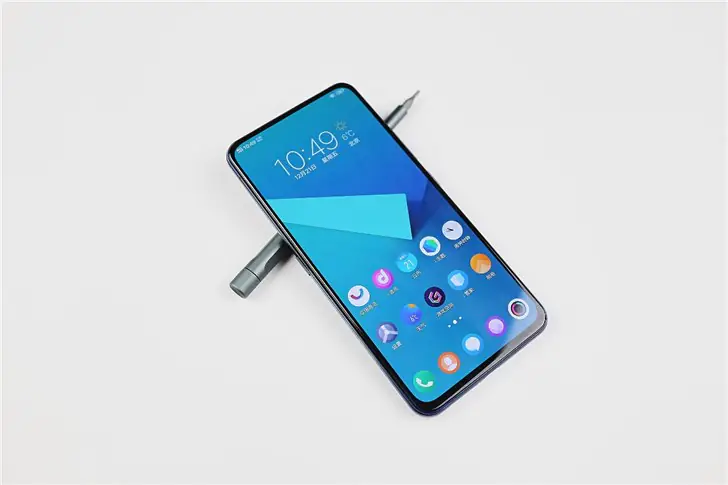
This phone features a 6.39-inch display with a resolution of 2340 x 1080 and a screen-to-body ratio of 91.6%. With its full-screen design, this phone will undoubtedly deliver an impressive visual experience. In addition, it features a 5.49-inch secondary display with a 1920 x 1080 resolution on the back.
Step 1. Remove the back cover (Secondary Display)
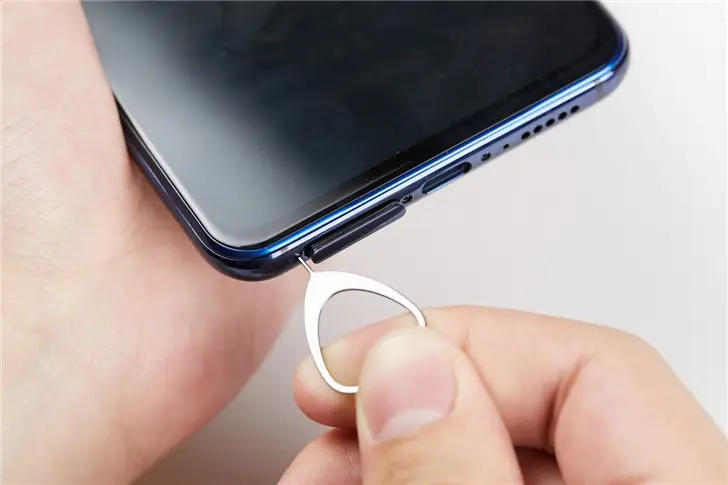
Now, let’s start the teardown of this dual-display smartphone. First, remove the back cover (or the secondary display, since it is placed on the back cover). Before tearing down this phone, power it off. Then, use a clip to remove its SIM card tray.
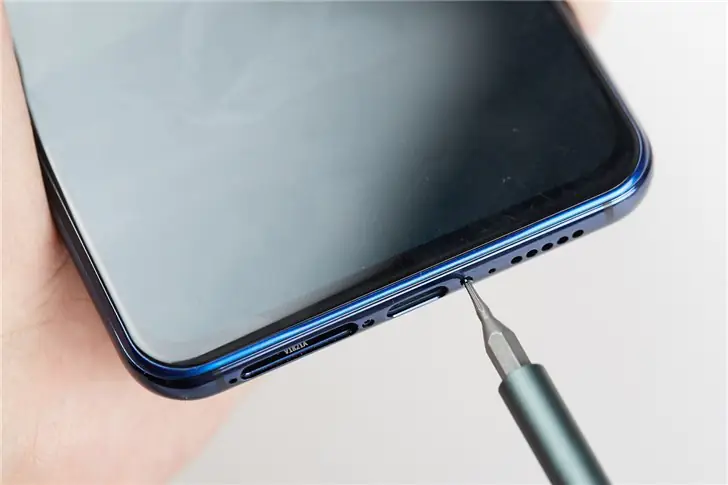
There are two screws around the charging port. Remove the screws with a screwdriver.
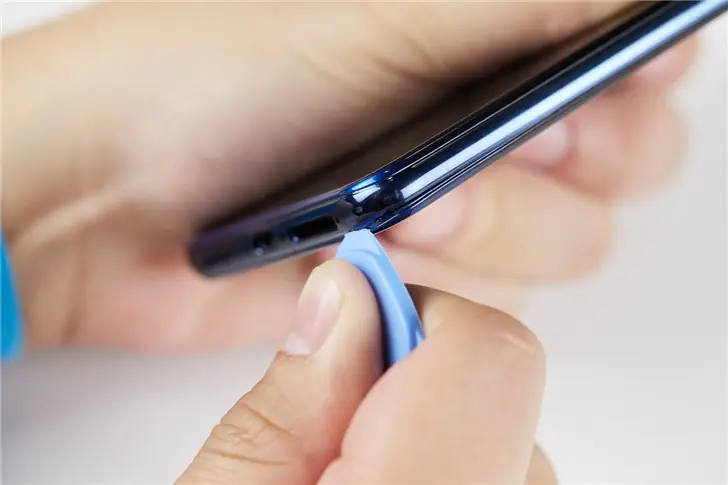
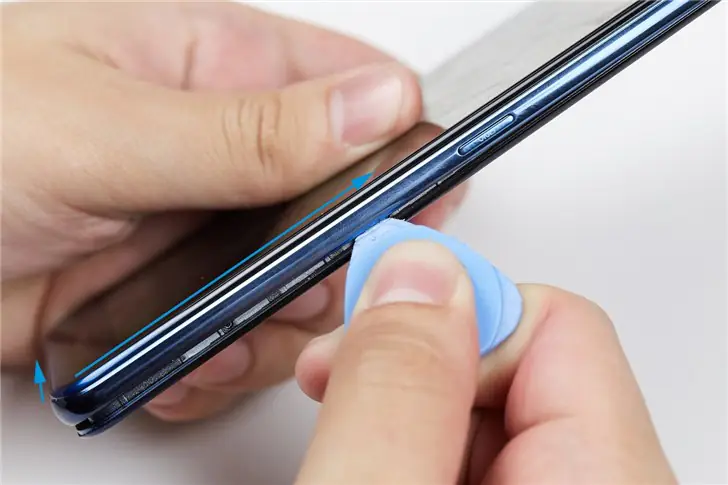
After removing the screws, insert a plastic card into the gap between the main display and the middle frame. Use the card to pry open the gap. Then, separate the back cover from the phone body.
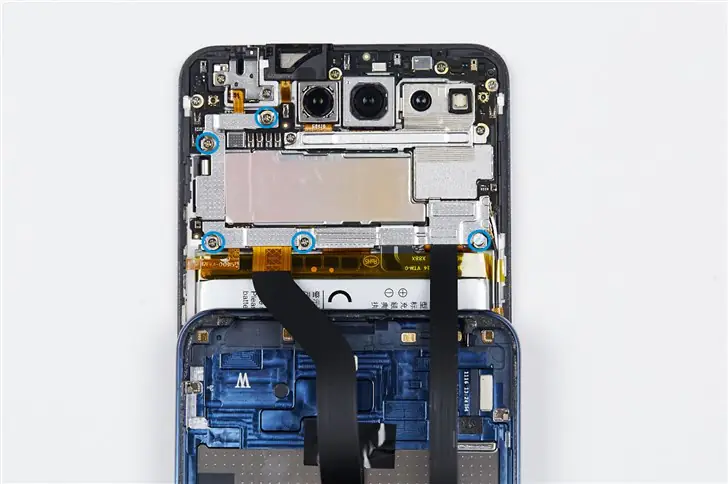
Use a screwdriver to remove the five screws securing the metal plate that holds the ribbon cable connector attached to the motherboard.
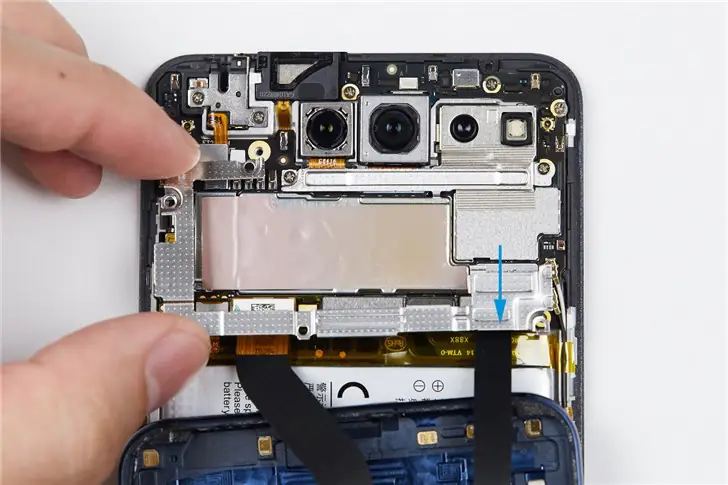
Remove the metal plate with tweezers or fingers.
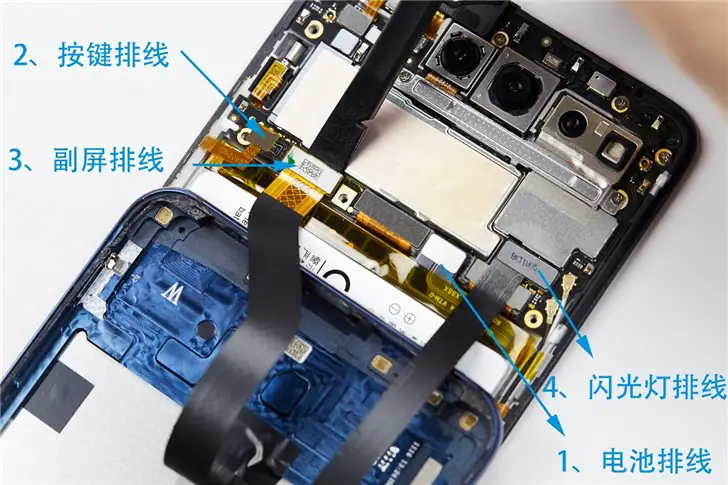
Disconnect the battery ribbon cable from the motherboard, then disconnect the secondary screen ribbon cable, and finally remove the back cover from the phone.
Step 2. Remove the battery
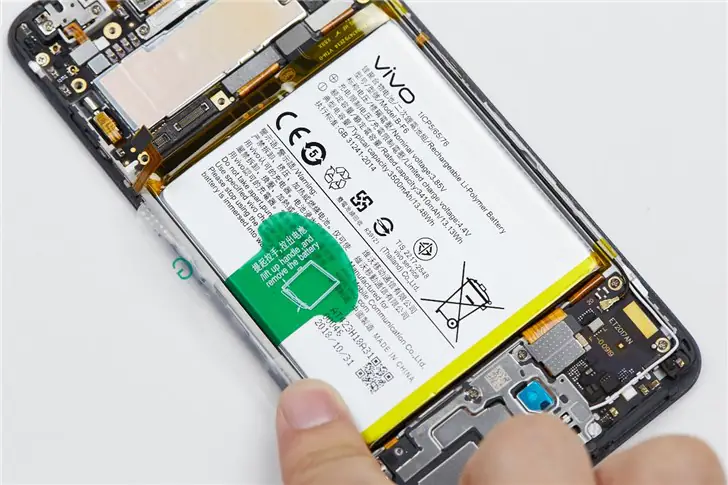
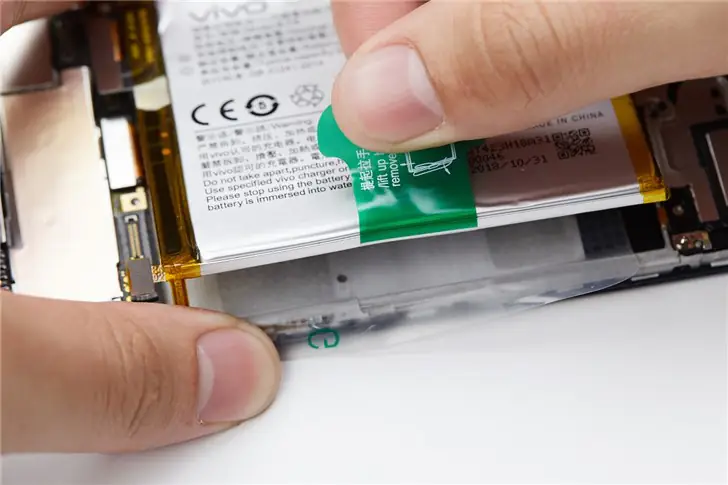
Lift the green tape to remove the battery.
Step 3. Remove the motherboard
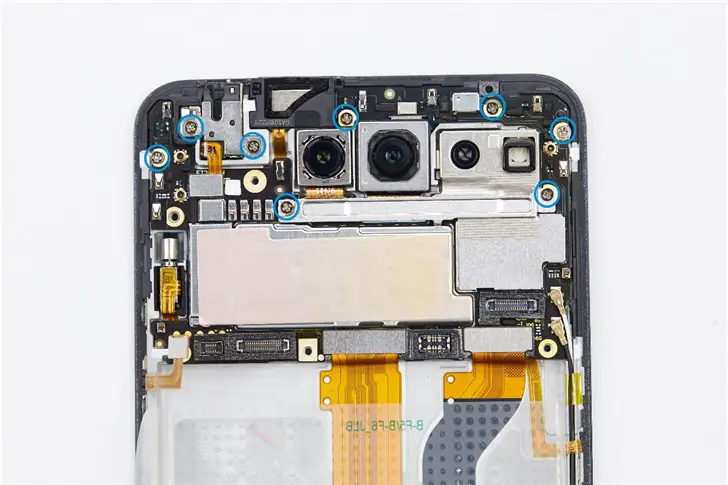
The motherboard is secured by several screws. Remove the screws marked in blue in the picture.
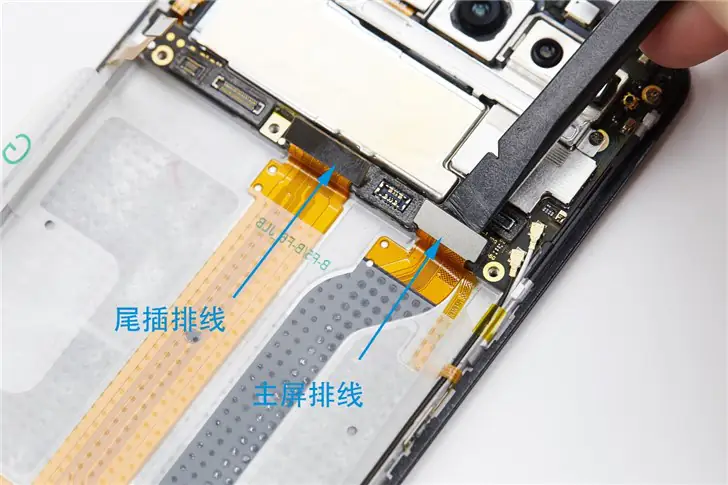
Then disconnect the charging port ribbon cable and the main screen ribbon cable from the motherboard.
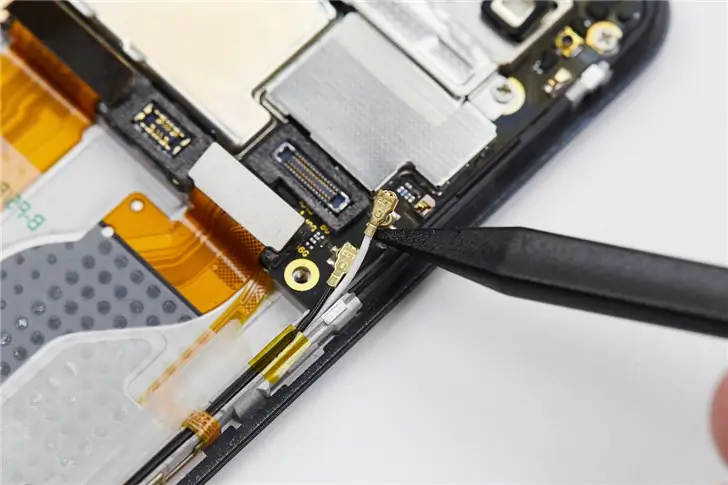
Meanwhile, disconnect the two coaxial cables.
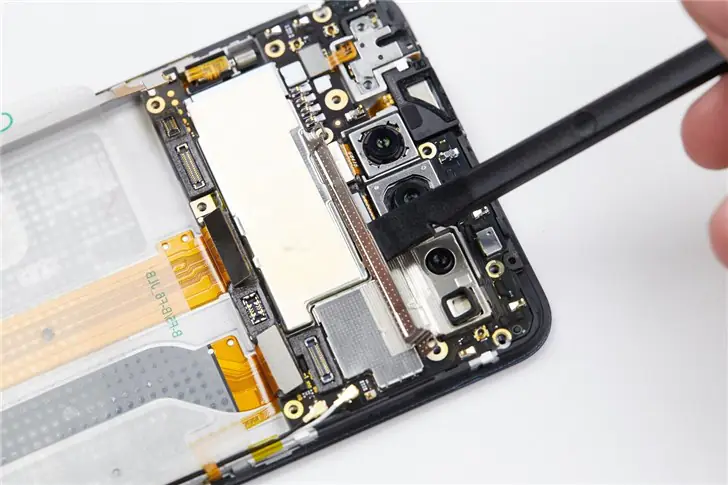
This phone is equipped with multiple cameras and sensors. Before removing the motherboard, disconnect the camera cables. Before that, please remove the metal mesh cover from the camera cables.
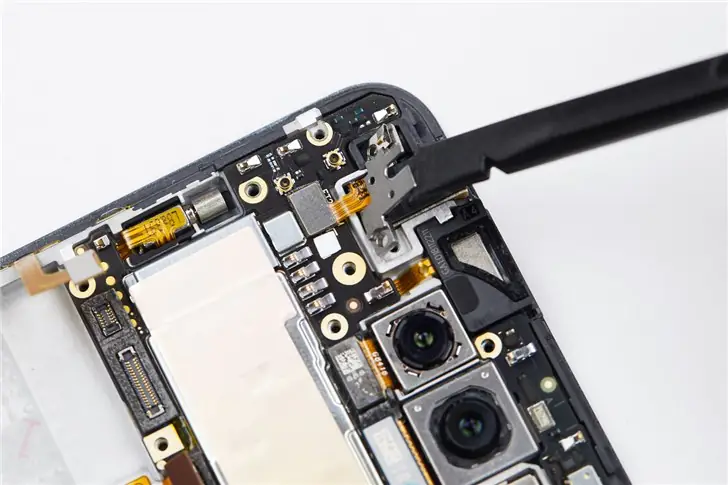
Remove the metal plate from the earphone.
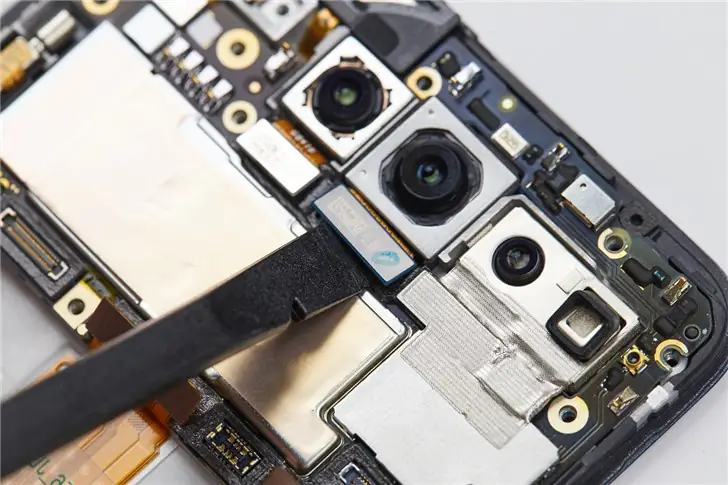
Disconnect all the camera cables from the motherboard.
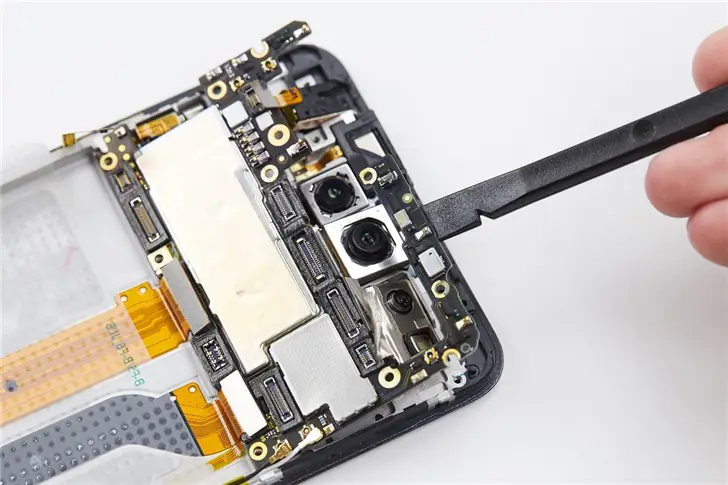
Now, use a crowbar or tweezers to remove the motherboard.
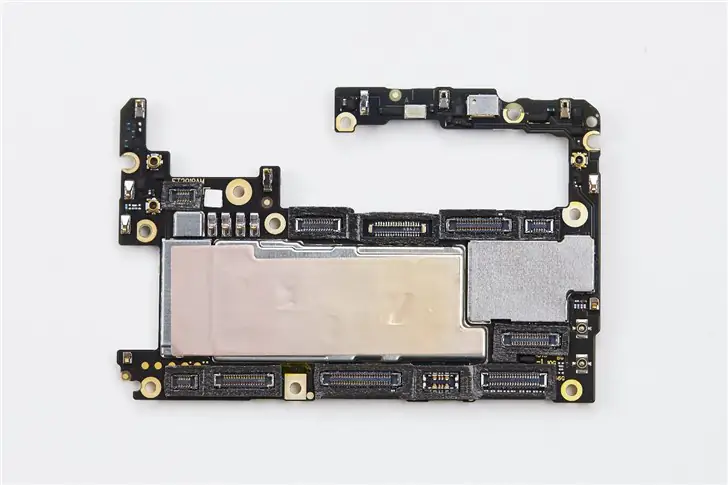
The chips on the motherboard are all covered with metal shields.
Step 4. Remove the cameras
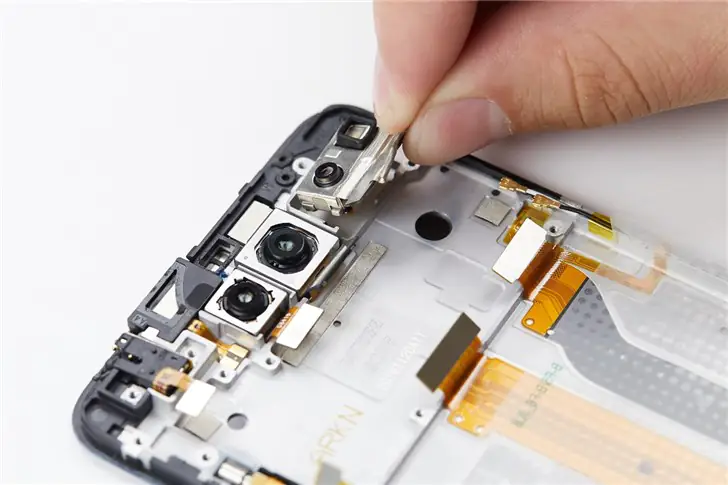
Hold the camera cable and lift it up slowly. Then, all the cameras can be removed.
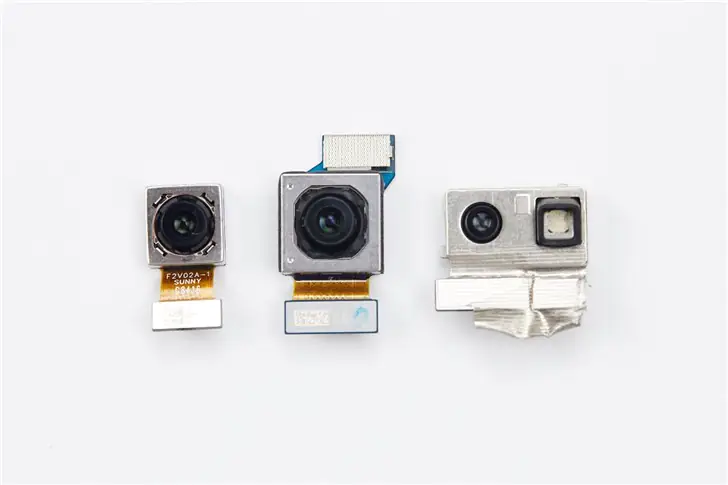
The component on the left is a 2MP camera with an F/1.8 aperture. The one in the middle is a 12MP main camera with an F/1.79 aperture and uses an IMX363 sensor. The module on the right is a TOF 3D camera.
Step 5. Remove the headphone jack, motor, and speaker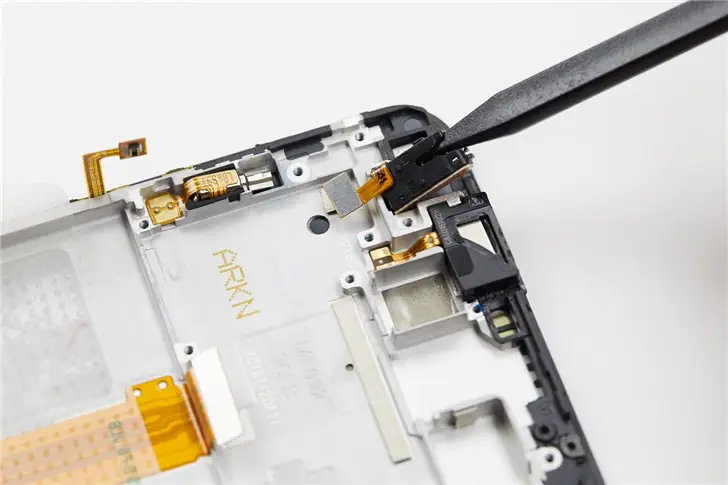
Use tweezers to remove the headphone jack
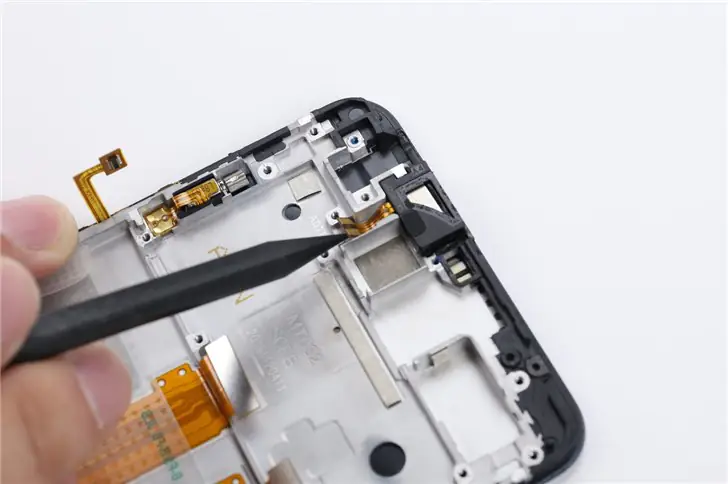
Remove the connector below the FPC with the tweezers.
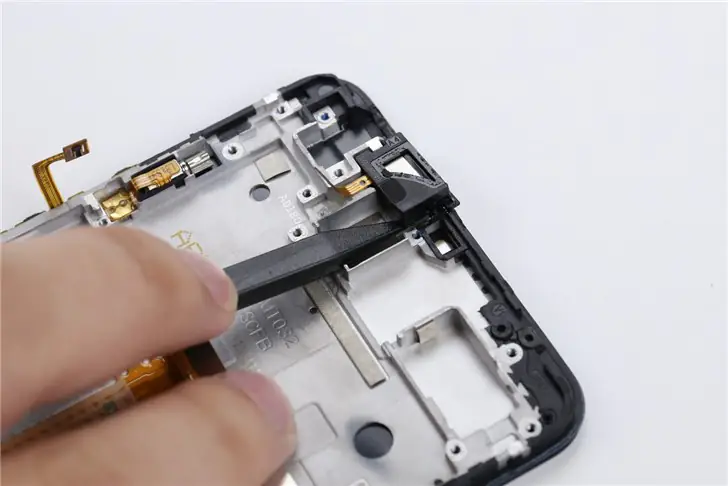
Now, slowly remove the earphones. The FPC cable is fragile and easy to break.
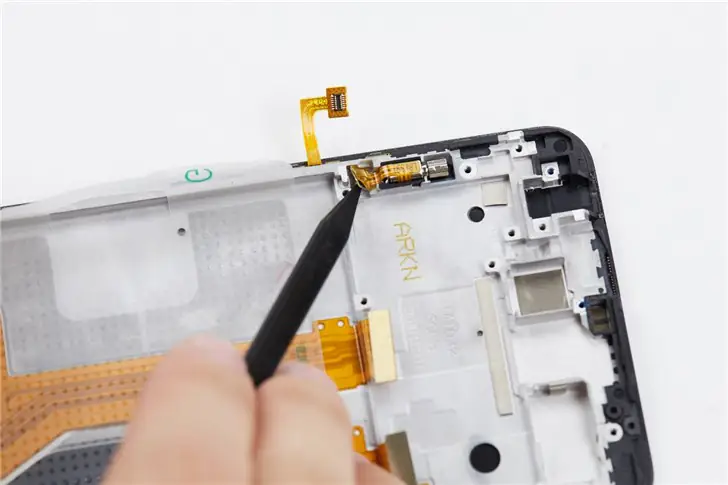
Use tweezers to remove the motor
Step 6. Remove the charge port
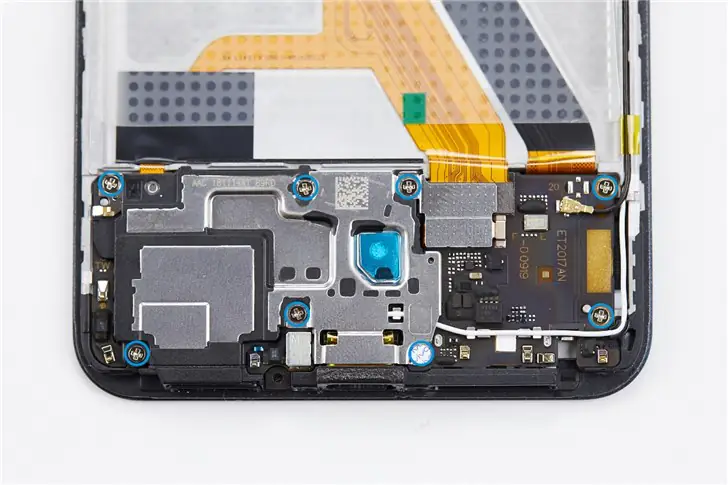
Use a screwdriver to remove all the screws marked in blue in the picture.
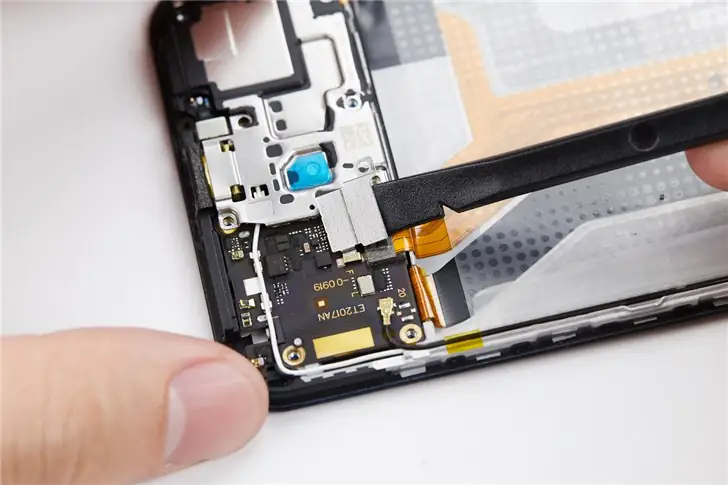
Use tweezers to remove the metal plate from the sub-board.
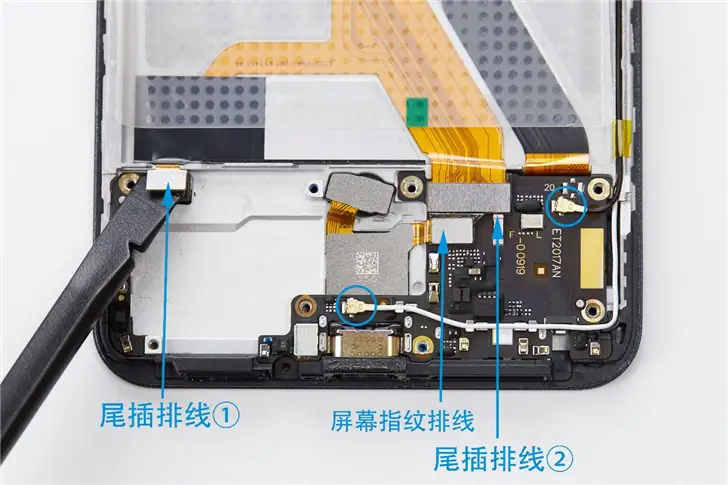
Use a pry tool to disconnect all the cables marked in blue in the picture.
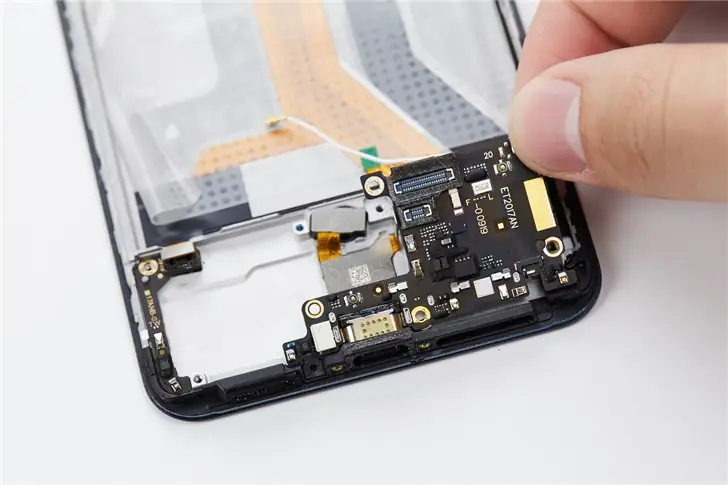
Lift and remove the sub-board using tweezers or your fingers.
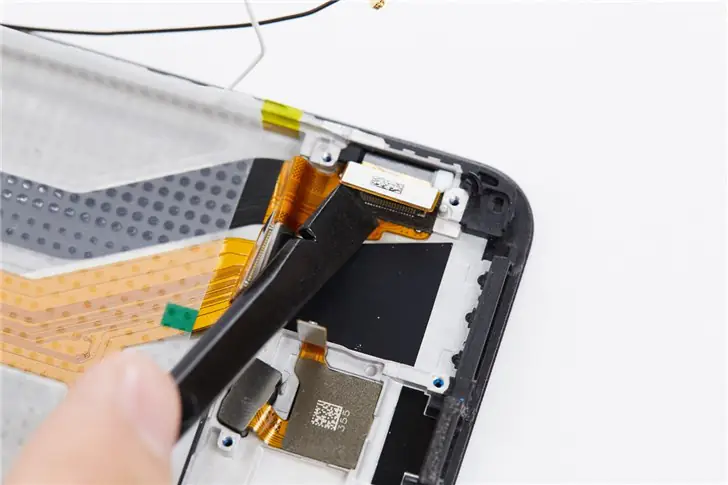
Disconnect the main screen cable using a pry tool.
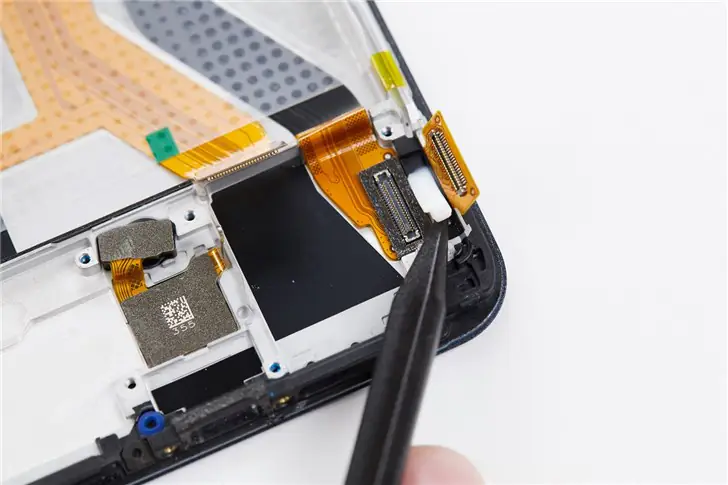
Remove waterproof silicone from the flexible printed circuit board (FPC) of the touchscreen.
Step 7. Remove the in-display fingerprint reader
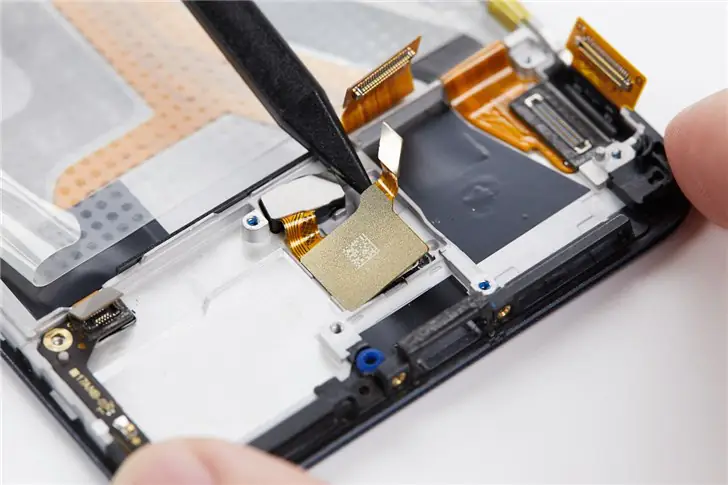
Use a pry tool to remove the IC of the in-display fingerprint reader.
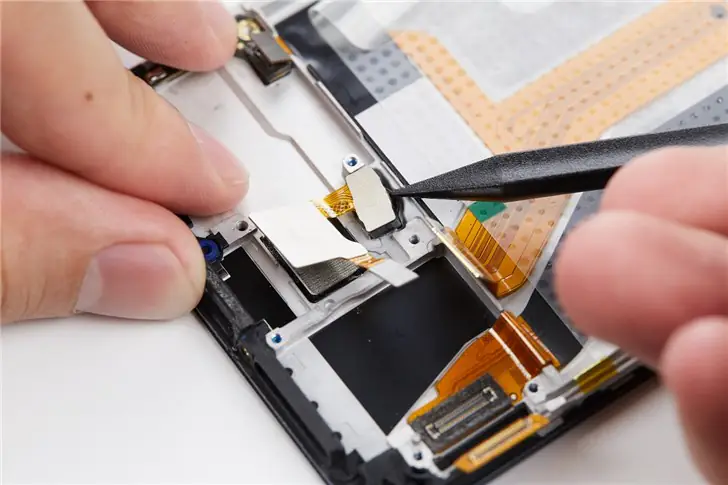
Then lift the fingerprint scanner holder. In this way, the under-display fingerprint reader can be removed.
Step 8. Remove the dual display
Removing the dual displays is quite difficult. Improper handling may cause the phone to malfunction. Therefore, if you need to replace the display, it is recommended that you seek assistance from a professional.
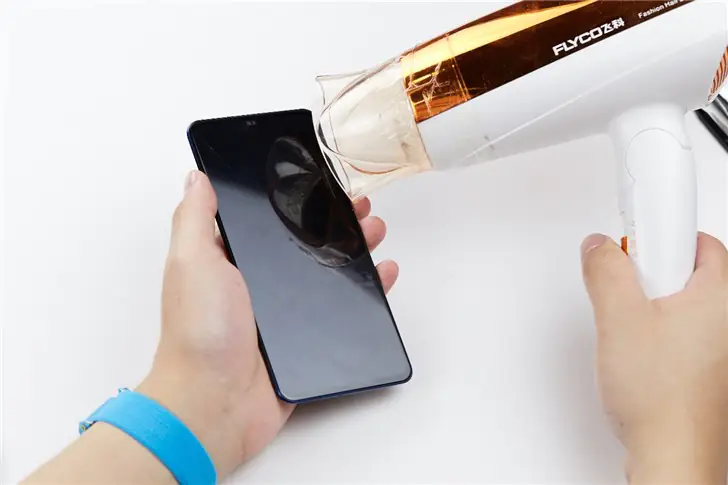
First, remove the main display. Use a hairdryer to evenly heat the four edges of the display for four to five minutes. Do not focus on one place.
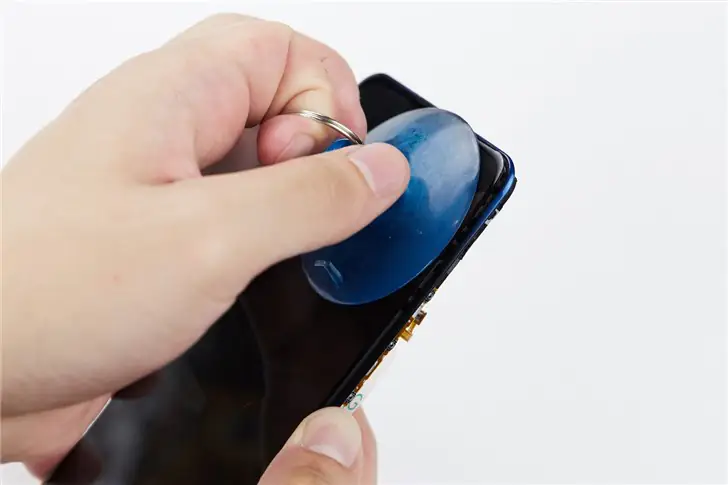
Use a suction cup to separate the display from the phone body.
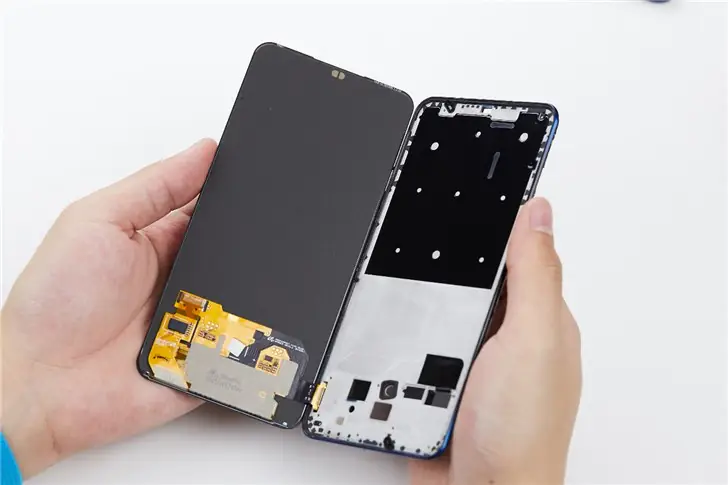
Now, the main display has been removed.
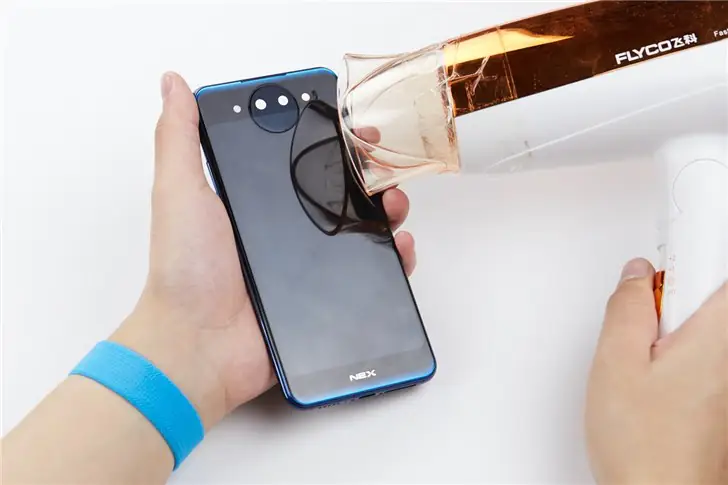
Heat the four edges of the secondary display with a hair dryer for five to eight minutes.
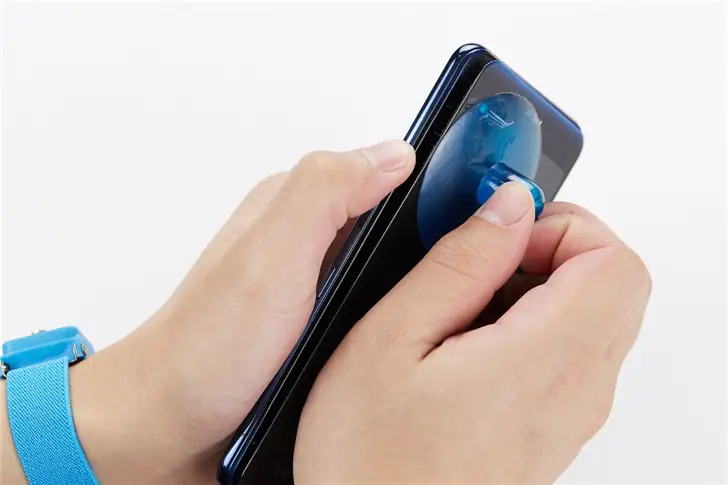
Then use a suction cup to remove the secondary display.
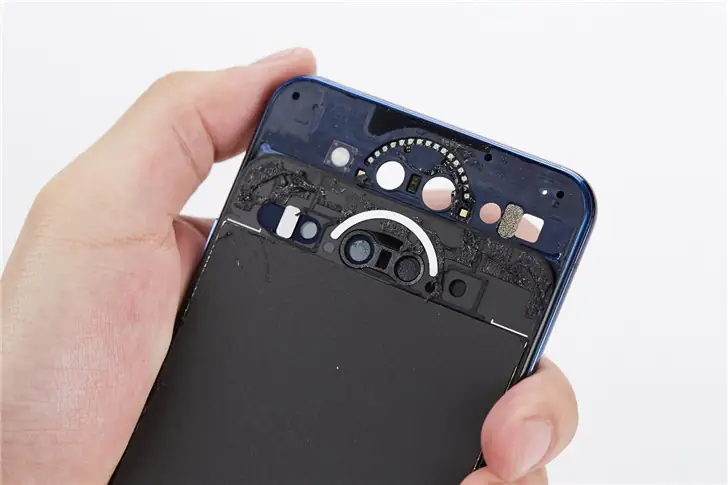
There is a lot of glue around the flash.
Summary
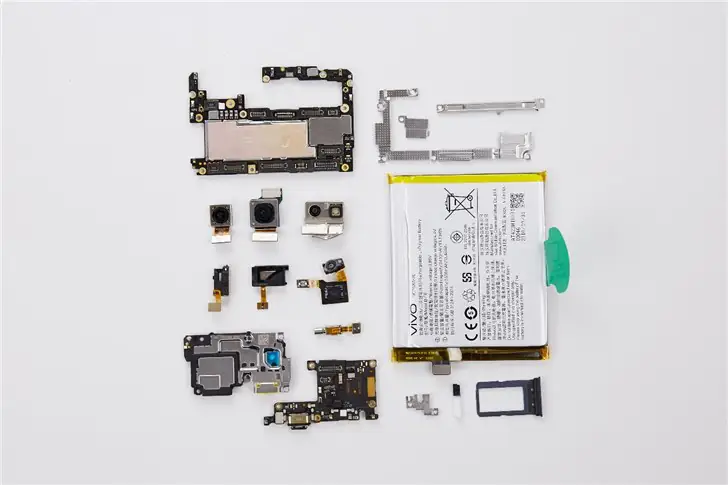
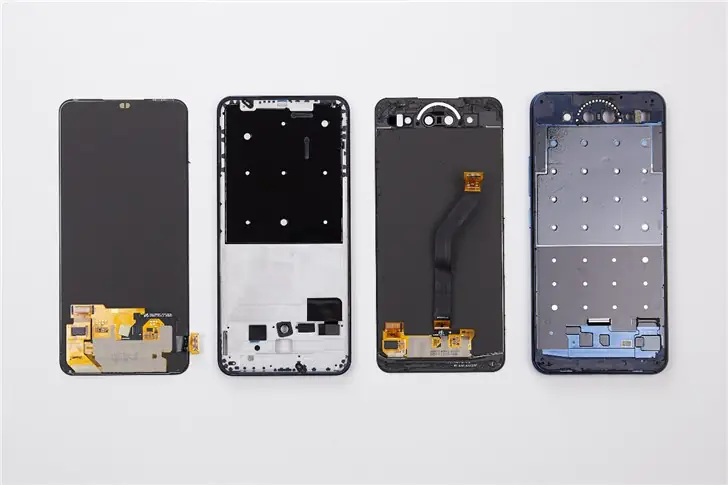
I found the teardown process of the Vivo NEX Dual Display to be the most difficult of all the phones I’ve ever disassembled. Its internal structure is more complex than that adopted by other phones. In addition, its dual-display design increases the difficulty of the teardown process. Therefore, we recommend that you do not attempt to disassemble the NEX dual-screen phone yourself, as this could damage its internal structure.