
Business laptops are generally designed to meet a different set of priorities than regular laptops. They usually focus on portability, durability, security, and reliability rather than high-end performance or flashy designs. However, over the past few months, we have seen these laptops become increasingly powerful while still maintaining a premium lightweight body and travel-friendly form factor.
Our previously reviewed notebooks are prime examples of this type. Today, we have another laptop in the same category, but this time from Dell. Our target laptop today is the Dell Pro 14 Premium PA14260. On the outside, the laptop is made entirely of magnesium alloy and is quite lightweight. Inside, it features the Intel Core Ultra 5 335 CPU, Intel’s latest 3rd-generation Core Ultra series CPU. It also comes with LPDDR5x soldered memory and a PCIe 4.0 SSD.
A premium build and higher hardware specs alone don’t tell the full story of a premium business laptop, so we review every section to see how the Dell Pro 14 Premium (PA14260) performs in real use.
Specifications
| Processor | Intel Core Ultra 5 335 vPro (47 TOPS NPU, 12 MB cache, 8 cores, up to 4.6 GHz) |
| Graphics card | Intel Integrated Graphics |
| Screen | 14″, WUXGA (1920 x 1200), Non-Touch, 400 nits, AG, 45% NTSC, 60 Hz |
| Memory | 16 GB LPDDR5x, 8533 MT/s, dual-channel (onboard) |
| Storage | 256 GB, PCIe Gen4 NVMe, TLC SSD |
| Wireless Connection | Intel BE211 Wi-Fi 7 wireless card, Bluetooth 6.0 |
| Ports | 2x Thunderbolt 4 (40 Gbps) with DisplayPort Alt Mode/USB Type-C/USB4/Power Delivery ports 1x USB 3.2 Gen 1 (5 Gbps) with PowerShare port 1x HDMI 2.1 port 1x headset (headphone and microphone combo) port 1x wedge-shaped lock slot 1x nanoSIM-card slot (optional) |
| Battery | 2-cell, 40Wh, 65W USB-C AC adapter |
| OS | Windows 11 Pro |
| Weight | 1.15 kg (2.54 lb) |
Appearance
Any premium legacy Dell user can easily judge the laptop as it adheres to the traditional design philosophy of Dell’s premium business laptop segment. Key features such as simplicity, durability, and portability are evident in the notebook’s overall design, making it suitable for corporate environments, meetings, and frequent business travel.
The whole body is made from a magnesium alloy, which helps keep the right balance between strength and lightness. Using magnesium not only makes the notebook lightweight but also improves structural rigidity, allowing it to withstand the demands of daily professional use. Additionally, the laptop has undergone military-standard testing, making it reliable in harsh environments as well.
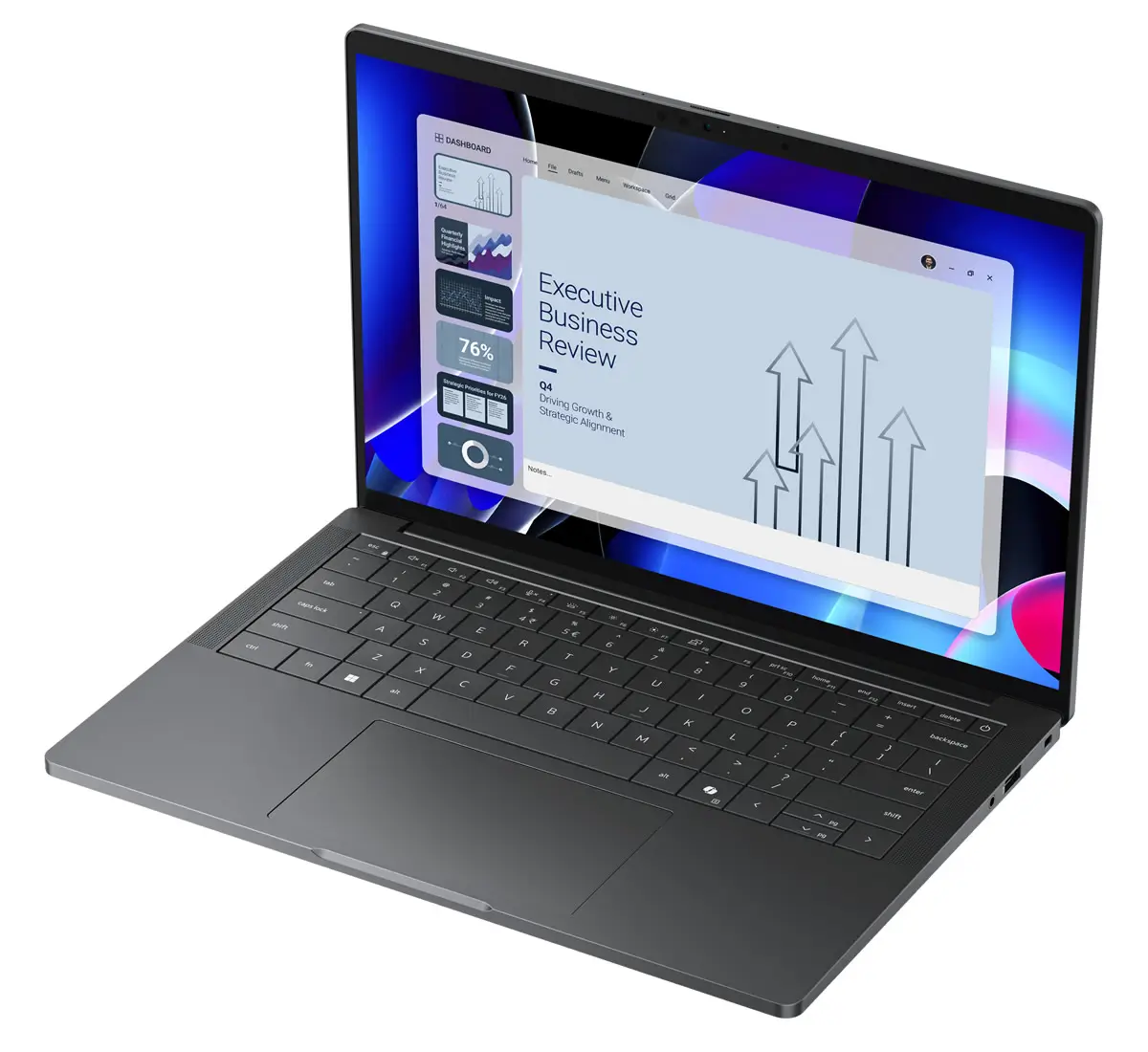
The entire surface has undergone an anodizing process, which gives the body a smooth, refined texture and a premium feel when holding the device. The laptop measures 311 x 217 x 19.85 mm (16.78mm when opened) and weighs around 1.15kg, making it convenient for carrying between workplaces or while travelling.
Overall, the Dell Pro 14 Premium has everything a top-notch business laptop should have: it’s lightweight, sturdy, and feels premium. The design keeps things simple, leaving out anything unnecessary and focusing on the important stuff we mentioned earlier.
Display
The variant we received for the Dell Pro 14 Premium has a very basic 14-inch IPS LCD display and has the following specifications:
- 1920 x 1200 Resolution (WUXGA)
- 60Hz refresh rate
- 16:10 Aspect Ratio
- No Touch Support
- 400nits Maximum Brightness
- Anti-Glare Display
- 45% NTSC
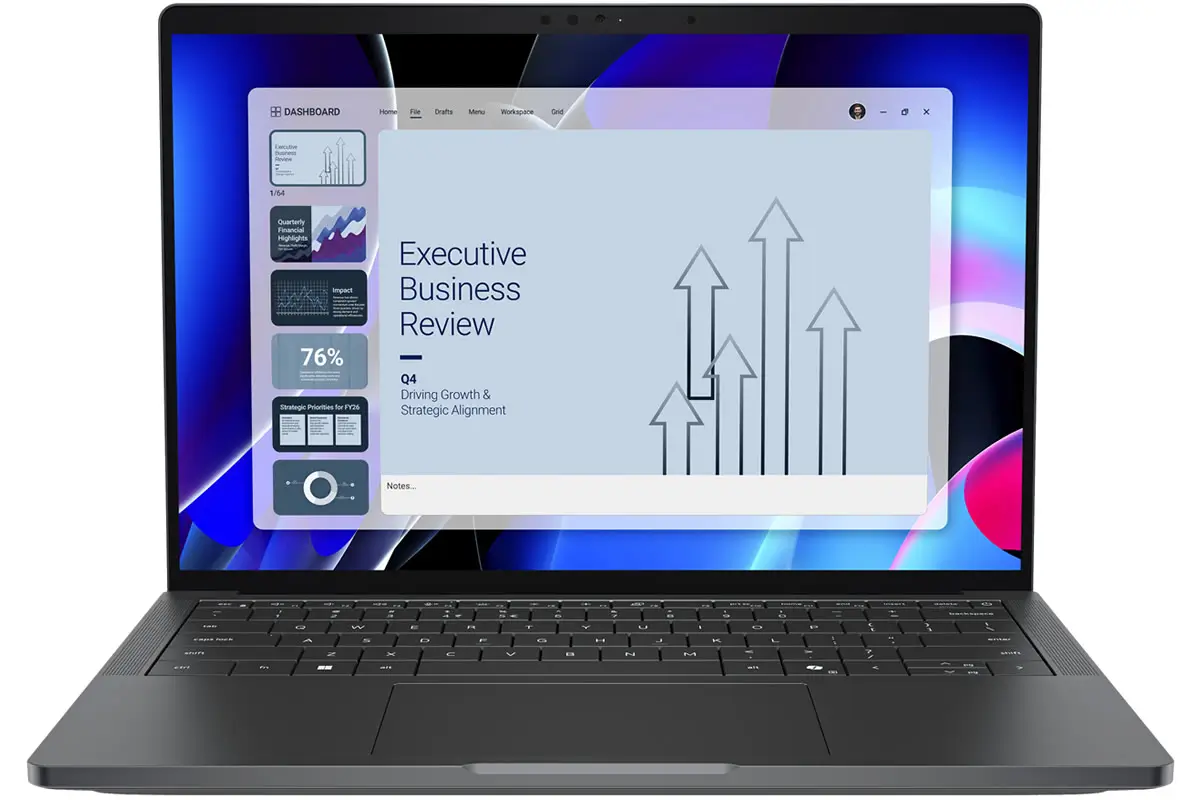
Before discussing further, it is worth noting that variants with higher display specifications are also available. The official site also offers options with 4K OLED and Touch-supported screens. Back to this, the 14-inch display uses a 16:10 aspect ratio, providing more vertical screen space than traditional 16:9 displays.
The WUXGA resolution provides a sharp and clear viewing experience for daily use. Dell has also equipped the laptop with narrow bezels on all four sides, helping to achieve a higher screen-to-body ratio and making the display area feel larger while keeping the overall laptop design compact.
We also conducted benchmark testing of the display, as mentioned below:
Brightness Test:
This test used a Spyder colorimeter. The screen reached a peak brightness of 432.5 nits (38 nits more than the official claim) with a 990:1 contrast ratio. The brightness level is sufficient for comfortable use in most indoor environments.
Color Gamut Testing:
In terms of color gamut, the display covers:
- 66% sRGB color gamut
- 50% AdobeRGB color gamut
- 50% DCI-P3 color gamut
Color Accuracy Test:
In this test, we got an average Delta E of 2.13 while the maximum was 7.78 and the minimum was 0.61, quite sufficient for daily office needs.
Despite being a basic IPS display, it still delivered a practical balance between clarity, brightness, and efficiency. For users who prioritize productivity and long work sessions rather than demanding professional-level accuracy, this display is a good option.
Keyboard & TouchPad
Under the display, there is a compact keyboard with a clean and minimalistic layout. The keyboard deck features a mesh-free design, giving the entire palmrest a seamless and sophisticated appearance. All the keys sit evenly with the surrounding surface, and it is also designed in a way that prevents key contact marks from appearing on the display when the lid remains closed for an extended period.
The compact keyboard design allows larger keycaps with reduced spacing between keys, providing a more comfortable typing area than previous layouts. The keyboard also supports power-saving Mini LED backlighting, but it lacks a fingerprint scanner. Higher-end variants also include this feature.
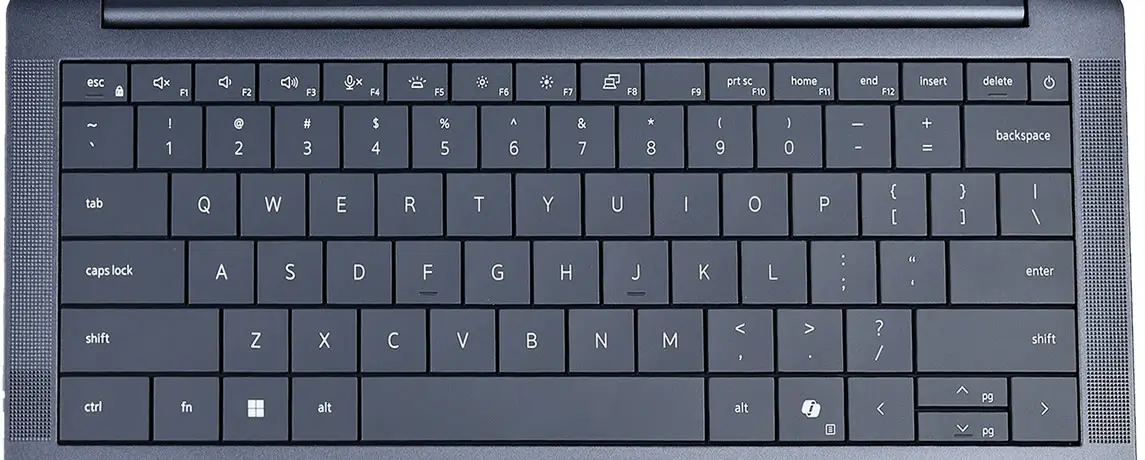
After a long typing session, the typing experience felt smooth and natural, with responsive feedback. Overall, the keyboard feels refined, with attention given to both aesthetics and practicality, which is important for those who spend long hours working on their laptops.
TouchPad
Under the keyboard, there is a large touchpad that offers a smooth and comfortable navigation experience. Its large surface allows for easy cursor movement and multi-touch gestures, while the tracking accuracy stays consistent during everyday office use. The click mechanism is also well-calibrated, with responsive left and right click areas that remain reliable even near the edges.
In high-end variants, Dell also provides a collaborative touchpad feature that lets the user have essential meeting controls directly on the touchpad, letting users quickly manage functions during video conferences. The function icons remain hidden during normal operation and appear only during supported platforms such as Zoom and Microsoft Teams calls.
Ports and Network
The Dell Pro 14 Premium PA14260 offers a well-rounded selection of ports that covers the connectivity needs of most office users. Starting from the left side, it has:
- 2x Thunderbolt 4 Type-C ports (supports PD 3.1 and DP 2.1)
- 1x HDMI 2.1 port
On the right side, it features:
- 1x USB 3.2 Type-A port
- 1 wedge-shaped lock slot
- 1x 3.5mm headphone jack
Both Type-C ports support Power Delivery 3.1 to charge the laptop and DisplayPort 2.1 to connect external displays. The only Type-A port supports charging even when the laptop is powered off. Dell also offers an option to add a SIM card slot that you can choose at the time of purchase. Overall, the sufficient number of ports means the user won’t need to buy an extender or additional dock.
On the networking side, the laptop comes with an Intel BE211 adapter that supports the latest Wi-Fi 7, giving you a fast wireless connection for work, online meetings, cloud tasks, and large file transfers.
RAM and SSD
Over the past few months, we have seen a growing trend among manufacturers of adopting soldered RAM in business-segment notebooks, and the same scenario applies to this laptop. The Dell Pro 14 Premium comes with 16GB of soldered RAM, which is dual-channel memory with a frequency of 8533MHz. As far as we know, Dell offers only this RAM capacity for this model.
RAM Benchmark:
We also conducted a benchmark test of RAM using the AIDA64 cache and memory benchmark and obtained the following results:
- Read Speed: 78,135 MB/s
- Write Speed: 101,298 MB/s
- Copy Speed: 95,846 MB/s
- Latency Rate: 105.6ns
On the storage side, the laptop comes with a 256GB PCIe 4.0 SSD. Considering the high price, Dell really should have gone with a PCIe 5.0 SSD. The laptop has only one SSD slot, so you’d have to swap out the current one to upgrade storage. The laptop supports up to 2TB of storage.
SSD Benchmark:
We also ran a storage benchmark using the CrystalDiskMark software and got the following results:
- Sequential Write Speed: 6,326.13 MB/s
- Sequential Read Speed: 4,218.32 MB/s
- 4K Random Write Speed: 220.89 MB/s
- 4K Random Read Speed: 58.74 MB/s
The Dell Pro 14 Premium delivered excellent memory and storage performance, with fast LPDDR5x memory and a PCIe 4.0 SSD, although the lack of a PCIe 5.0 SSD may feel disappointing at this price.
Battery and Charging
Inside the Dell Pro 14 Premium, the company uses a 2-cell 40WHr battery, which may seem small, but you can choose the 3-cell 60WHr option when purchasing if you need a larger battery. However, the version we received comes with an LCD display, which helped it achieve decent battery life. While the battery life was sufficient for regular office use, it was not particularly impressive or exceptional.
Charging:
Dell ships a 65W USB-C charger with the laptop, which also supports fast charging. This is not the maximum charging capability of the device, as the Dell Pro 14 Premium supports up to 100W fast charging. Users can use any compatible 100W USB-C charger or choose Dell’s 100W charger at purchase.
Audio and Webcam
For audio, Dell provides dual top-mounted speakers on both sides of the keyboard, plus a dual bottom-mounted setup to create a more immersive sound experience. The laptop also supports Hi-Fi audio, which helps the speaker system deliver clear vocals and balanced, better sound, making the Dell Pro 14 Premium suitable for online meetings, presentations, and multimedia consumption.
On the other hand, the laptop comes with an 8MP webcam sensor (also supports HDR), providing improved image quality even under challenging lighting conditions. This makes the laptop a reliable choice for users who frequently participate in video conferencing, with clearer video output and better exposure management in different environments.
It also has a physical privacy shutter with a switch beside the webcam sensor, effectively protecting the user’s privacy.
CPU
The variant we received is powered by the Intel Core Ultra 5 335, a 3rd-generation CPU in the Intel Core Ultra series. The CPU has the following specifications:
- Based on TSMC’s 1.8nm manufacturing process
- Total 8 cores and 8 threads
- 4 P-Cores (2.2GHz Base Frequency and 4.6GHz Max Frequency)
- 4 LP E-Cores (1.6GHz Base Frequency and 3.4GHz Max Frequency)
- 25W Base TDP and 55W Max TDP
- 12MB Intel Smart L3 cache
- Integrated Intel Graphics 4 Xe3 GPU
As the CPU specs show, the laptop delivers more than enough performance for everyday productivity tasks and demanding office workloads. Before proceeding, it is worth noting that the laptop is also available with a higher CPU option. We also ran a single-CPU benchmark in Cinebench R23 and scored 1865 pts in Single-Core and 10,372 pts in Multi-Core. As a mainstream Core Ultra 5 processor, it delivers sufficient performance to handle everyday office tasks such as document processing, programming, multitasking, and even light video editing with ease.
Stress Testing and Cooling System
Despite its smaller body, the notebook still features a capable cooling solution designed to maintain stable performance under heavy workloads. The cooling system consists of a dual-fan setup and a single heat pipe, allowing efficient heat dissipation. To check how the laptop performs under heavy workloads, we also ran a stress test.
Stress Test:
This test used the AIDA64 application. The test lasted 10 minutes. In the initial phase, the CPU maintained around 45W of power consumption, allowing it to use its full performance potential. After a few minutes, the power consumption stabilized at 25W.
During the test, the CPU core temperature was around 82°C at 25W sustained power, while at 45W power consumption, the temperature reached 99°C. For a laptop like the Dell Pro 14 Premium, maintaining a consistent 25W sustained performance level is sufficient for most professional workloads, including productivity applications, multitasking, and demanding office scenarios.
Overall, the cooling system performed well considering its thin and lightweight body.
Conclusion
In the end, we can say that the Dell Pro 14 Premium PA14260 is what a modern business laptop should be. It focuses on portability, durability, reliability, and professional usability rather than unnecessary design elements. Its lightweight magnesium alloy body, comfortable keyboard, strong connectivity options, and enterprise-focused features make it a highly practical choice among business notebook buyers. For performance, the laptop’s CPU provides enough power for everyday office tasks, while its LPDDR5x memory offers excellent bandwidth. The cooling system also performs well despite the slim body.
However, at the $2.5k-3k price tag (depending on the region), expectations naturally become much higher. The laptop offers great features, but in some areas (like display, storage, and battery), there is still room for improvement.
Pros:
- Premium Build with a weight of just 1.15 kg
- Comfortable keyboard and Large touchpad
- Sufficient numbers of ports
- Stronger CPU and Faster Memory
- Effective Cooling system
Cons:
- Higher price tag
- Only 16GB RAM option available
- PCIe 5.0 SSD support missing
- Smaller Battery