On May 31, Honor released the Honor 20 and Honor 20 Pro mobile phones. Both phones use a 6.26-inch screen, a Kirin 980 processor, and support GPU Turbo 3.0. The Honor 20 is available in three colors: Icelandic White, Sapphire Blue, and Midnight Black. The Honor 20 Pro is available in two colors: Phantom Blue and Phantom Black. At the same time, it also has some new features, including Super Bluetooth, Ark Compiler, and Super NFC.
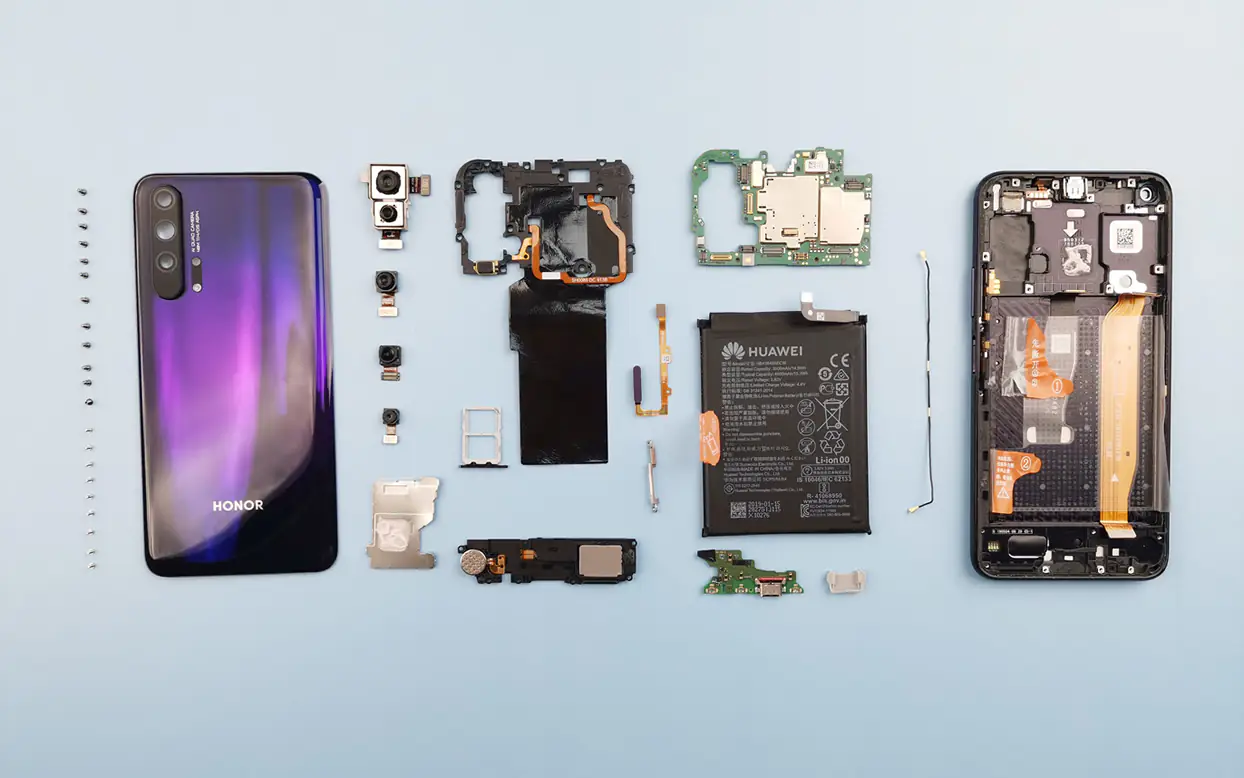
Today, Honor released a teardown video of the Honor 20 Pro. Let’s explore the internal structure of the Honor 20 Pro.
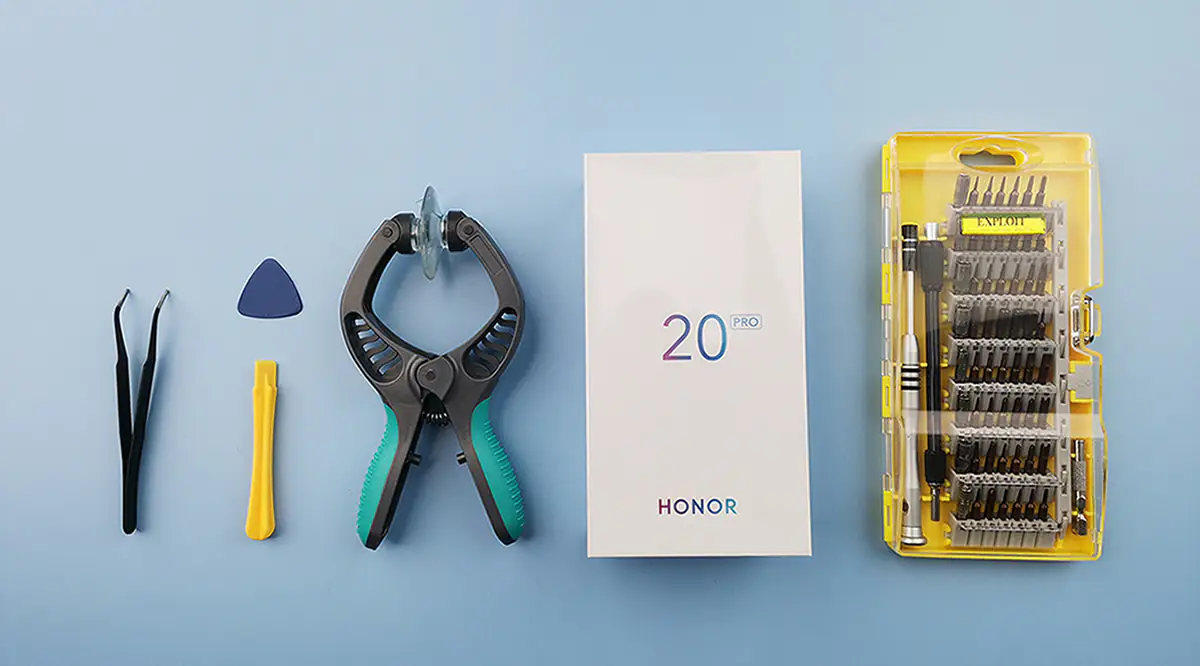
Tools: suction cup, Phillips 1.5 screwdriver, tweezers, plastic crowbar, pick.
Note:
1. Remove the SIM card slot and shut it down.
2. After removing the back cover, please remove the battery connector cable first.
3. Try not to remove the battery unless you are replacing the battery. Originally, I did not intend to remove the battery.
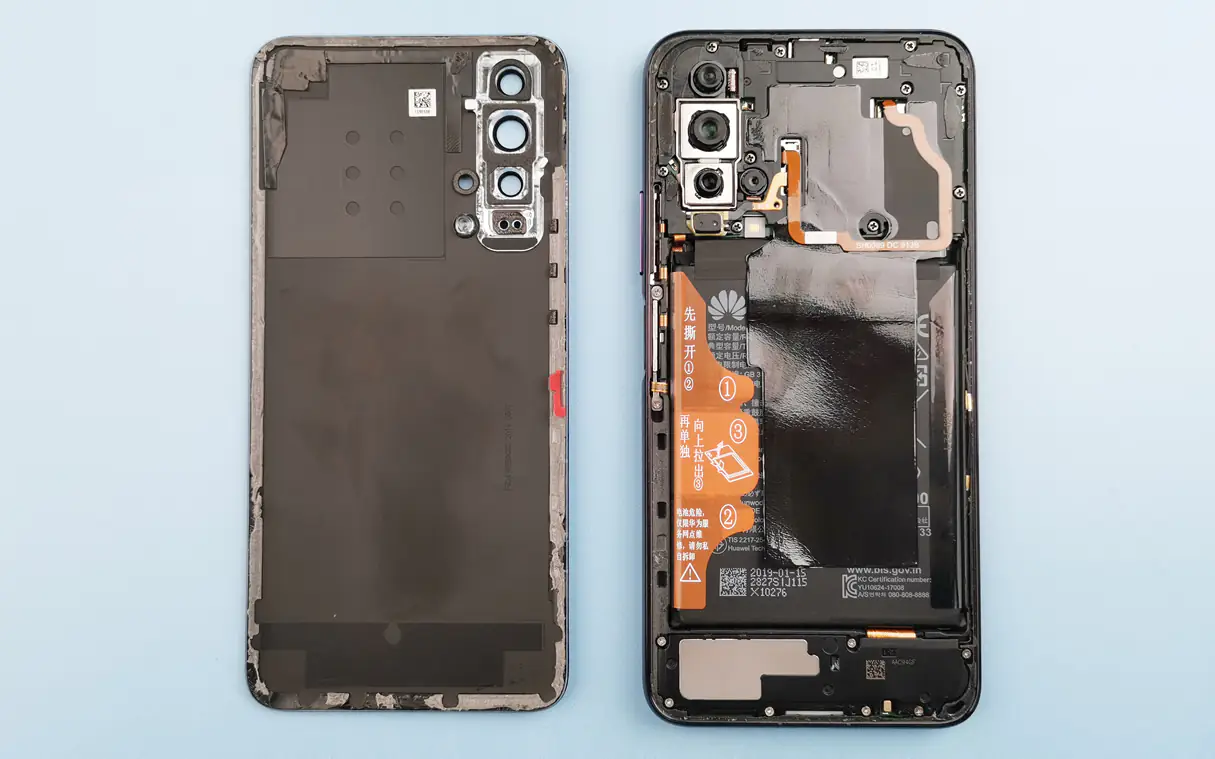
The Honor 20 Pro uses a second-generation precision dual-layer film process, which has two layers of high-gloss and color films beneath the glass. The color layer creates a gradient color change from the center to the surroundings, enriching the visual level of the product and enhancing the visual experience.
The glass back cover is typically glued in place with double-sided adhesive, and the Honor 20 Pro is no exception. Before disassembly, heat the back cover with a heater, create a gap with a suction cup, and then gently open the back cover with a pick.
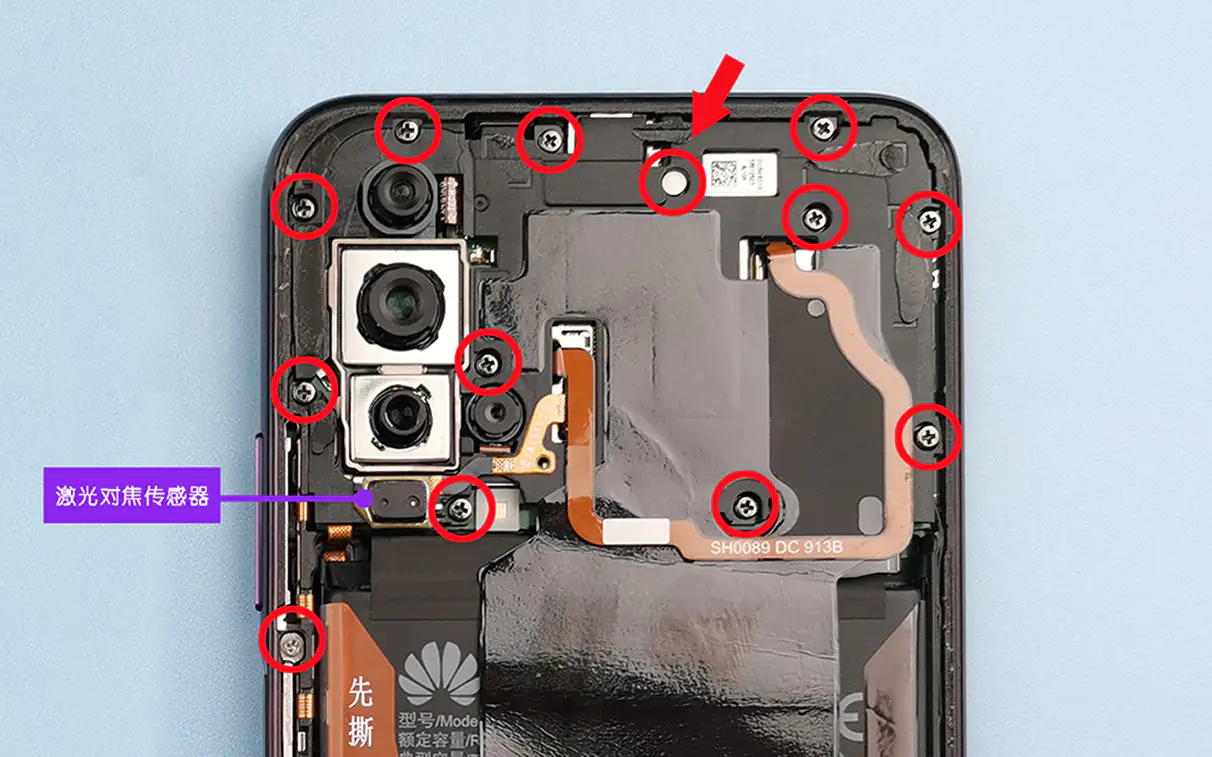
Compared to several previously disassembled Honor phones, the Honor 20 Pro has a more solid build. The motherboard is covered with a protective shield, ensuring stability under extreme conditions such as drops. Both the motherboard and battery are covered with graphene stickers. It is worth emphasizing that the Honor 20 Pro uses the world’s most advanced mobile phone cooling technology, graphene cooling. Compared to the Honor 10, its thermal performance has improved by 23%.
Use a Phillips screwdriver to remove the screws indicated in the red circle above, and then slowly pry open the protective cover from the lower left corner.
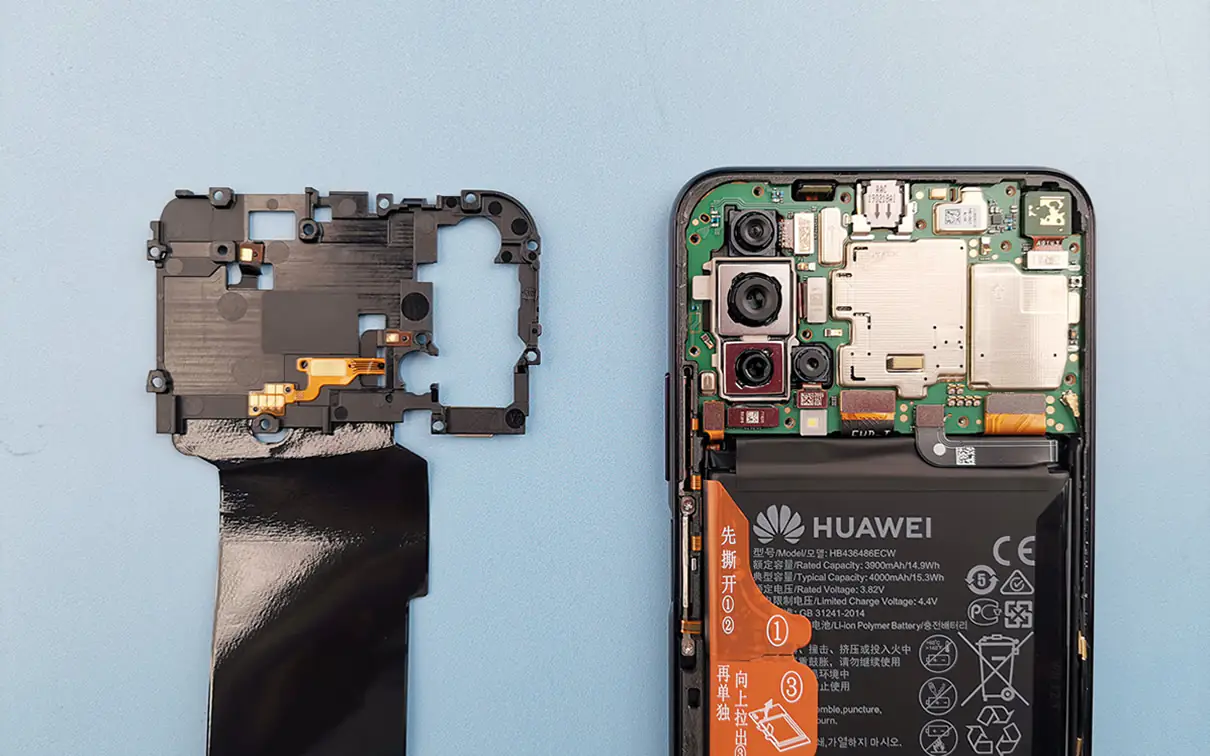
Remove the cover, and you will see the motherboard.
In this picture, we have marked the position of each component, including the light distance sensor, earpiece, camera, flash, fingerprint cable, noise-canceling microphone, motherboard cable, RF coaxial cable, battery cable, and display cable.
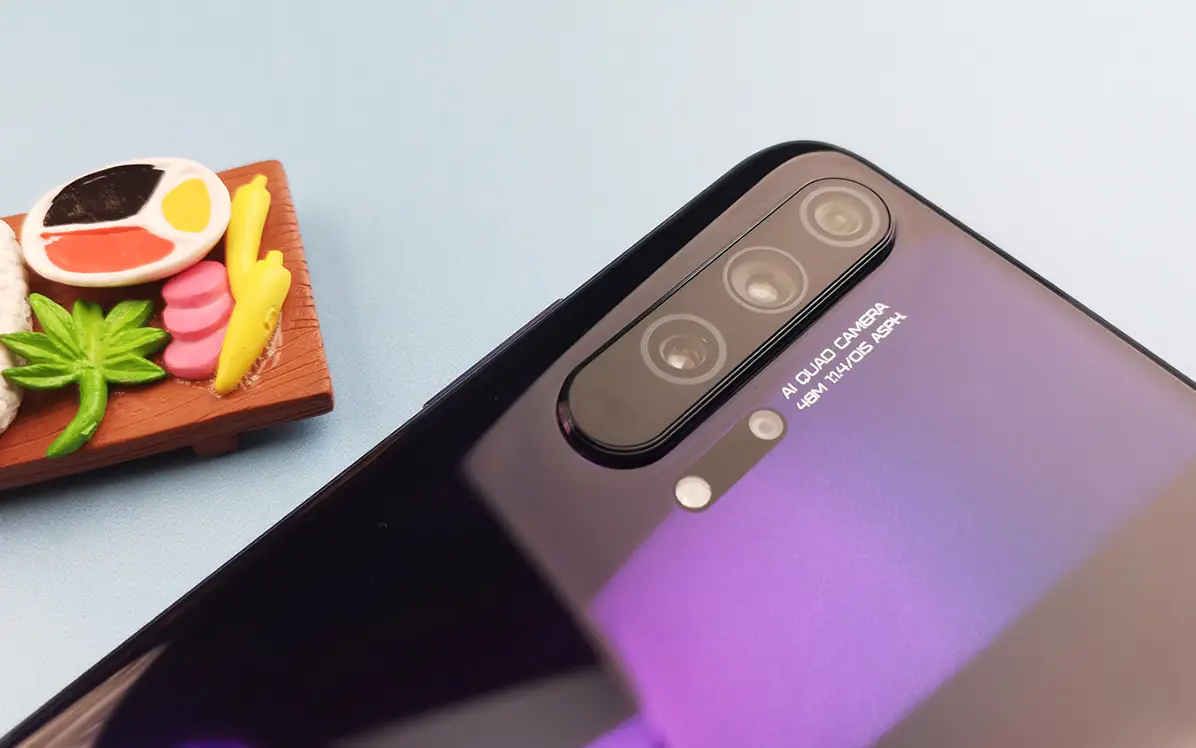
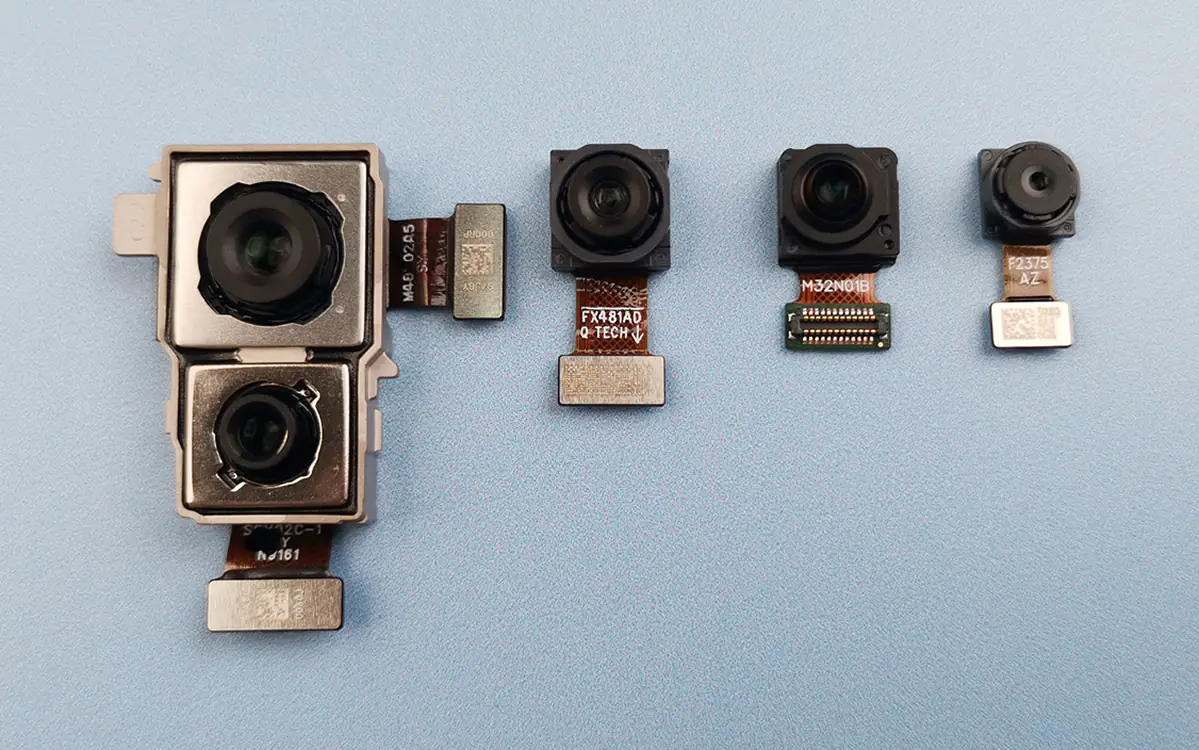
The most striking feature of the Honor 20 Pro is its rear quad-camera module, which occupies nearly one-third of the top part of the body. Since the Honor 20 series features a side fingerprint sensor instead of a rear one, the integrity of the back cover is preserved, making the overall design more aesthetically pleasing. When held in one hand, the thumb naturally reaches the unlocking area. Its recognition speed and accuracy are both superior to under-display fingerprint sensors.
To achieve a higher screen-to-body ratio, we placed the light and distance sensors at the top of the device, which slightly resemble infrared ports. They serve a dual purpose: 1. Prevent accidental touches when in a pocket; 2. Automatically detect the screen status during calls, turning on the screen when the phone is near your face.
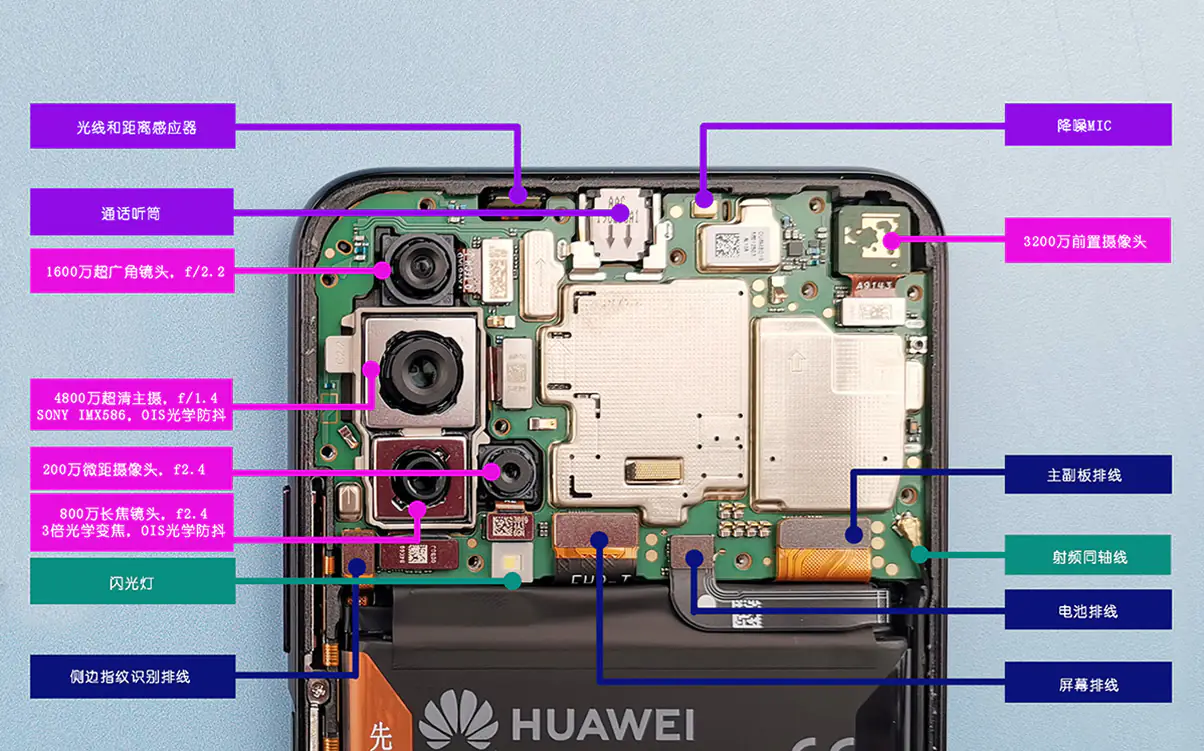
The 48MP main camera features an aperture of f/1.4, a sensor size of 1/2 inch, and supports optical image stabilization (OIS).
The 16MP ultra-wide-angle camera features an aperture of f/2.2 and a focal length of 17mm.
The 8MP telephoto camera features a 3x optical zoom and optical image stabilization, with an aperture of f/2.4 and a focal length of 80 mm.
The 2MP macro camera features an aperture of f/2.4.
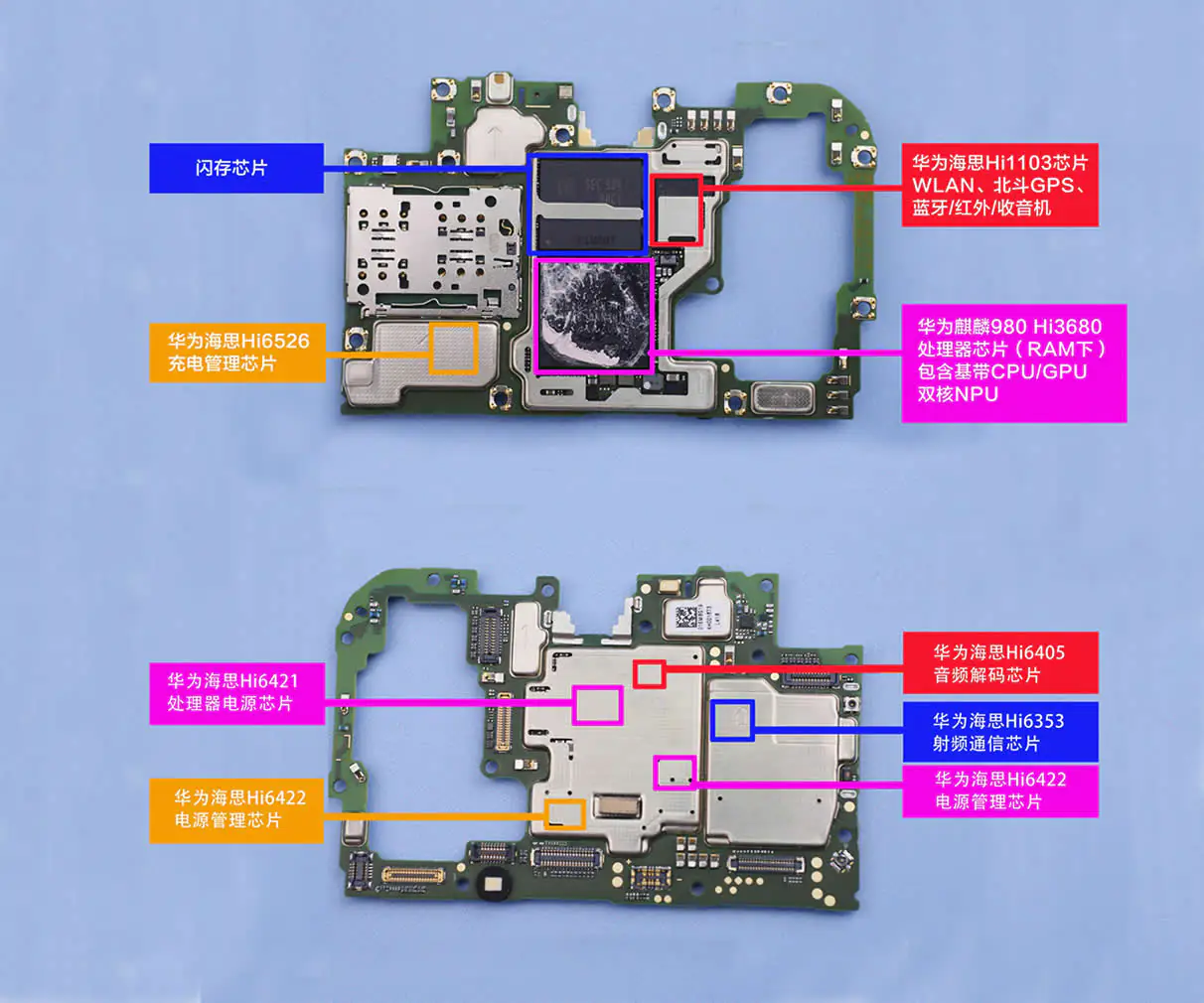
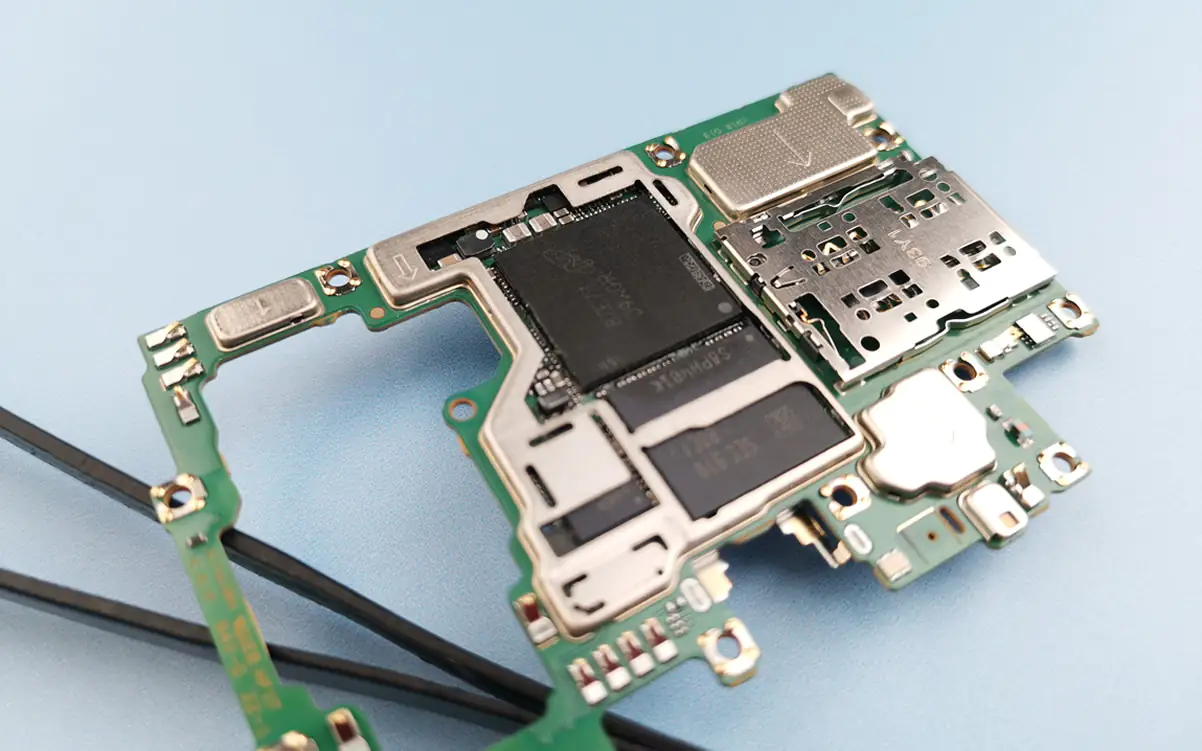
Remove the motherboard and use tweezers to remove the metal shields. The Kirin 980 that everyone wants to see is covered with memory chips and cannot be seen.
Hisilicon Hi6526 charging management chip
Hisilicon Hi6421 processor power chip
Hisilicon Hi6422 power management chip
Hisilicon Hi1103 chip (WLAN, Beidou, GPS, Bluetooth / Infrared / FM)
Kirin 980 Hi3680 processor chip (under RAM, including baseband CPU/GPU/NPU)
Hisilicon Hi6405 audio decoding chip
Hisilicon Hi6353 RF Communication Chip
Hisilicon Hi6422 power management chip
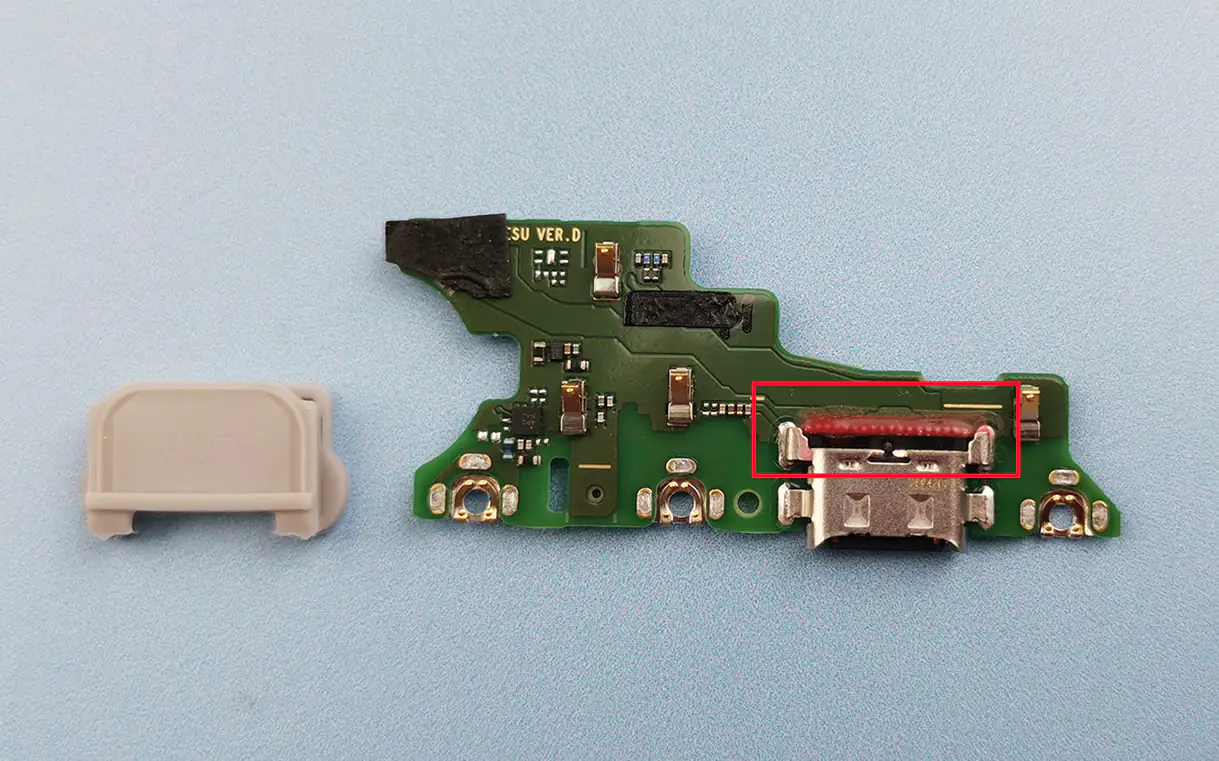
The USB Type-C port also features glue protection to ensure the data cable remains durable, preventing the port from becoming loose after repeated plugging and unplugging.
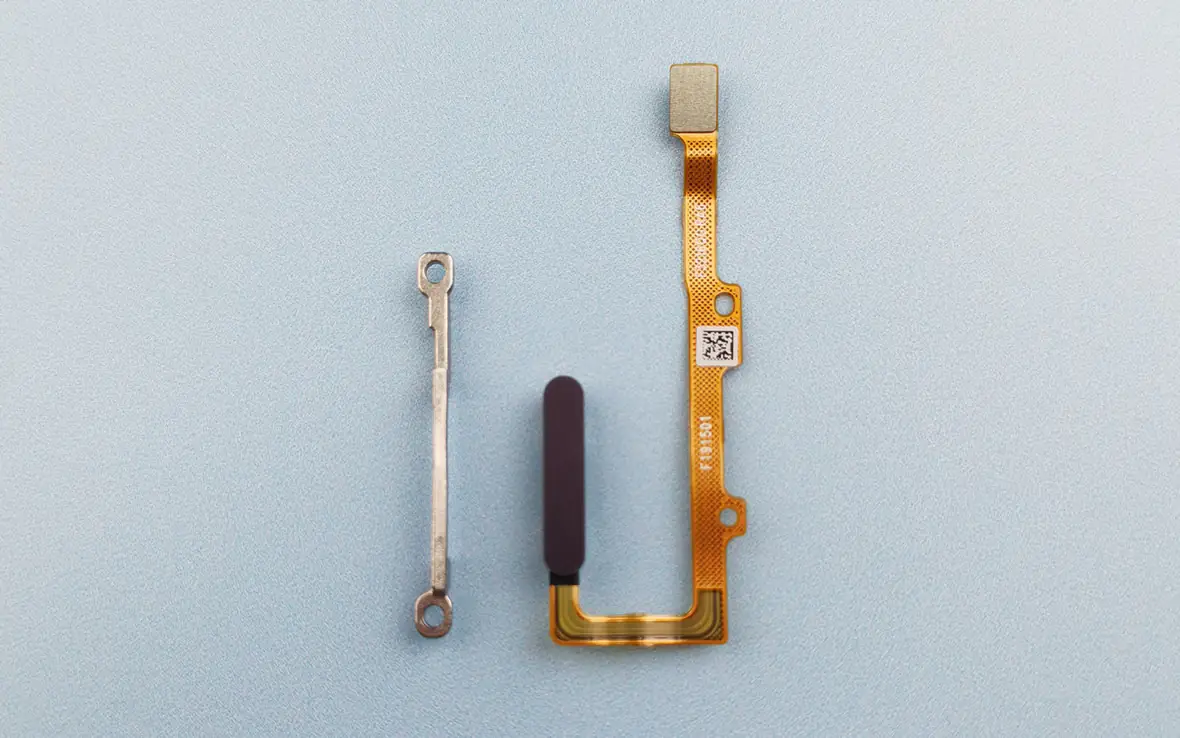
The Honor 20 series combines the power button with the fingerprint recognition module. You can hold the mobile phone in one hand to unlock the screen. Press and hold for one second to wake up the intelligent assistant YOYO.
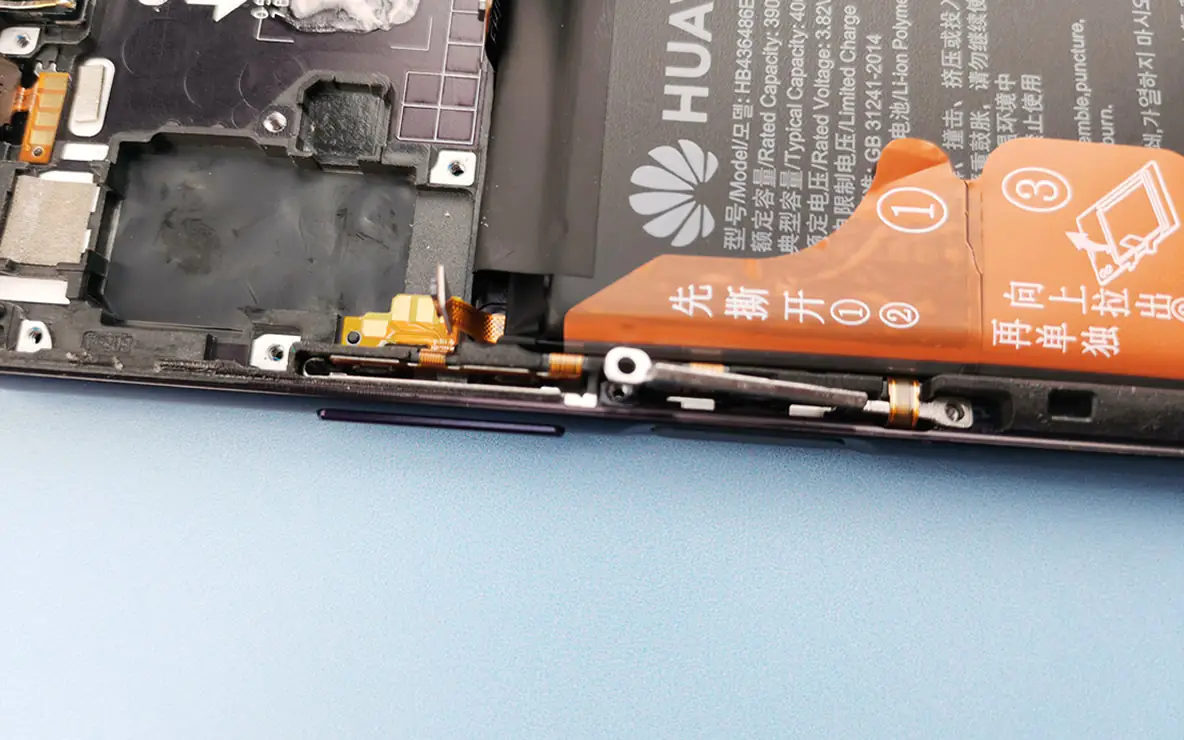
The flex cable of the fingerprint module is located beneath the battery, so the battery must be removed first. According to the battery removal guide, first peel off the two tapes, then lift up the third tape.
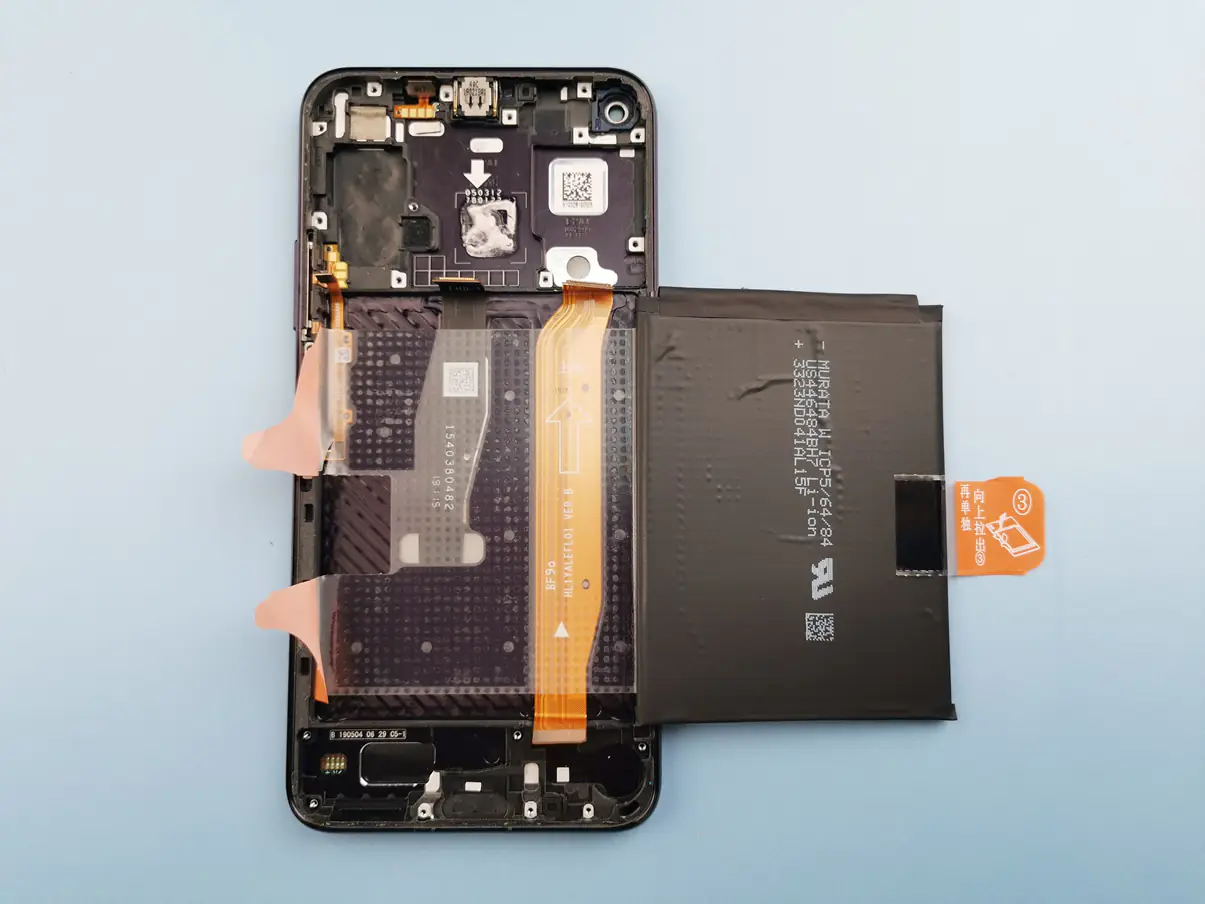
The Honor 20 Pro comes with a 4,000mAh high-density lithium-polymer battery.
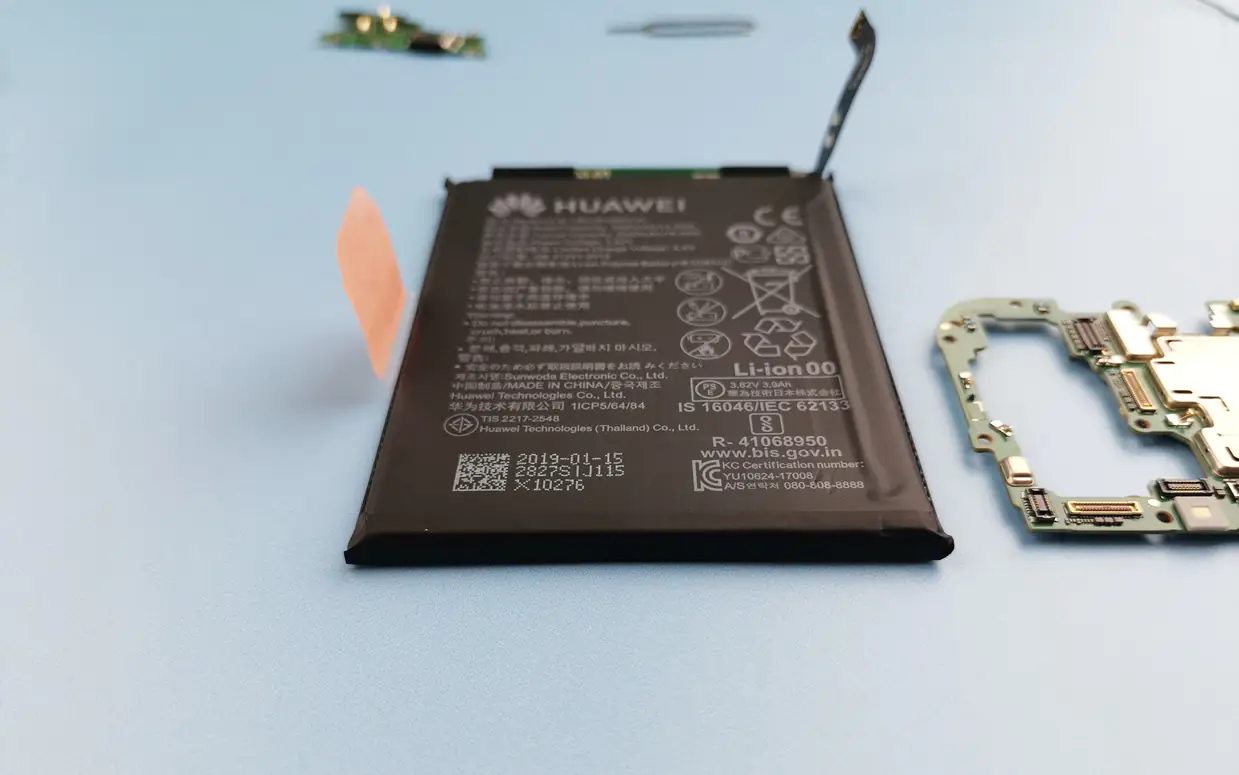
The fingerprint module is composed of a fingerprint scanner, a metal shaft, and a power button. The fingerprint cable is located under the battery, making the phone difficult to disassemble. The battery structure is quite special, so it is usually not recommended to remove it.