
First, remove the screws securing the bottom cover, then take off the cover. After removing the bottom cover, we can access most of the internal components of the Dell Precision 7750. At the same time, you can also upgrade the memory and SSD, or add a SIM card and WWAN module.
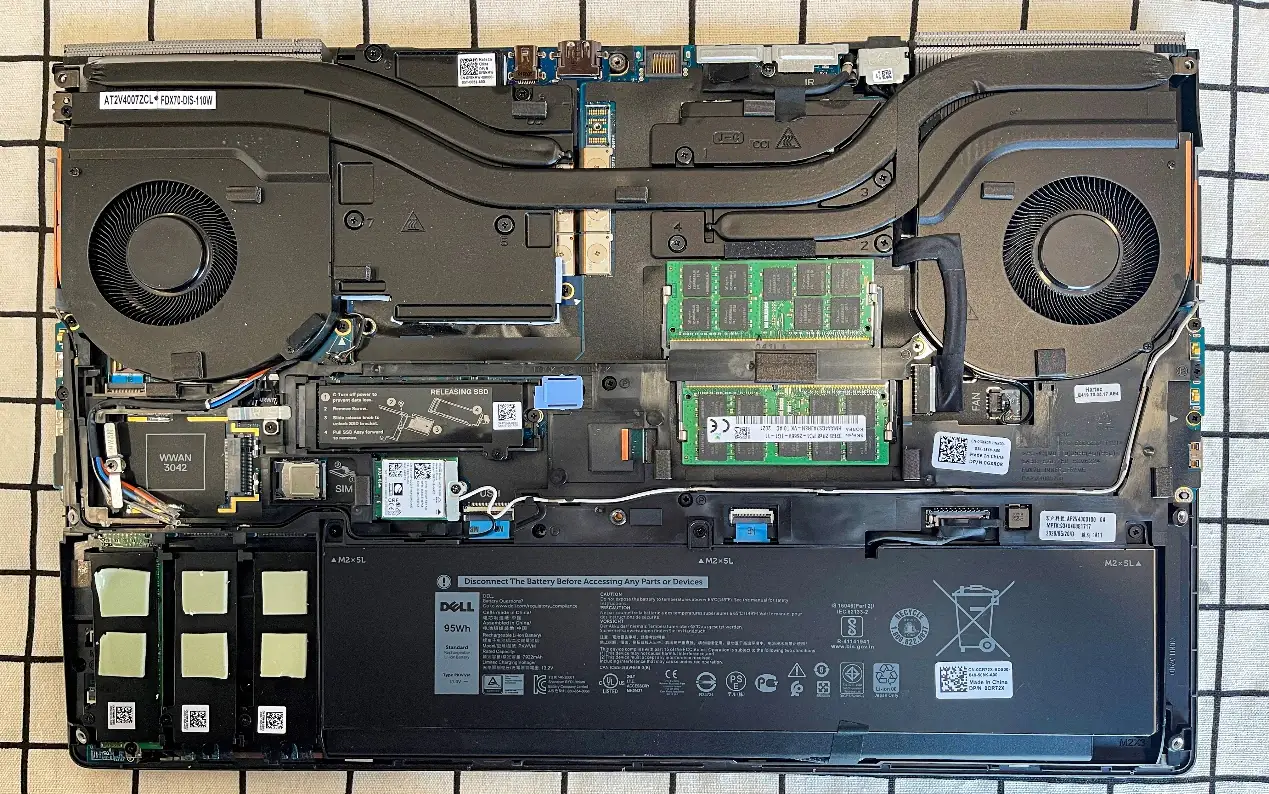
The Dell Precision 7750 comes with a 95Wh battery. In the PCMark10 test, with the screen brightness set to 50%, Wi-Fi and other features turned off, the device achieved 5 hours of battery life in the modern office mode.
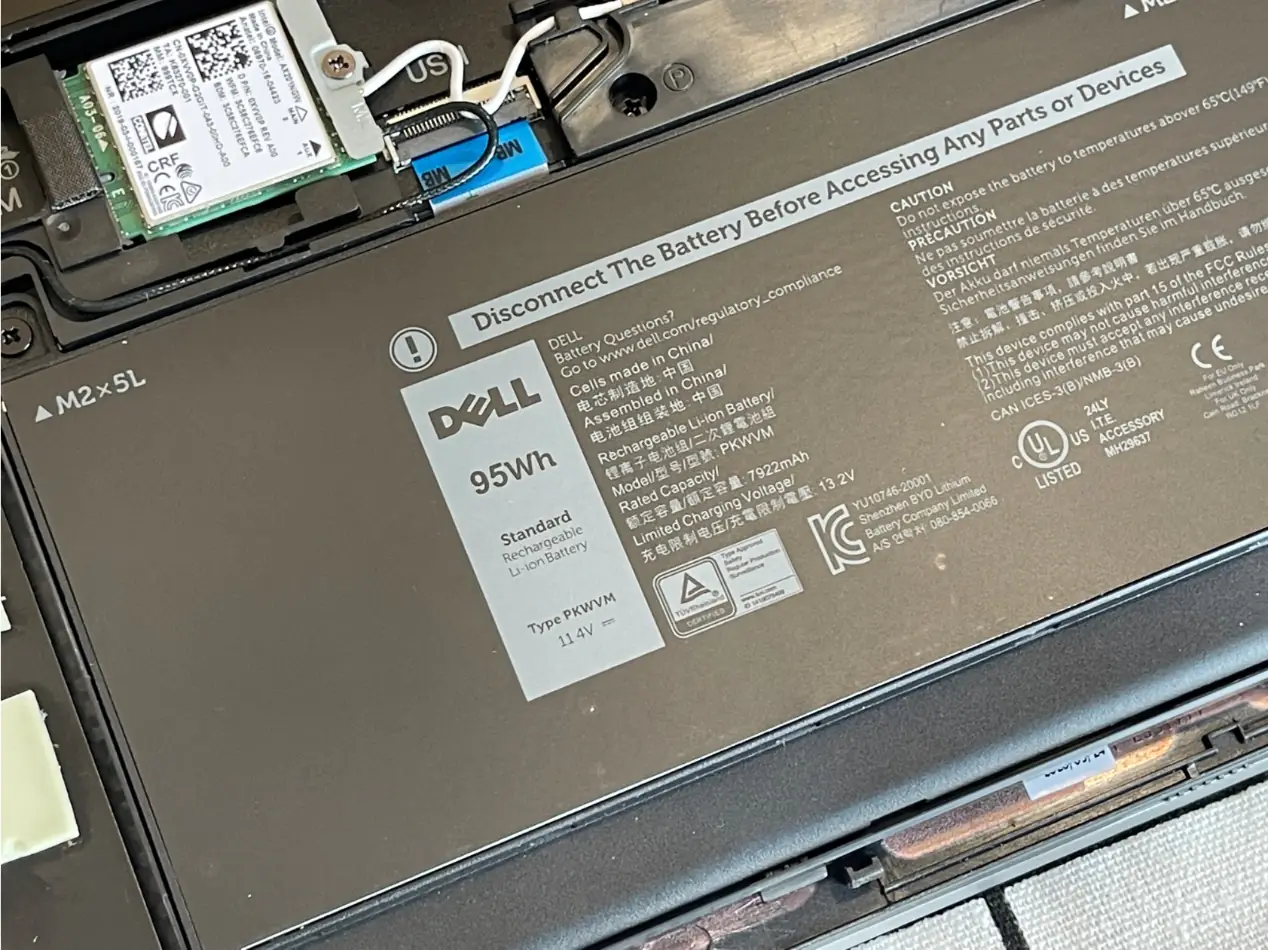
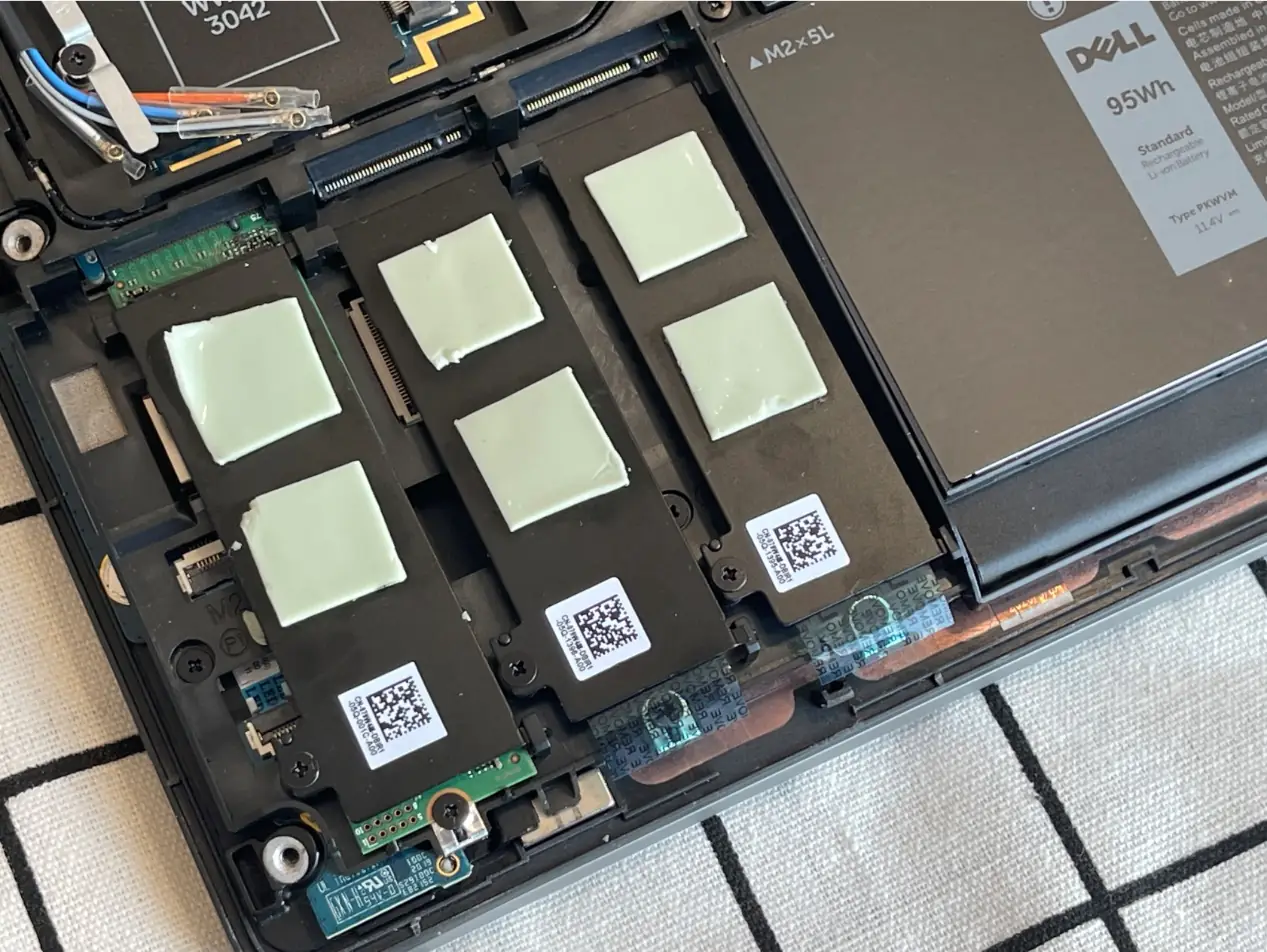
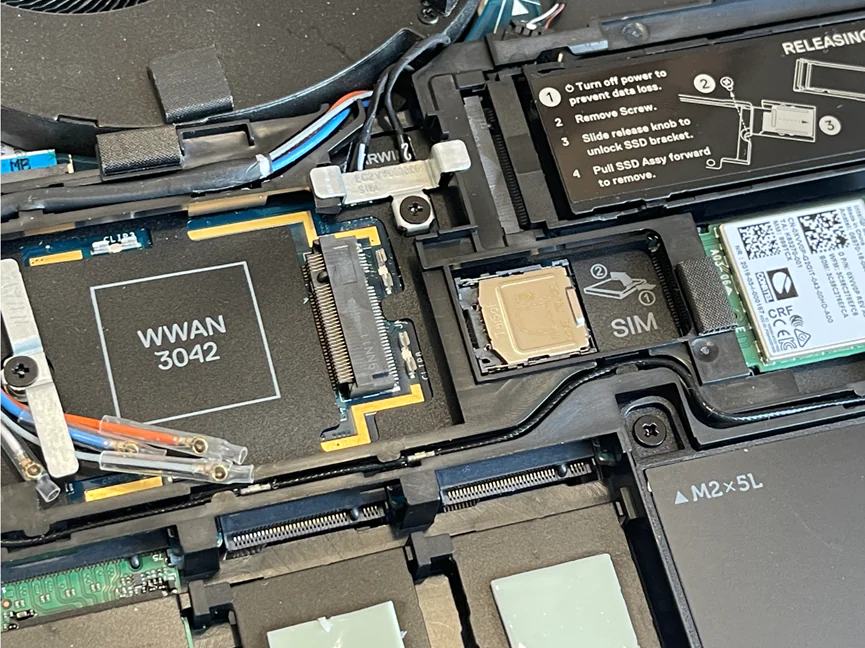
There are three M.2 slots next to the battery, allowing users to add more SSDs. In my case, it comes with a single 512GB Hynix PC601A NVMe SSD, and all three SSD slots have thermal pads to prevent overheating during operation.
In the AS SSD benchmark, the sequential read speed is 2836 MB/s, and the sequential write speed is 738 MB/s. The random read speed is 43.62 MB/s, and the random write speed is 110.78 MB/s.
In the CrystalDiskMark benchmark, the sequential read speed is 3,200 MB/s, and the sequential write speed is 2,669 MB/s. The random read speed is 48.47 MB/s, and the random write speed is 144.7 MB/s.
This workstation features an AX201NGW wireless network card that supports Wi-Fi 6 networks, with a maximum frequency of 120 MHz. There is another M.2 slot above the wireless network card, but it is not occupied.
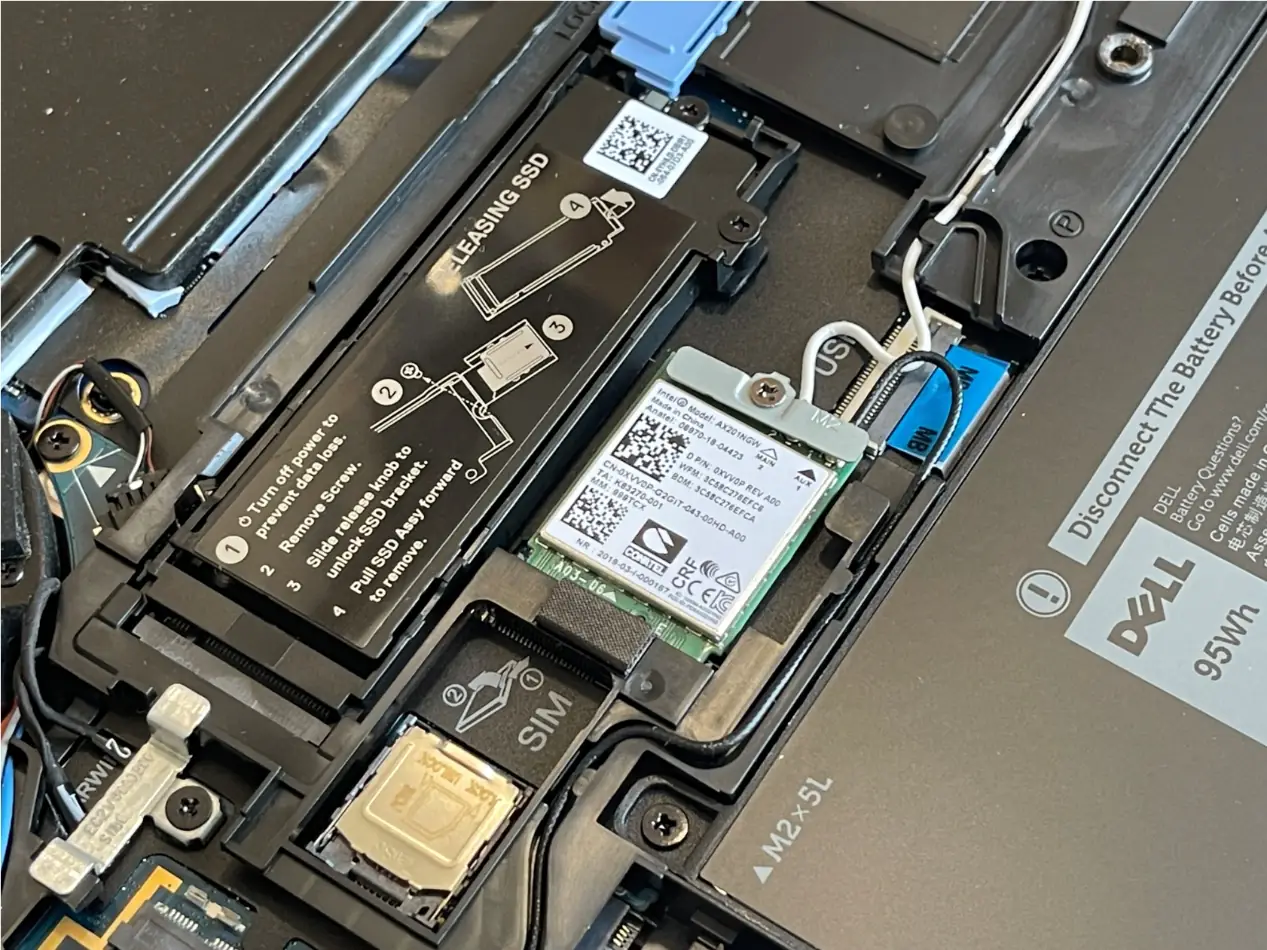
On the left side of the wireless network card, there is a SIM card and a WWAN card. After inserting the SIM card, you can use the mobile network when you are out.
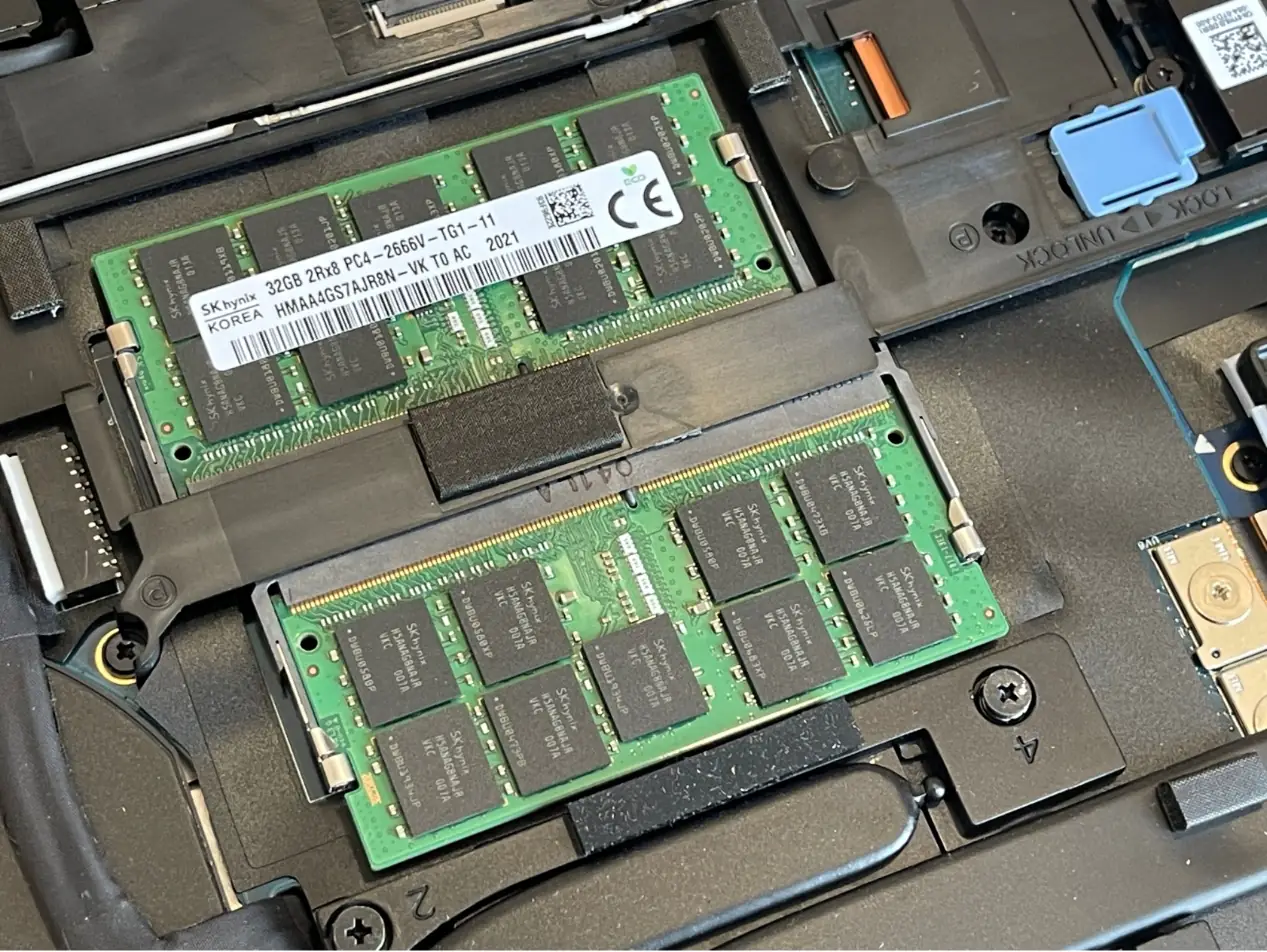
The Precision 7750 has four memory slots. After removing the bottom cover, two slots are visible, while the other two are on the other side of the motherboard, under the keyboard. The workstation comes with four 32GB 2667MHz DDR4 memory modules, for a total memory capacity of 128GB.
Can you please write an article about the GPU on the Dell 7750? The older precision computer is said to have a replaceable GPU.
As can be seen from the inside of this notebook, it does not provide an MXM slot, so the graphics card cannot be upgraded.
These systems have DGFF graphics cards, which can be separately removed. You can upgrade the graphics card if you can find another card of the same form factor to drop in. It is likely that the upcoming Precision 7760 will ship with NVIDIA Ampere GPUs, which could be dropped into the Precision 7750 if you can get your hands on one.
(Precision 7730 and Precision 7740 shared the same DGFF card form factor, allowing for Pascal→Turing upgrades for the Precision 7730. However, the cards are more expensive and difficult to acquire because they do not use the old MXM specs.
What Processor is in the machine shown? Does it use an i5, i7, i9, or Xeon?
I have one with an i9, and I’m having trouble getting it to work when we upgrade the RAM beyond 64GB.
Intel Xeon W-10855M
Does anyone know how to reset the BIOS without a password?
Hello, where is the location of the CMOS battery in this model?
How to replace the CMOS battery?