
The Lenovo ThinkPad T14 has been available for a long time, but there is no guide on the internet on how to upgrade its memory and SSD. Today, I will show you how to upgrade the memory, M.2 SSD, and 4G module on the ThinkPad T14. This guide applies to all T14 models, including both Intel and AMD versions.
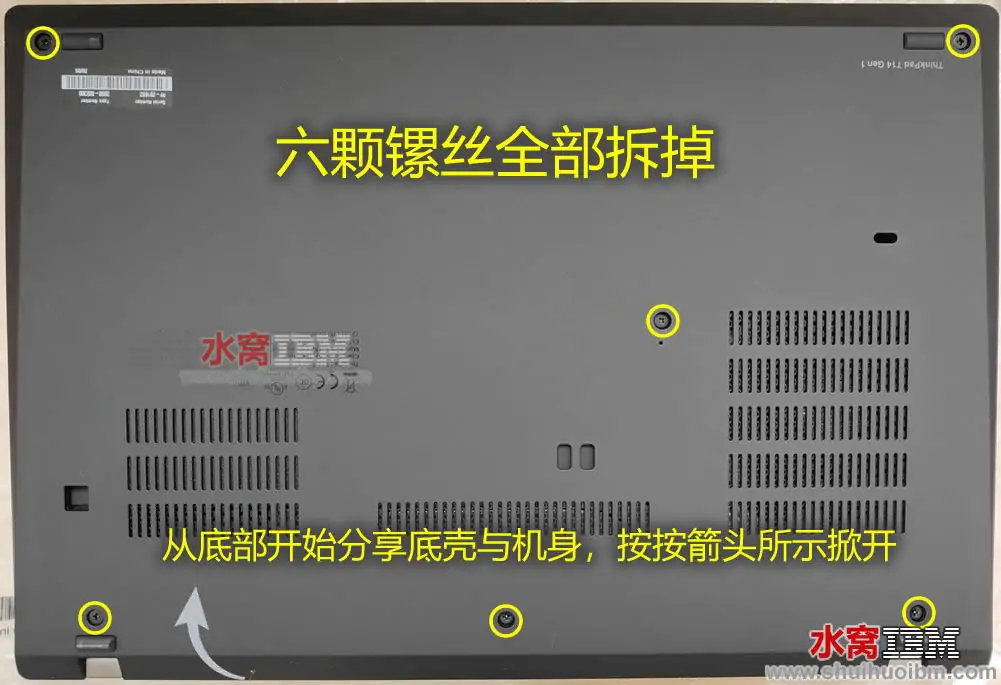
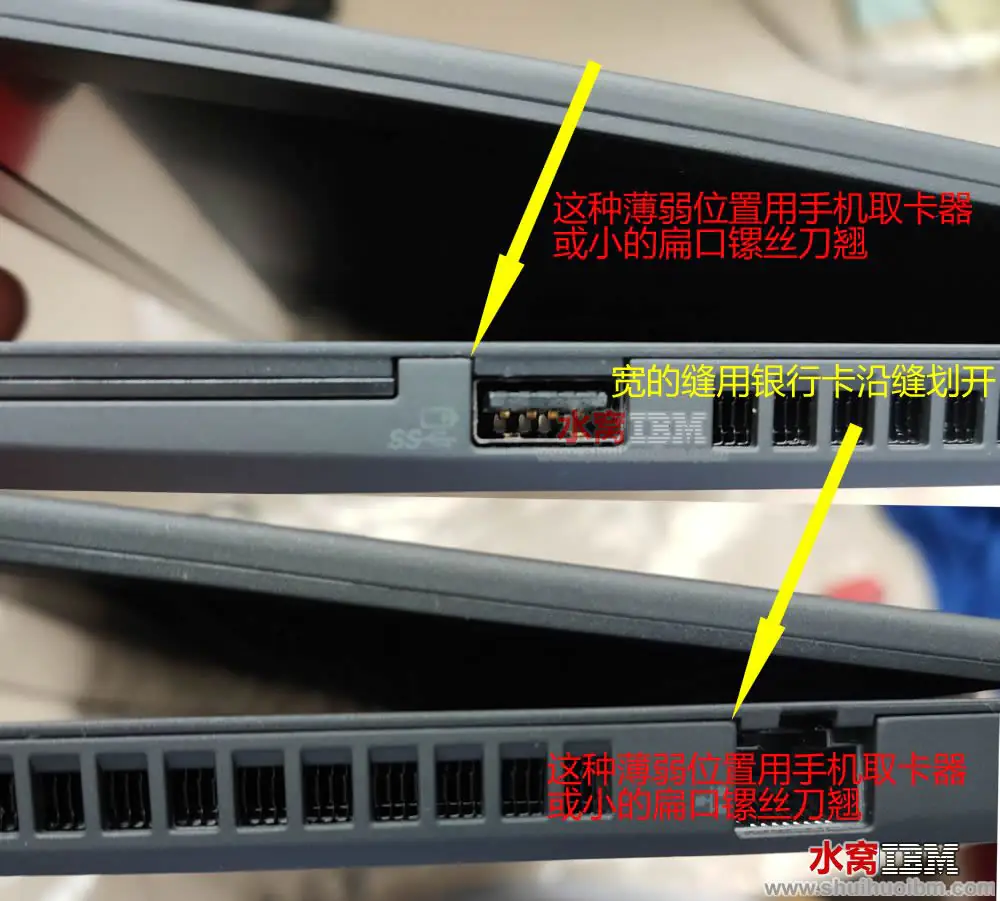
To upgrade the memory and SSD, you must remove the bottom cover. Use a screwdriver to loosen the six screws on the bottom cover. Please note that these screws are attached to the bottom cover and cannot be removed. After loosening the screws, use a plastic pick or an old credit card to gently separate the bottom cover from the laptop.
Once the bottom cover is completely detached, it can be removed. Please note that the bottom cover at the USB and RJ45 ports is secured with clips, which need to be released from the laptop body first.
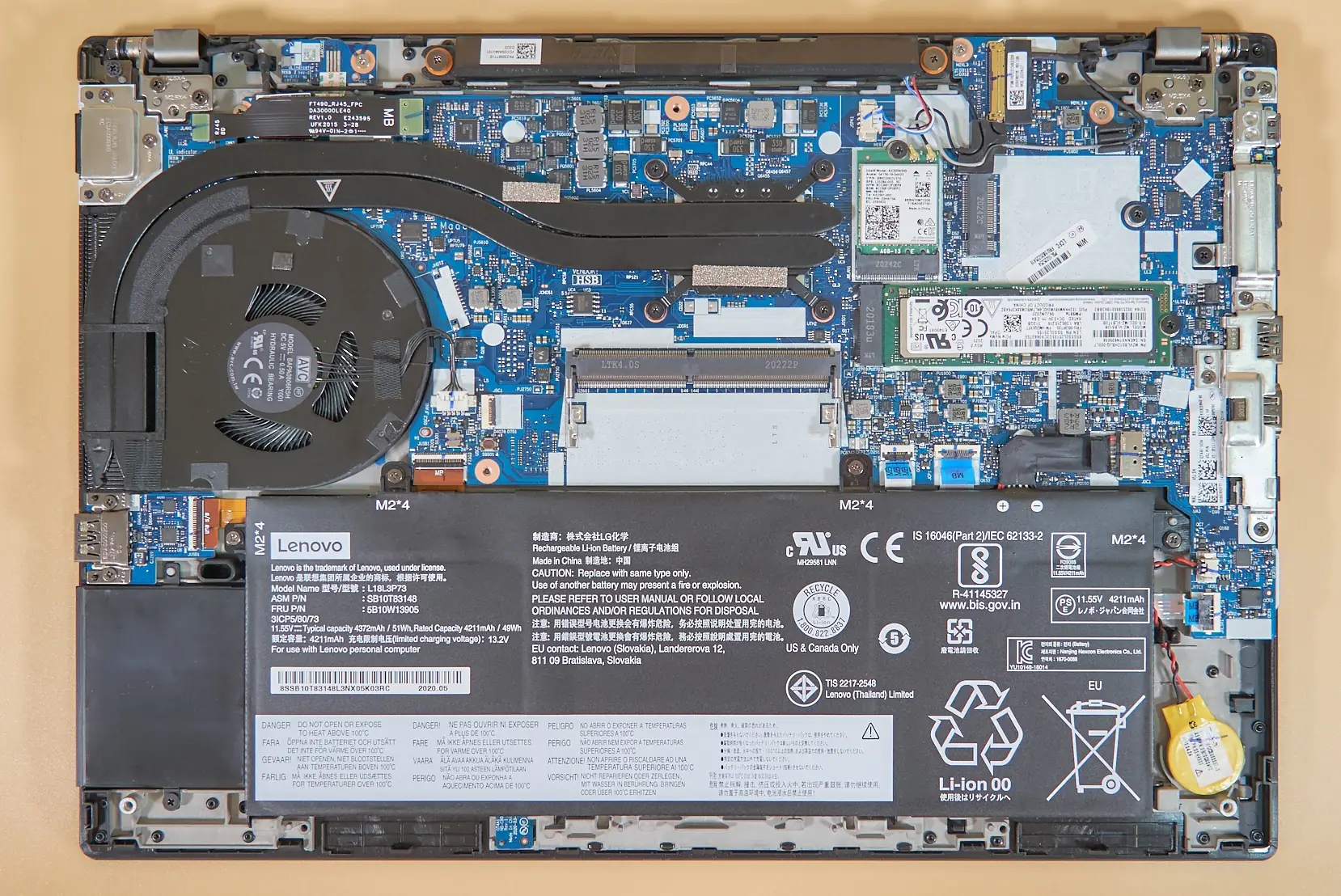
After removing the bottom cover, you can access most of the components, including the RAM, SSD, fan, heatsink, battery, wireless card, CMOS battery, USB board, and motherboard.
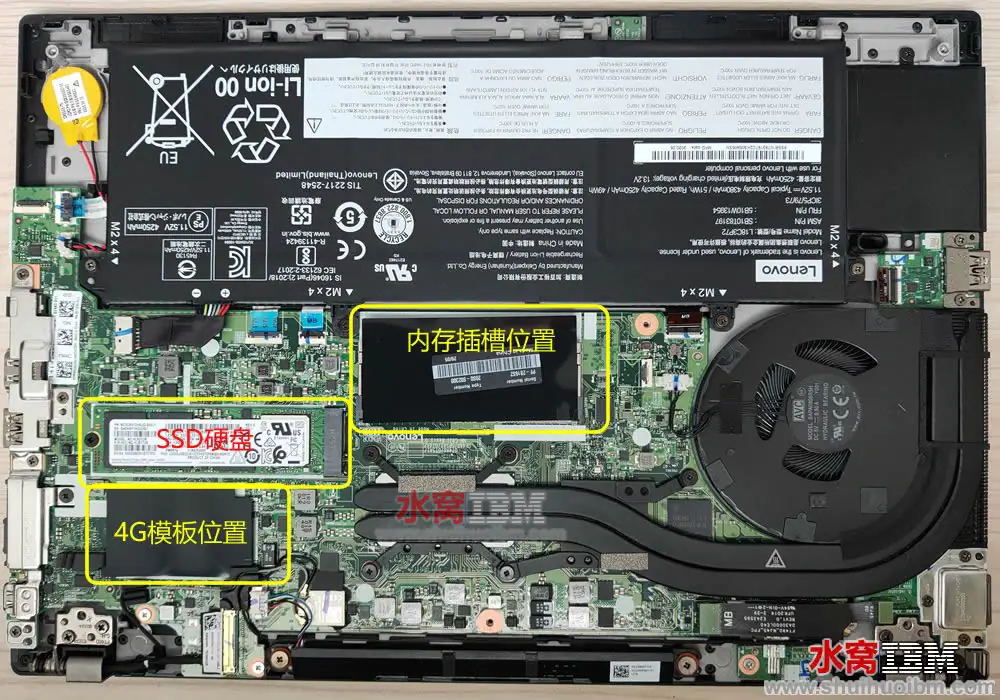
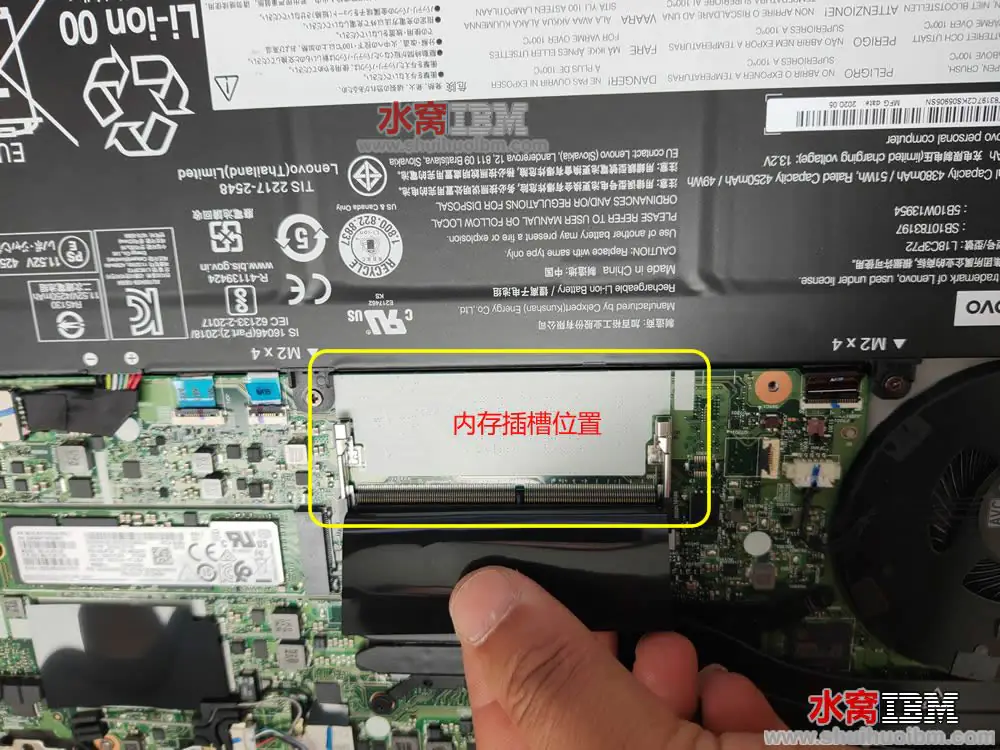
After lifting the anti-static protective film, it can be seen that the T14 still has one spare memory slot, while the other memory is soldered onto the motherboard.
Also Read: Lenovo ThinkPad T14 Gen 2 Review (2021 Model, AMD Ryzen 7 Pro 5850U)
When inserting the memory, align it with the slot and insert it at a 30-degree angle, then press it down vertically. Once pressed into place, the metal clips on both sides of the memory will secure it.
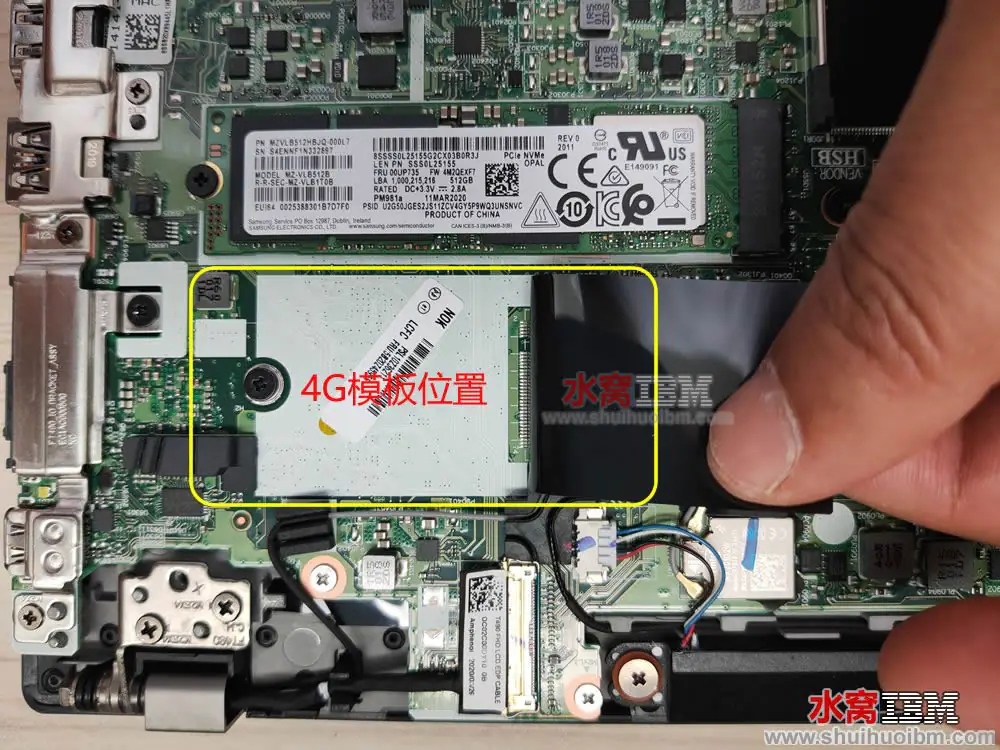
The image below shows the positions of the SSD and the 4G module. To replace the M.2 SSD, unscrew the left screw and pull the SSD to the left to remove it. However, it is not yet confirmed whether this 4G slot is compatible with M.2 2242 SSDs. If you have any information, please leave a message to let us know.
Is it possible to upgrade the screen to something like a 14-inch 1440p from a t470p/t470s? Thank you
No, although they are all 14-inch LCD screens, the actual size is different.
Hi,
This appears to be the non-WWAN version. Does the device still have a SIM card reader? I am trying to figure out whether all T14 boards have it, or whether only the WWAN models have it. Thank you very much in advance!
Hi David, I got the T14 GEN 1 model. I would like to know if I would like to add an additional 500GB SSD. May I know if the slot size is M.2 2280 or M.2 2242? Thank you.
It is M.2 2242.
Thank you for your prompt reply.
I’ve read many posts about adding a 2242 SSD to the T14, and it seems to me that the additional 2242 SSD only works with the T14 Gen 1 (AMD), but not Intel. Is there anyone who got this additional SSD working with the T14 Intel version?
Hi David, great article. One question. “You need to release the buckle from the laptop body.”
Could you please explain how to do this? Plastic is very unforgiving 🙂
Br, mitch
It’s as simple as inserting an old card between the bottom cover and the chassis and slowly sliding the card to loosen the tab (buckle).