
In this guide, I explain how to disassemble an HP Pavilion Gaming 15-cx0000 gaming laptop. I will remove the bottom cover to access the battery, SSD, hard drive, RAM, Wi-Fi card, heatsink, and CPU fan.
For this disassembly, you will need just a few tools: a Torx T5 screwdriver, a Phillips #1 screwdriver, a case opener tool, and tweezers.
The components of this laptop that can be replaced or upgraded include the battery, memory, M.2 SSD, 2.5-inch hard drive, wireless network card, and CPU fan.
There are seven screws on the bottom cover that secure it to the top cover. Use a screwdriver to remove the seven screws. Then, use a casing opening tool (or a thin plastic tool) to carefully pry the bottom cover away from the top cover. The bottom cover has many clips, so be careful not to damage them. Otherwise, the bottom cover may not secure firmly to the laptop.
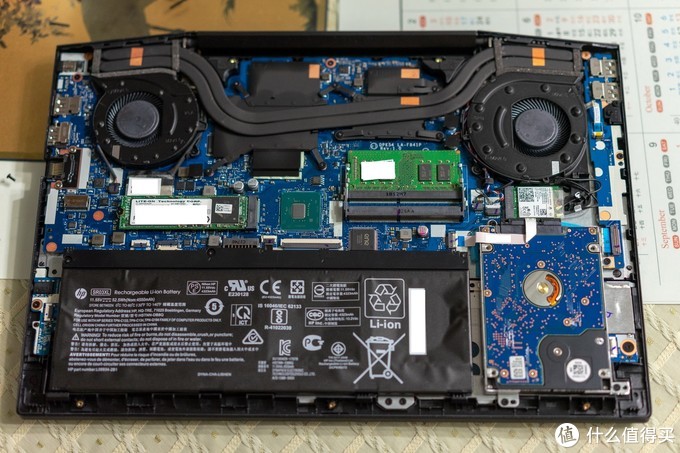
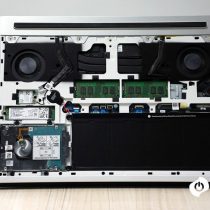
After removing the back cover, we can access most of its internal components. The upper part includes the motherboard, fan, memory, SSD, and USB board, while the lower part only has the battery and mechanical hard drive.
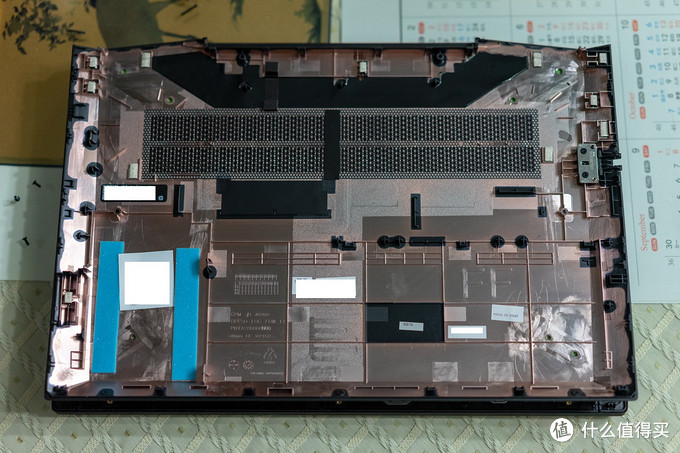
This is the removed back cover. There are two shock-proof sponges at the location of the mechanical hard drive. Other than that, there is no special design.
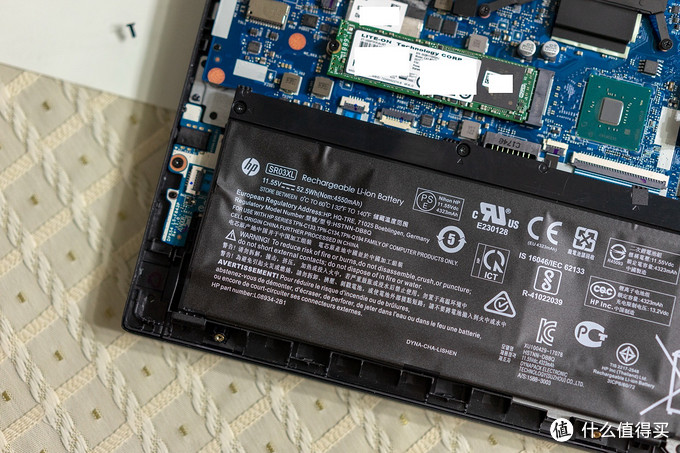
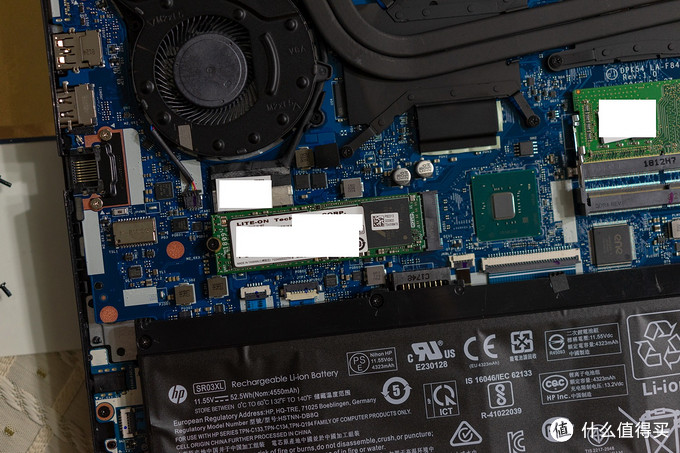
This laptop features a 52.5Wh lithium-ion battery. To remove the battery, disconnect the battery cable from the motherboard, and then remove all the screws that secure the battery.
It comes with a 2.5-inch hard drive, secured to the top cover with three screws and connected to the motherboard via an HDD cable. Some models do not come with a 2.5-inch hard drive, so you can purchase an HDD cable separately to add a 2.5-inch hard drive to your laptop.
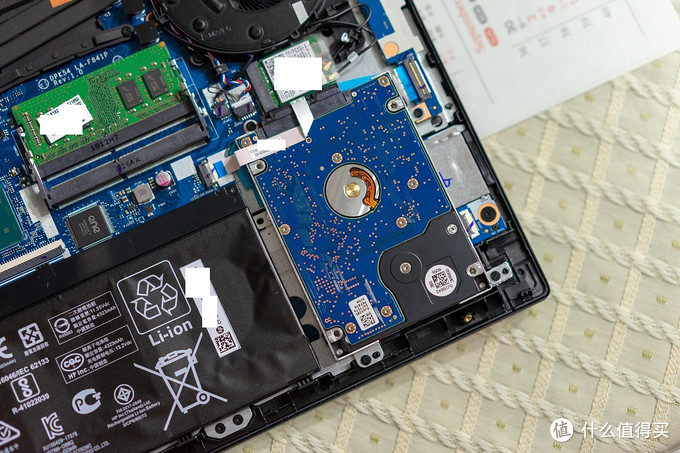
Its wireless network card can also be upgraded, and you only need to remove one screw and disconnect the two antennas from the motherboard.
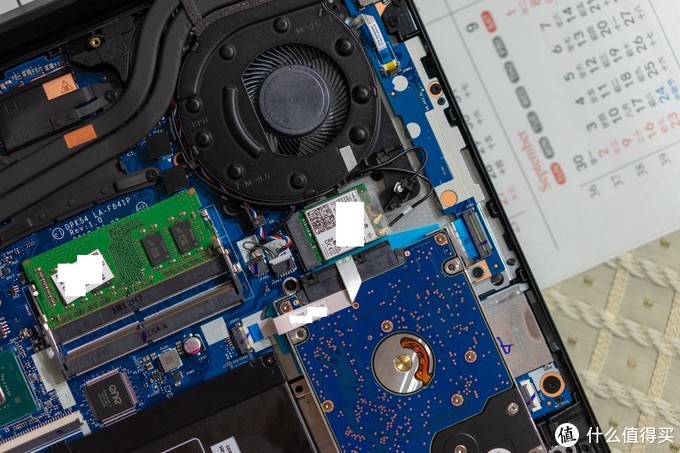
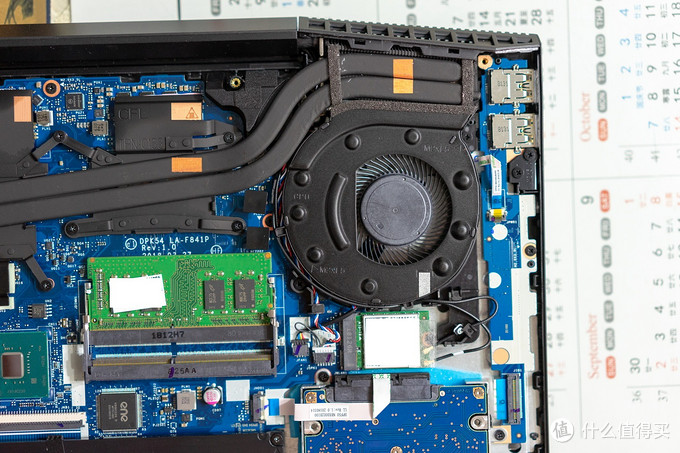
The HP Pavilion Gaming 15-cx0000 has two memory slots, one of which is pre-installed with 8GB of Micron memory, allowing users to expand the memory capacity themselves. This laptop supports up to 32GB of memory.
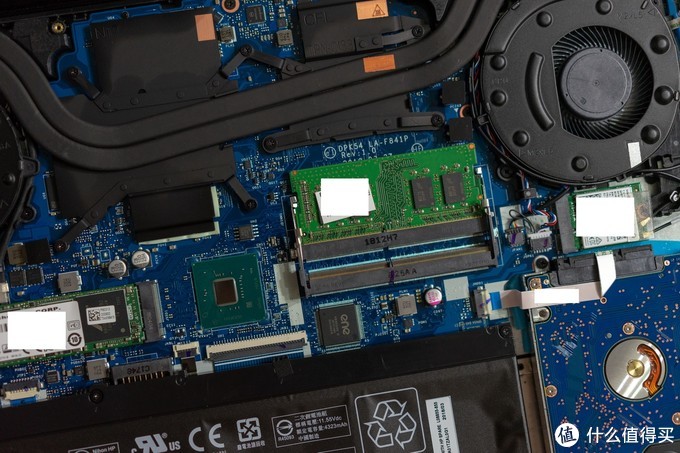
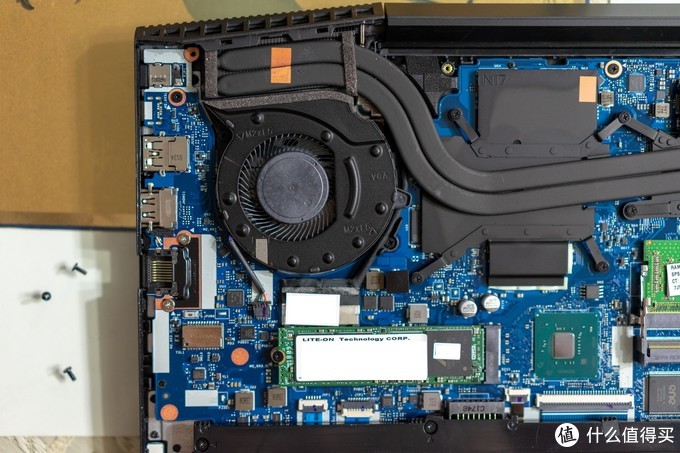
The SSD in this laptop is manufactured by Lite-On Technology, and the SSD does not come with a heatsink. During continuous operation, its temperature may be relatively high. Additionally, the PCH chip is not equipped with a heatsink either.
Its cooling module has two copper tubes. Although there are only two copper tubes, the power supply chips and video memory are covered.
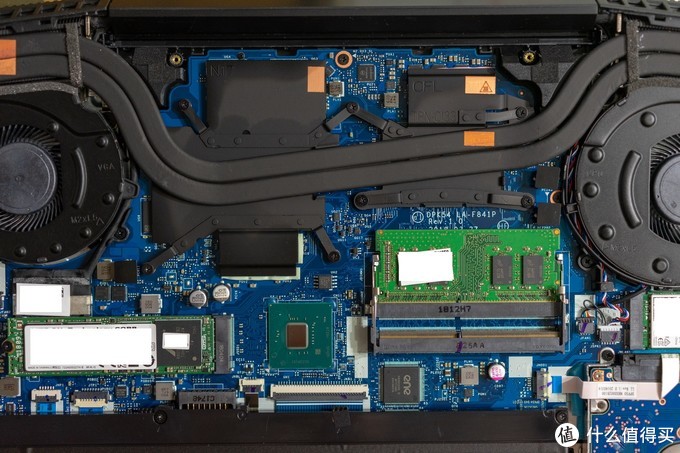
The fan on the left is mainly responsible for cooling the graphics card.
The fan on the right is mainly responsible for cooling the CPU. The two fans have slight differences.
Good day. I recently spilled water on my laptop, and now it has issues. Can you please drop a link to get this exact motherboard, as it is the same as mine?
Hey, can you help me with the graphics card fan connector to the left? There are 2 large capacitors, and it’s also to the right of a 1-inch rectangular chip (GST5009-E). Can you tell me the size and voltage of those capacitors? I need replacements to fix my laptop.
I’m sorry, but I don’t know the size and voltage of this capacitor. You need to find the circuit diagram of this motherboard to know its size and voltage.
Hi!
Unfortunately, I broke the connector on the motherboard of the SATA cable where I connect the 2.5-inch hard disk.
I would like to ask if it is possible to have some specifications to know which connector to buy in order to replace it.
Thank you!
Marco
Touchpad not functioning correctly. Part number for the touchpad?
The part number for the touchpad is L20333-001.