
The Lenovo ThinkPad E14 has been on the market for a long time, but there is still no online guide on how to upgrade its memory and SSD. Today, we will show you how to upgrade the memory and M.2 SSD for the ThinkPad E14. This guide applies to all E14 models, including both Intel and AMD versions.
Before starting the upgrade work, you need to start the laptop, enter the BIOS, and disable the battery. This is also to ensure the safety of your laptop.
First, turn the laptop over and place it on the table with the back facing up. Then use a screwdriver to loosen all the visible screws. Please note that these screws cannot be completely removed, as they are attached to the back cover.
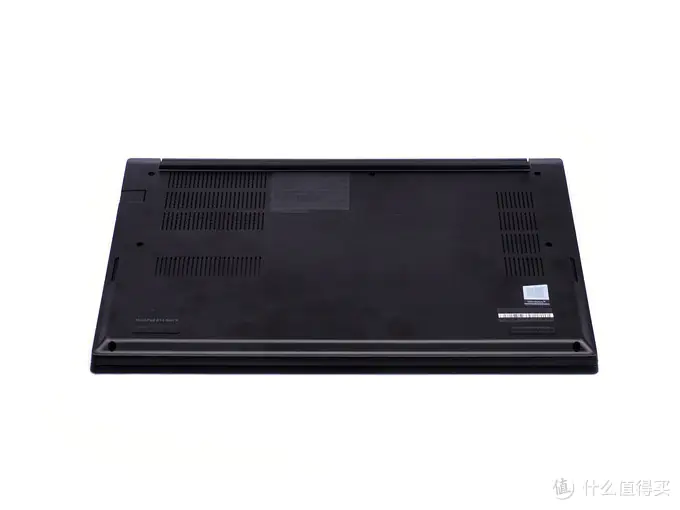
After all the screws are loosened, use a plastic pick or an old card to pry the bottom cover slowly. The easier way is to pry it from the LCD hinge.
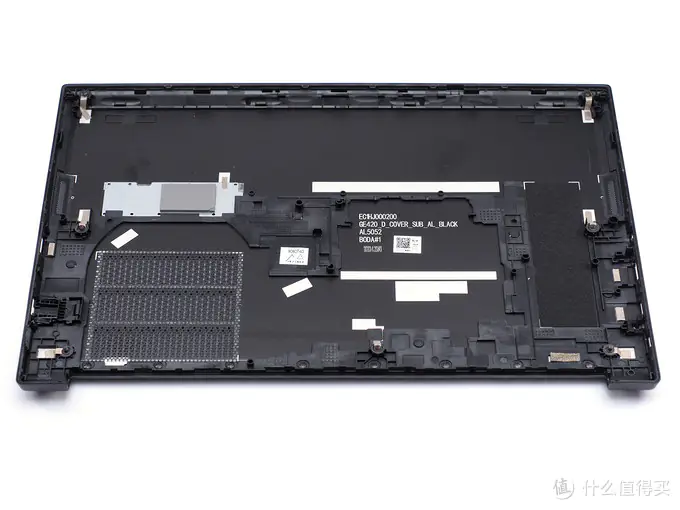
As shown in the picture, there are many clips on the back cover. There is a thermal pad in the pre-installed SSD position, but no thermal pad is reserved in the extended SSD position.
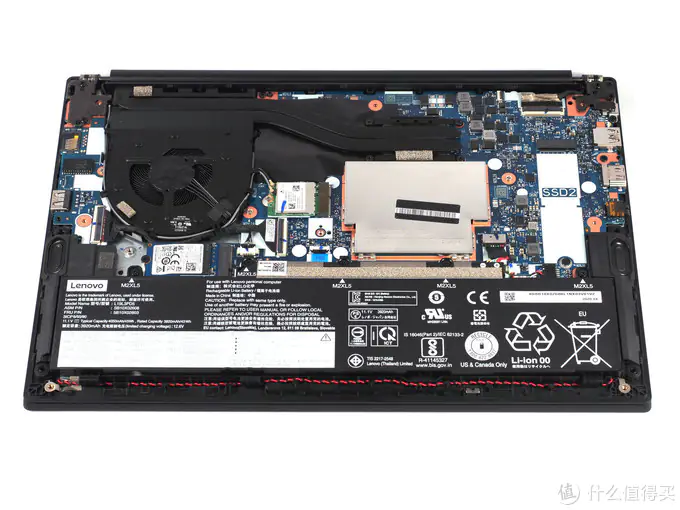
This picture shows most internal components, including the fan, wireless network card, battery, speakers, memory, SSD, and motherboard.
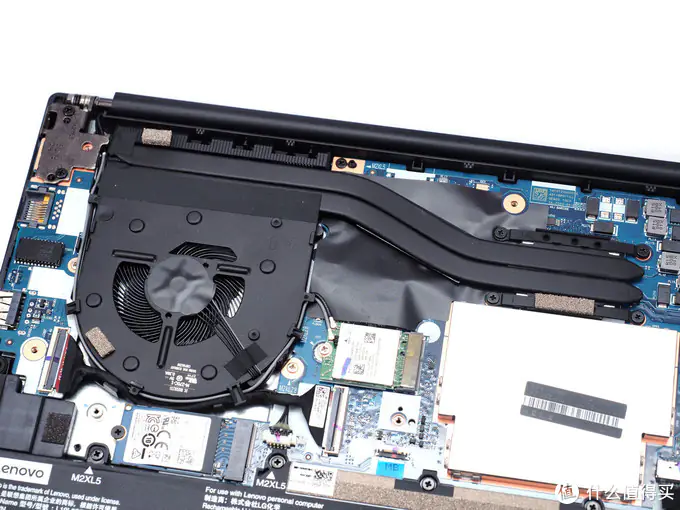
This is the ThinkPad E14 cooling module. It consists of a fan and two copper pipes. Such a cooling module is enough for a 14-inch lightweight laptop.
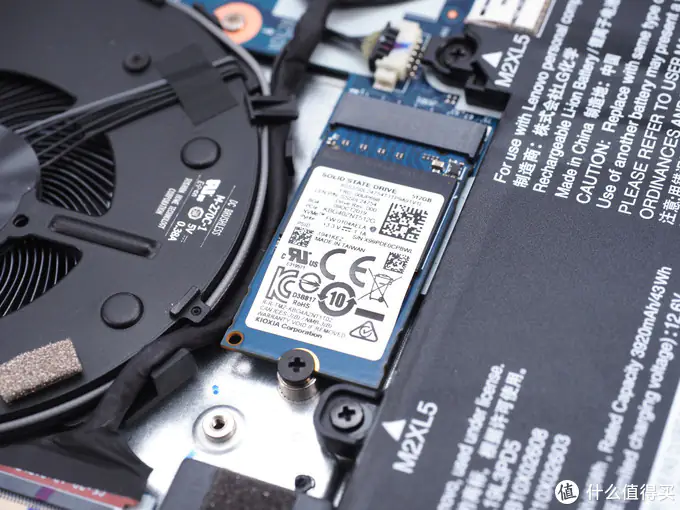
The Toshiba 2242 NVME M.2 SSD came with the laptop. The reserved 2280 M.2 slot is also visible in the image below.
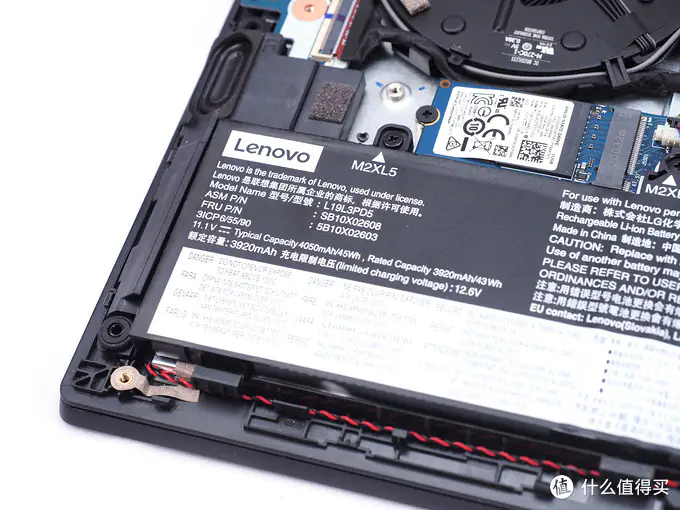
This laptop comes with a 45Wh battery, which isn’t very large. Fortunately, the Ryzen R5-4500U processor has low power consumption, so its battery life is not short.
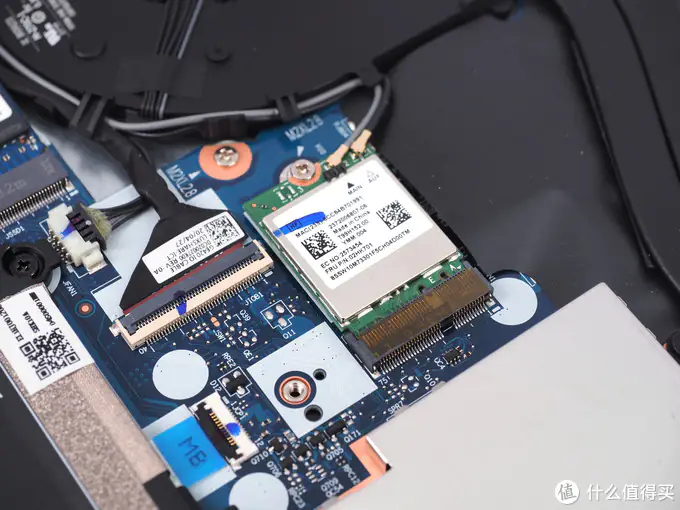
This is the wireless network card, which only supports Wi-Fi 5. If needed, it can be replaced with a wireless card that supports Wi-Fi 6.
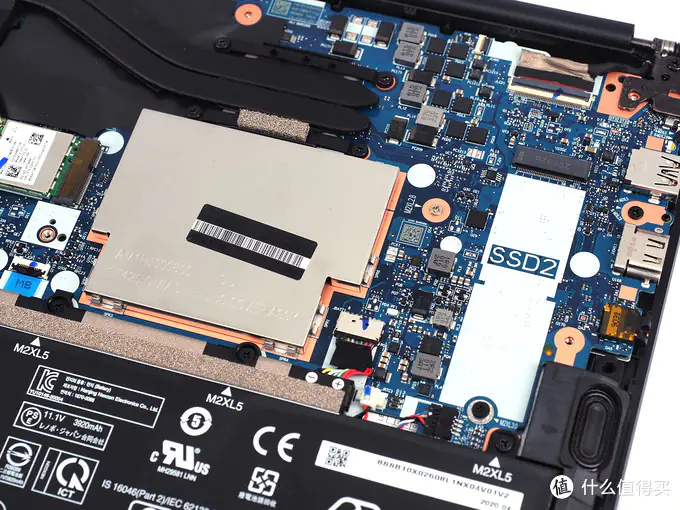
This M.2 SSD slot with the 2280 form factor allows for the installation of a high-capacity M.2 SSD when needed. The silver metal plate next to it serves as a memory shield.
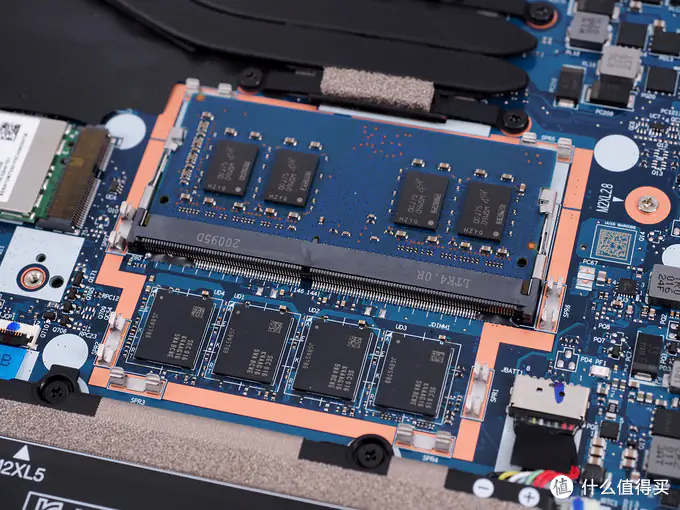
This laptop comes with 8GB of onboard memory and an additional 8GB of memory in the slot. If needed, it can be upgraded to a 16GB memory module.